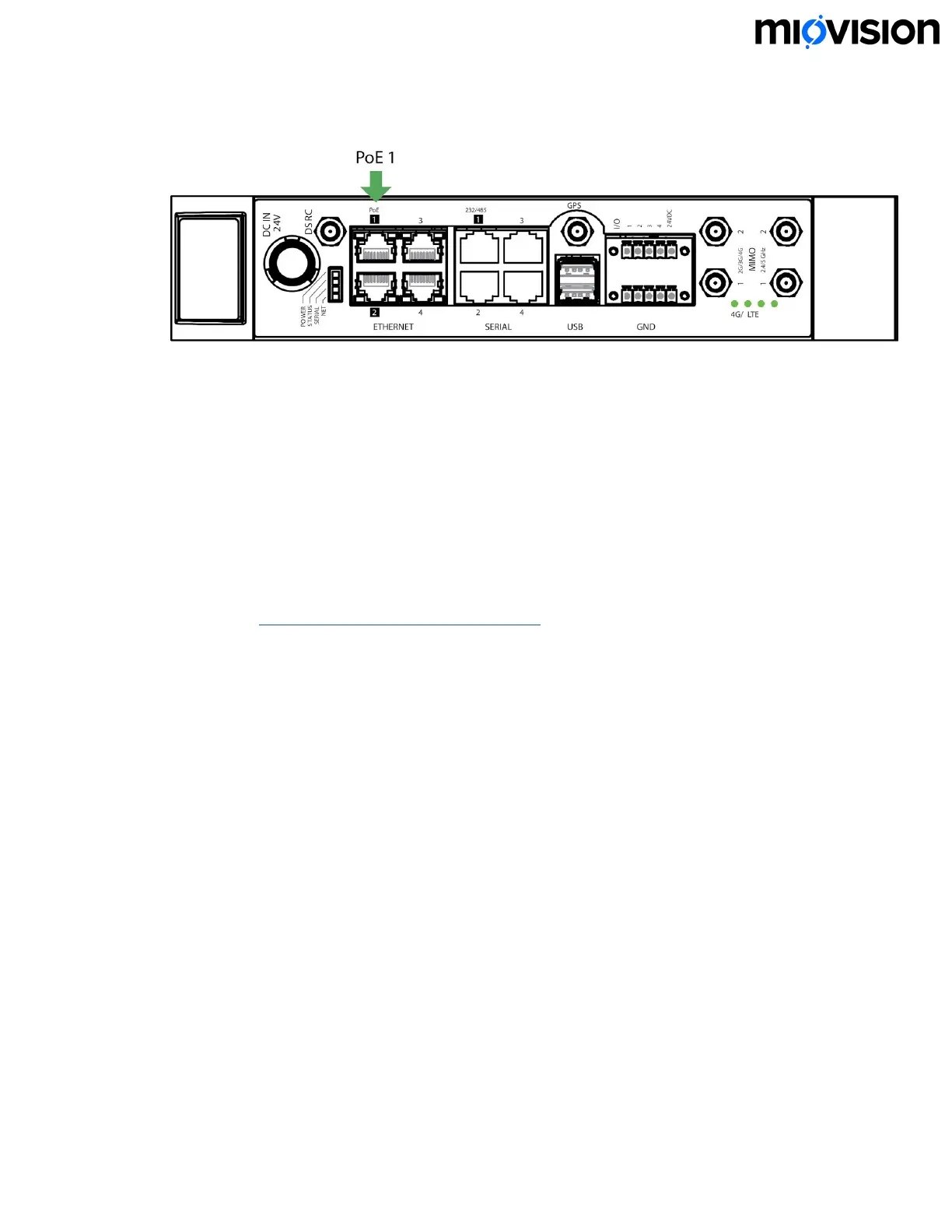
the SmartSense and not the SmartLink device.
2. Turn the SmartLink on. If the SmartLink is already on, turn the SmartLink off and
then turn it back on. This step is required to make sure that the correct camera
settings are applied.
Test your installation
● Confirm that the LEDs on SmartLink appear as follows:
● LED 1 (POWER) is solid indicates that there is power to the SmartLink
● LED 2 (STATUS) blinking indicates ‘heartbeat’
● LED 3 (SERIAL) solid indicates internet connectivity
● See SmartLink on-site troubleshooting for more information.
Technical support
Technical support is available five days a week by phone or email during regular
business hours (Monday-Friday, 7 am - 6 pm EST/EDT.) Certain restrictions and
exclusions apply.
Online:help.miovision.com
Phone:1-855-360-7752
Email: support@miovision.com
6.11.19
22


 To Previous Page