6. After the SmartView 360 is in position, tighten the socket nuts with a 7.9 mm
(5/16 in) socket wrench.
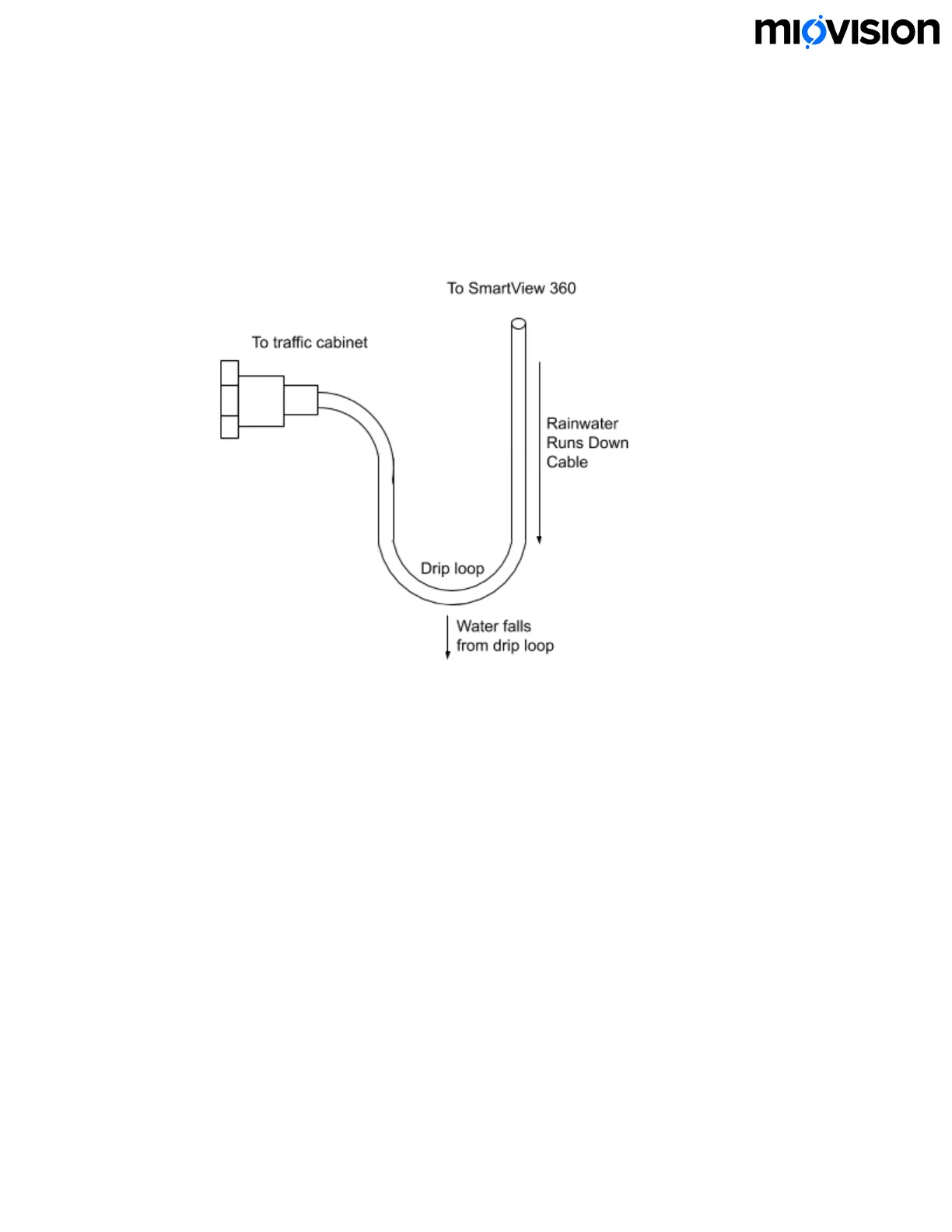
7. Run the Shielded Ethernet Cable through the hole in the traffic pole, leaving
leaving 0.9 to 1.2 m (3 to 4 ft) of slack to follow proper drip loop procedure. Note:
You might need to remove a pole grommet temporarily to allow Ethernet Coupler
to fit through.
8. At the traffic cabinet, cut the Ethernet cable to the appropriate length and then
install and crimp the RJ45 connector. Make sure that the drain wire contacts the
shielded connector housing.
Connect SmartView 360 to SmartLink
1. In the traffic cabinet, connect the Ethernet Cable into the SmartSense port
labeled PoE 1. If you are installing two SmartView 360 cameras, connect the
second camera to PoE 2. Note: Make sure that you are connecting the cable(s) to
6.11.19
21


 To Next Page