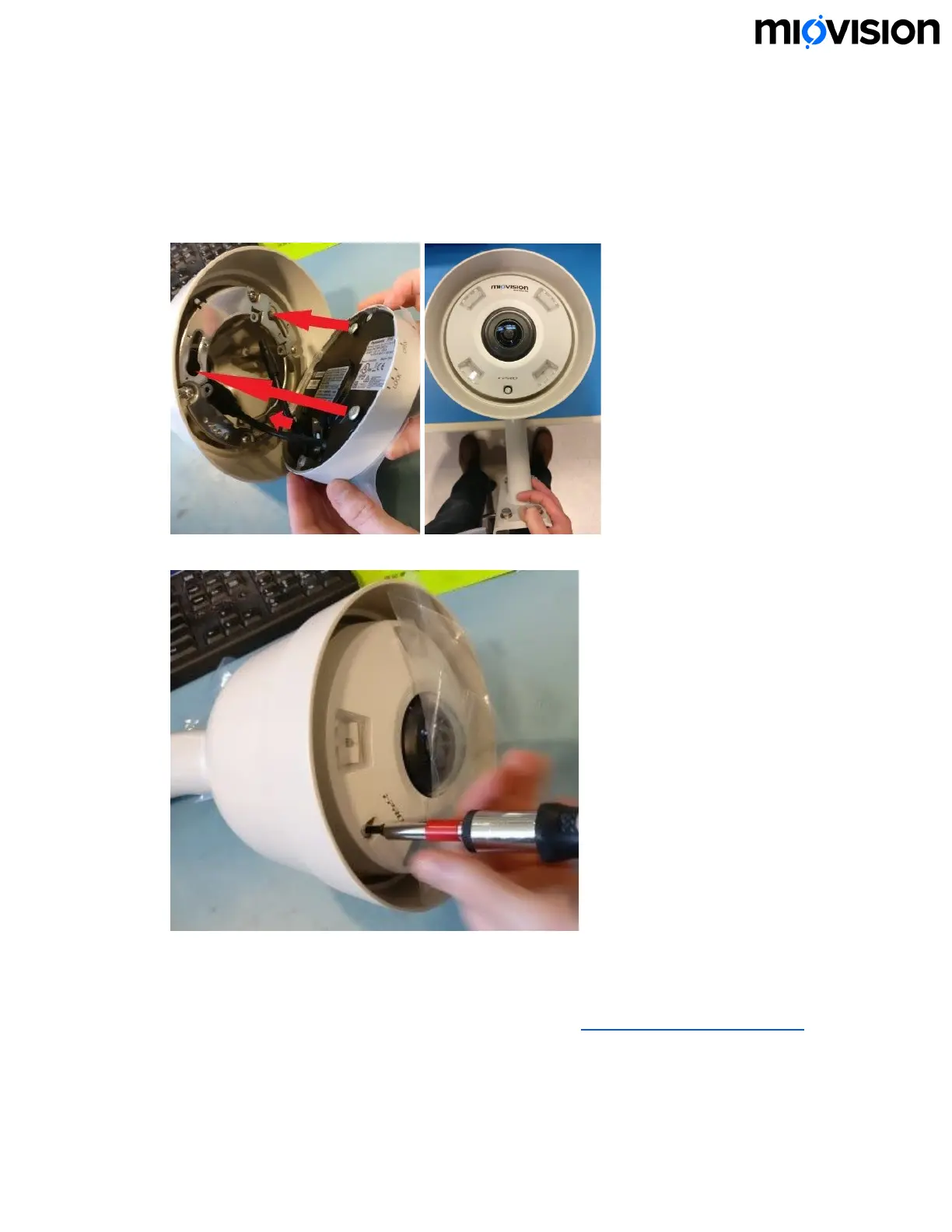
7. Align the screws on the back of the camera with the corresponding screws on
the mount plate. Press down on the camera housing and twist clockwise to lock
the camera into place. Make sure that the camera orientation matches the
picture below. When holding the camera by the arm, the text logo appears
upright. The tab on the side of the camera should move from Open to Lock.
8. Using the Torx bit, tighten the set screw until it is snug.
Mount the SmartView 360
If you prefer to review these steps in a video tutorial, see SmartView 360 installation.
6.11.19
18


 To Next Page