16
Clean and Maintenance
Clean Filter
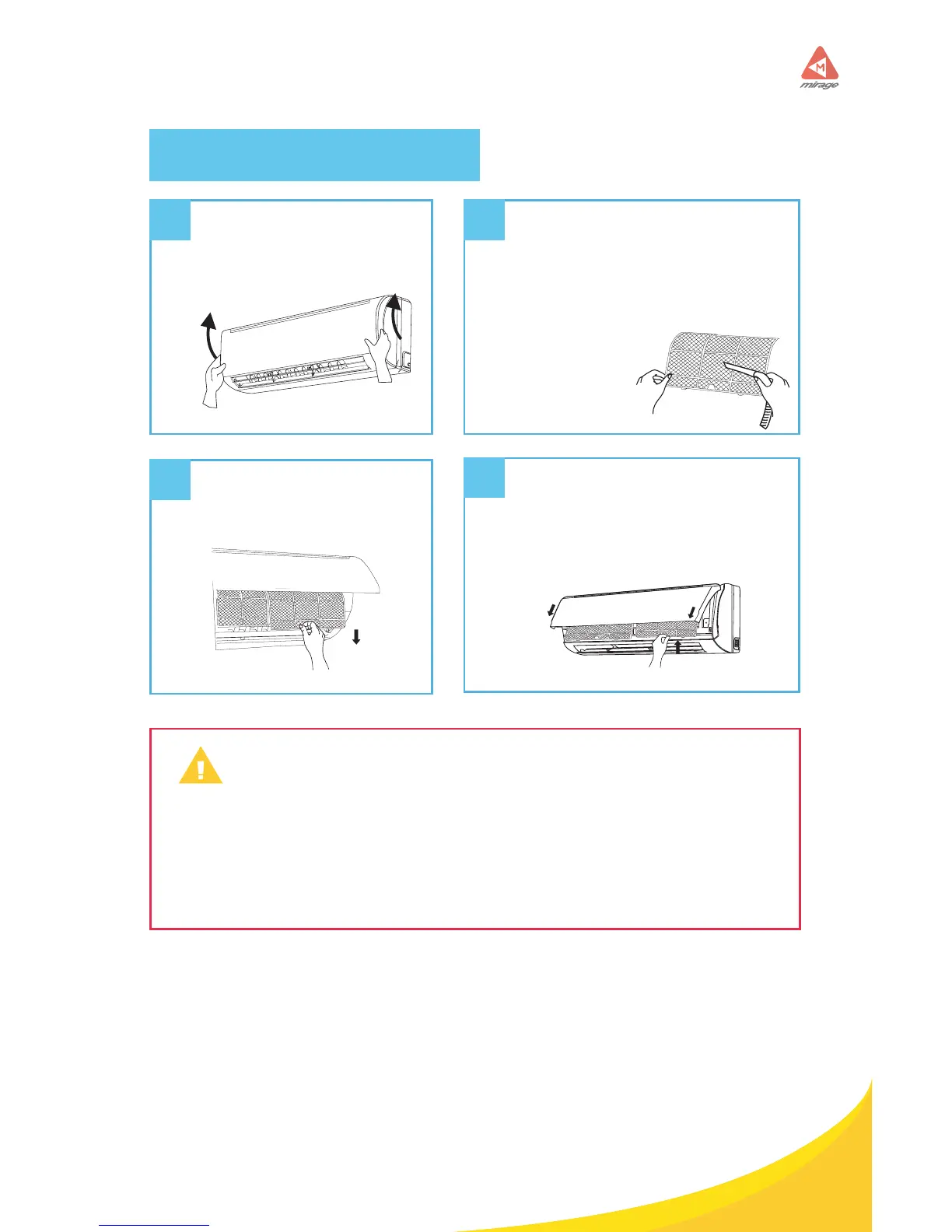
Open panel
Pull out the panel to a certain
angle as shown in the g.
1
2
3
4
Remove lter
Remove the lter as
indicated in the g.
Clean lter
• Use dust catcher or water to clean
the lter.
• When the lter is very dirty, use the
water (below 110°F) to clean it, and
then put it in a shady and cool place
to dry.
Install lter
Install the lter and then close the
panel cover tightly.
• The lter should be cleaned every three months. If there is much dust
in the operaion environment, clean frequency can be increased.
• After removing the lter, do not touch ns to avoid injury.
• Do not use re or hair dryer to dry the lter to avoid deformation or
re hazard.
WARNING



 To Next Page