EasyManua.ls Logo

Mircom FA-101T - User Manual

Mircom FA-101T
20 pages
Print Icon
To Next Page IconTo Next Page
Loading...
Canada
25 Interchange Way
Vaughan, ON L4K 5W3
Tel: 905-660-4655 Fax: 905-660-4113
Mircom 2006
Printed in Canada
Subject to change without prior notice
www.mircom.com
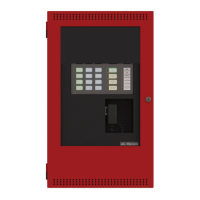
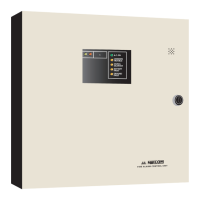
FA-101T
Fire Alarm Control Panel
LT-513 Rev. 6
January 2006
Installation and Operation Manual
Advanced Life Safety Solutions Advanced Life Safety Solutions
A.C. ON
SIGNAL
SILENCED
1
U.S.A.
60 Industrial Parkway
Cheektowaga, NY 14227
Tel: 1-888-660-4655 Fax: 1-888-660-4113

Questions and Answers

  • A
    Ashley EnglishAug 7, 2025
    What to do if Common Trouble LED stays on after connecting the batteries in Mircom FA-101T Security System?
    • D
      Daniel MontesAug 7, 2025
      If the Common Trouble LED remains illuminated after connecting the batteries, inspect the front panel for specific LED indicators. Check if the Battery LED is on, which suggests the battery voltage might be insufficient (below 20.4V). Also, check the Ground Fault LED, which indicates a ground fault in the extended wires. Furthermore, inspect the Zone Trouble LED for open loops or if a signal silence switch is in the OFF normal position. Finally, check the Signal Trouble LED for open loops or shorts in the signal zone.

Mircom FA-101T Specifications

General IconGeneral
Number of Zones1
Input Voltage120 VAC, 60 Hz
Battery Backup7Ah
Operating Temperature0°C to +49°C (32°F to 120°F)
IndicatorsAlarm, Trouble

Related product manuals