EasyManua.ls Logo

Mircom QX-5000 Series - User Manual

Mircom QX-5000 Series
100 pages
Print Icon
To Next Page IconTo Next Page
Loading...
Canada
25 Interchange Way
Vaughan, ON L4K 5W3
Tel: 905-660-4655 Fax: 905-660-4113
Mircom 2002
Printed in Canada
Subject to change without prior notice
www.mircom.com
QX-5000 Series
Emergency Voice Alarm System
LT-616 Rev. 14.1
June 2011
Installation and Operation Manual
Advanced Life Safety Solutions
U.S.A.
60 Industrial Parkway
Cheektowaga, NY 14227
Tel: 1-888-660-4655 Fax: 1-888-660-4113
QMT-5300
FIREFIGHETR’S
TELEPHONE
OPERATING INSTRTUCTIONS
1. When
these
at all
at all
OFF
ON AUTO TROUBLE
OFF
ON
AUTO TROUBLE
OFF
ON AUTO TROUBLE
OFF
ON
AUTO TROUBLE
OFF
ON AUTO TROUBLE
OFF
ON
AUTO TROUBLE
OFF
ON AUTO TROUBLE
OFF
ON
AUTO TROUBLE
OFF
ON
AUTO TROUBLE
OFF
ON
AUTO TROUBLE
OFF
ON
AUTO TROUBLE
OFF
ON
AUTO TROUBLE
OFF
ON
AUTO TROUBLE
OFF
ON
AUTO TROUBLE
OFF
ON
AUTO TROUBLE
OFF
ON
AUTO TROUBLE
EMERGENCY VOICE ALARM SYSTEM
REMOTE ANNUNCIATOR

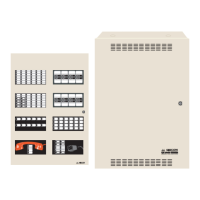
Table of Contents

Other manuals for Mircom QX-5000 Series

Questions and Answers

  • T
    tammycookAug 1, 2025
    What to do if Mircom Security System shows a Battery Trouble?
    • S
      Susan TapiaAug 2, 2025
      If your Mircom Security System indicates a Battery Trouble, and the battery voltage is low (below 20.4V), first check that the batteries are present and in good condition. If the trouble persists, replace the batteries as soon as possible.
  • J
    Joseph VaughanAug 7, 2025
    What to do if Mircom QX-5000 Security System shows a Ground Fault?
    • D
      Derek BlackAug 7, 2025
      If you encounter a Ground Fault in your Mircom Security System, check for any external wiring that might be touching the chassis.
  • M
    mason04Aug 13, 2025
    How to troubleshoot QIF-5000B Troubles in Mircom Security System?
    • C
      cruzaustinAug 13, 2025
      If you are experiencing QIF-5000B Troubles with your Mircom Security System, check for a faulty QIF-5000B unit. Also, inspect the wiring between the QIF-5000B and the fire alarm control panel, or the QMP-5100B/QMP-5101B for any faults.
  • D
    David NicholsAug 19, 2025
    What to do if I have Lobby/Mic Trouble with Mircom QX-5000?
    • P
      pmillerAug 19, 2025
      If you are experiencing Lobby/Mic Trouble with your Mircom Security System, check their LED indicators.
  • D
    daniel71Aug 26, 2025
    How to fix Audio Zone Trouble in Mircom Security System?
    • A
      april84Aug 26, 2025
      To resolve an Audio Zone Trouble in your Mircom Security System, check for wiring faults on that particular Zone loop.

Summary

Part 2: Audio Cabinet Installation, Wiring, and Setup

Mechanical Installation and Module Placement

Procedures for mounting cabinets and placing modules within them.

QIF-5000 B Interface Module Operations

Controls, settings, wiring, and fire alarm interface for the QIF-5000B.

System Setup and Configuration

Initial setup, power-on checks, configuration of paging, inhibit, and tones.

Power Up & Troubleshooting

System Power Up Procedure

Steps to safely power on the QX-5000 system.

Troubleshooting Common Issues

Identifying and resolving system problems and error indicators.

Part 3: Control Modules Installation, Wiring, and Operation

Part 4: Digitized Voice Module and Configurator

Voice Message Programming Procedure

Steps to record and program voice messages using QDVP-100.

QIF-5000 B Configuration Download

Downloading configuration data for the QDV-1000 system via the QIF-5000B.

Part 5: Multi-Building Paging Control

Mircom QX-5000 Series Specifications

General IconGeneral
TypeFire Alarm Control Panel
Output Voltage24 VDC
Input Voltage120/240 VAC
Dimensions14.5" x 12.5" x 4.5"
Operating Temperature32°F to 120°F (0°C to 49°C)
Relative HumidityUp to 93% non-condensing

Related product manuals