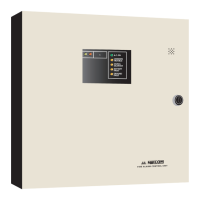
QDV-1000 Hardware Installation
60
QDV-1000 Hardware Installation
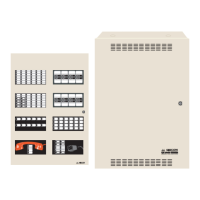
1. The QDV-1000 module comes already mounted onto a CH-559 metal plate. The CH-559 mounts onto the
QBC-5000B battery charger cover located above the amplifiers in the audio cabinet of the QX-5000 Audio
system. The QBC-5000B cover must be removed and the QDV-1000 and its plate is mounted onto the QBC-
5000B cover with the four 4-40 ¼” screws provided for the purpose. The whole assembly is then mounted back
into the audio cabinet over the battery charger.
2. Locate the J8 header on the QIF-5000B. Align the key on the ribbon cable header from QDV-1000 (J2) with the
opening of the J8 and plug the cable into the shrouded header.
3. For installations that require manually operated messages or a pre-announce tone to be played from the QDV-
1000, connect a wire from terminal TS1-1 on the QDV-1000 TS1 to QIF-5000B J4 terminal 1. Also connect
terminal TS1-2 on the QDV-1000 to QIF-5000B J4 terminal 2.
4. For single stage alarm system, place a 22 gauge shorting wire on pins 1 and 2 (of J5) on the QIF-5000B. For a
second stage system add a 3.9K ohm resistor between pins 1 and 2 (of J5) on the QIF-5000B.
J1
J2
J3
J5
J4
JP2
J9
SW1
SW2
JP5
JP3
JP1
J6
CONNECTS TO QMB-5000B AUDIO MOTHERBOARD
NOT USED
A.C. ON
CONNECTIONS TO QMP-5100B OR QMP-5101B MASTER PAGING MODULE
LOBBY/MIC TROUBLE
COMMUNICATION FAIL
GROUND FAULT
SIG. GEN. TROUBLE
FIRE ALARM TROUBLE
ACCESSORY DEVICE TROUBLE
SET
ADVANCE
LAMP TEST
CONFIG SWITCH #1 (1s)
CONFIG JUMPER
QX-5000 SYSTEM RESET
TROUBLE CONNECTION
CONFIG SWITCH #2 (10s)
NOT USED
1
4
1
8
1
8
1
8
1
8
3
2
3
1
21
BATTERY TROUBLE
CONNECTIONS TO FIRE ALARM CONTROL PANEL
J8
J11


 To Next Page
 Loading...