EasyManua.ls Logo

MIRKA AIROS - User Manual

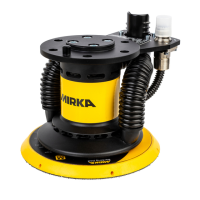
MIRKA AIROS
36 pages
Print Icon
To Next Page IconTo Next Page
Loading...
Mirka
®
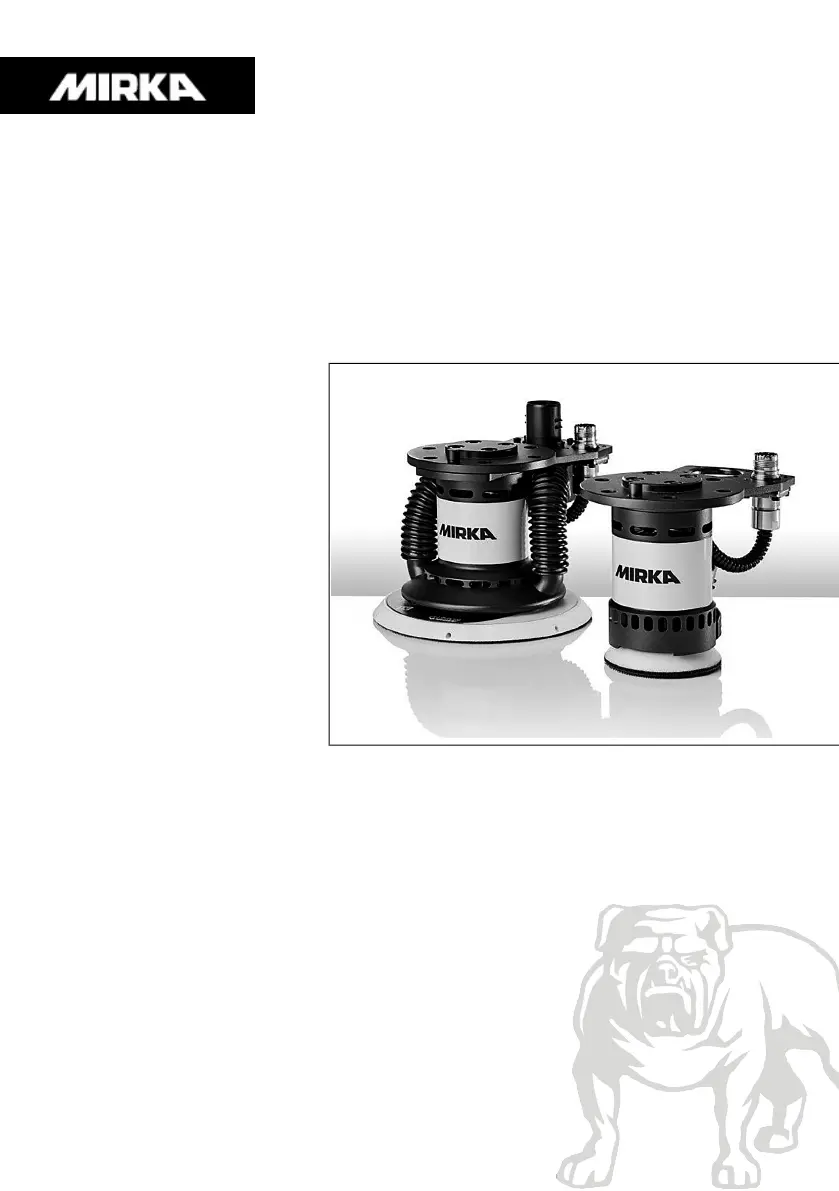
AIROS, AIROP & AIOS
Tool manual

Table of Contents

Other manuals for MIRKA AIROS

Questions and Answers

  • G
    Gene ReidAug 1, 2025
    What to do if my MIRKA AIROS Sander tool suddenly stops?
    • C
      Caitlyn LoveAug 1, 2025
      If your MIRKA Sander suddenly stops, you should first check the alarm status flag. Also, check both the motor drive and tool temperatures to ensure they are within acceptable limits. Finally, verify whether the tool is being overloaded, as this can cause it to stop unexpectedly.
  • D
    Denise FlemingAug 6, 2025
    Why my MIRKA AIROS tool does not start?
    • R
      Raymond LandryAug 6, 2025
      If your MIRKA Sander tool does not start, verify that the motor drive is in the ON-state by checking that D14 is not blinking. Also, confirm that the motor drive is in the RUN-state by ensuring that D4 is lit green. Lastly, inspect the cable assembly for the tool to ensure that the pins are properly connected.
  • D
    Donald BenjaminAug 10, 2025
    How to fix Modbus RTU communication on MIRKA AIROS Sander?
    • K
      kathy77Aug 10, 2025
      If Modbus RTU communication is not working with your MIRKA Sander, verify the baud rate, parity, stop bits, and data bits settings. Check the transmit/receive indicators D29 and D30 to see if they blink, indicating activity on the bus. Ensure that the A-pin and B-pin are connected properly. Determine if adding a terminating resistor (JP2), A-pin pull-down resistor (JP3), and B-pin pull-up resistor (JP4) resolves the issue. Make sure that JP1 is not set. Finally, check the slave address by setting the JP13 jumper and using indicators D2–D3, D17–D22 to read the current address.
  • A
    Allison HowardAug 14, 2025
    How to troubleshoot digital speed controller interface issues on MIRKA Sander?
    • J
      jenkinshunterAug 15, 2025
      If the Digital speed controller interface is not working on your MIRKA Sander, first ensure that JP1 is not set and that JP8, JP9, JP10, JP11, and JP12 are set. Then, check the voltage on a high input, which should be between 15–33 VDC. Verify the voltage on a low input, ensuring it is close to zero volts. Finally, check the GND connection to ensure it is properly connected.
  • S
    Sabrina BarreraAug 18, 2025
    What to do if Profinet I/O gateway communication is not working on MIRKA Sander?
    • J
      Joseph AlvarezAug 18, 2025
      If the Profinet I/O gateway communication is not working with your MIRKA Sander, check the gateway network configuration and the gateway Modbus RTU to Profinet I/O mapping configuration. Also, verify the 24 VDC power supply and ensure the Modbus RTU adapter cable is connected properly. Finally, confirm that JP1 is not set.
  • J
    John GallegosAug 23, 2025
    What does it mean if indicator D36 is lit red on my MIRKA Sander, or the tool speed is too fast/slow?
    • L
      laura87Aug 23, 2025
      If indicator D36 is lit red, or the tool speed is too fast or slow on your MIRKA Sander, check the C+/C-/P+/P– wiring on J3.
  • E
    Erika ClarkAug 27, 2025
    How to troubleshoot MIRKA Sander motor drive that does not power on?
    • M
      Michael WaltersAug 27, 2025
      To troubleshoot a MIRKA Sander motor drive that does not power on, verify that 48 VDC is present on J2 and ensure that the polarity is correct.

Summary

Mirka AIROS 150 CV Exploded View

Component Diagram

Detailed illustration of the Mirka AIROS 150CV components.

Warranty Information

Warranty Terms and Conditions

Outlines warranty coverage, exclusions, and validity for Mirka components.

Components Covered by Warranty

Lists specific Mirka components included in the warranty coverage.

Warranty Exclusions

Details damages and conditions not covered by the warranty.

Declaration of Incorporation

Important Safety Instructions

Key safety advice and required personal protective equipment for tool operation.

Safety and Operation Guidelines

Work Area Safety

Guidelines for maintaining a safe working environment.

Electrical Safety

Precautions for electrical connections and use.

Personal Safety

Operator protection and situational awareness.

Use and Care

Proper tool operation and maintenance.

Installation and Technical Specifications

Installation Overview

Steps and interfaces for tool installation.

Technical Data

Specifications for various Mirka tool models including voltage, power, and orbit.

Maintenance Procedures

Replacing the Backing Pad

Step-by-step guide for replacing the backing pad on Mirka tools.

Replacing the Brake Seal

Instructions for brake seal replacement on specific AIROS models.

Replacing the Spindle Bearing

Guide for spindle bearing replacement on specific AIROS models.

Troubleshooting Common Issues

Tool Slowdown Diagnosis

Recommended procedures for a tool that slows down during operation.

Dust Extraction Troubleshooting

Solutions for weak or non-functional dust extraction systems.

Excessive Dust Build-up Resolution

Addresses and resolves excessive dust accumulation around the tool.

MIRKA AIROS Specifications

General IconGeneral
Speed4, 000 - 10, 000 rpm
Weight0.97 kg
Orbit Diameter2.5 mm / 5.0 mm
Pad size125 mm
Noise level71 dB
OrbitRandom

Related product manuals