19
Chapter 4
CPU and Memory Installation
NOTE: To avoid damage during installation, you are advised to ask your
dealer for help.
NOTE: Static electricity can destroy electronic devices. Whenever you
handle any option outside of its protective packaging, first discharge any
static electricity from your body by touching a protective grounding
device or unpainted metal on the rear panel of the system unit.
CPU Installation
To install CPU in the CPU socket:
1. Find Socket 7 (U6) on the motherboard. (See p.12.)
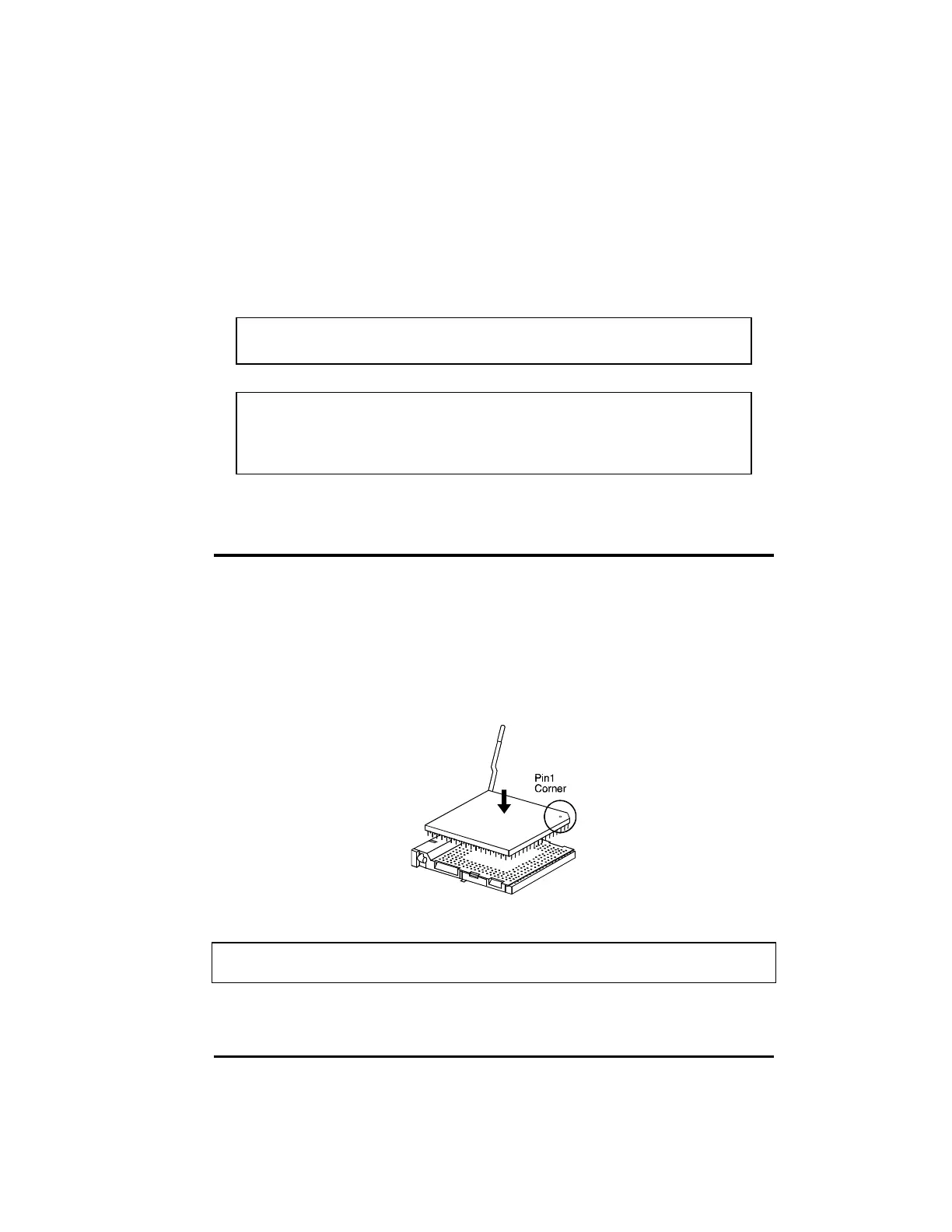
2. Lift the socket arm up to the vertical position.
3. Align the CPU so its Pin 1 corner (beveled corner) is at the Pin 1 corner of
the socket. Then insert the CPU's pins into the corresponding holes in the
socket.
Figure 4-1. Inserting CPU
NOTE:
You are suggested to install a cooling fan to cool the CPU.



 To Next Page