5320e/5330e/5340e SIP User and Administrator Guide
Programming Busy Lamp Field Keys
The Busy Lamp Field (BLF) feature allows you to program a key on your IP phone that monitors
whether or not another user is on a call.
Before programming the BLF Keys, the Broadsoft server must be configured with a list of BLF
users.
Note: Before programming the Busy Lamp Field keys, the Broadsoft server must be configured
with the blflist Group, and with the capability to provide the BLF feature to SIP phones.
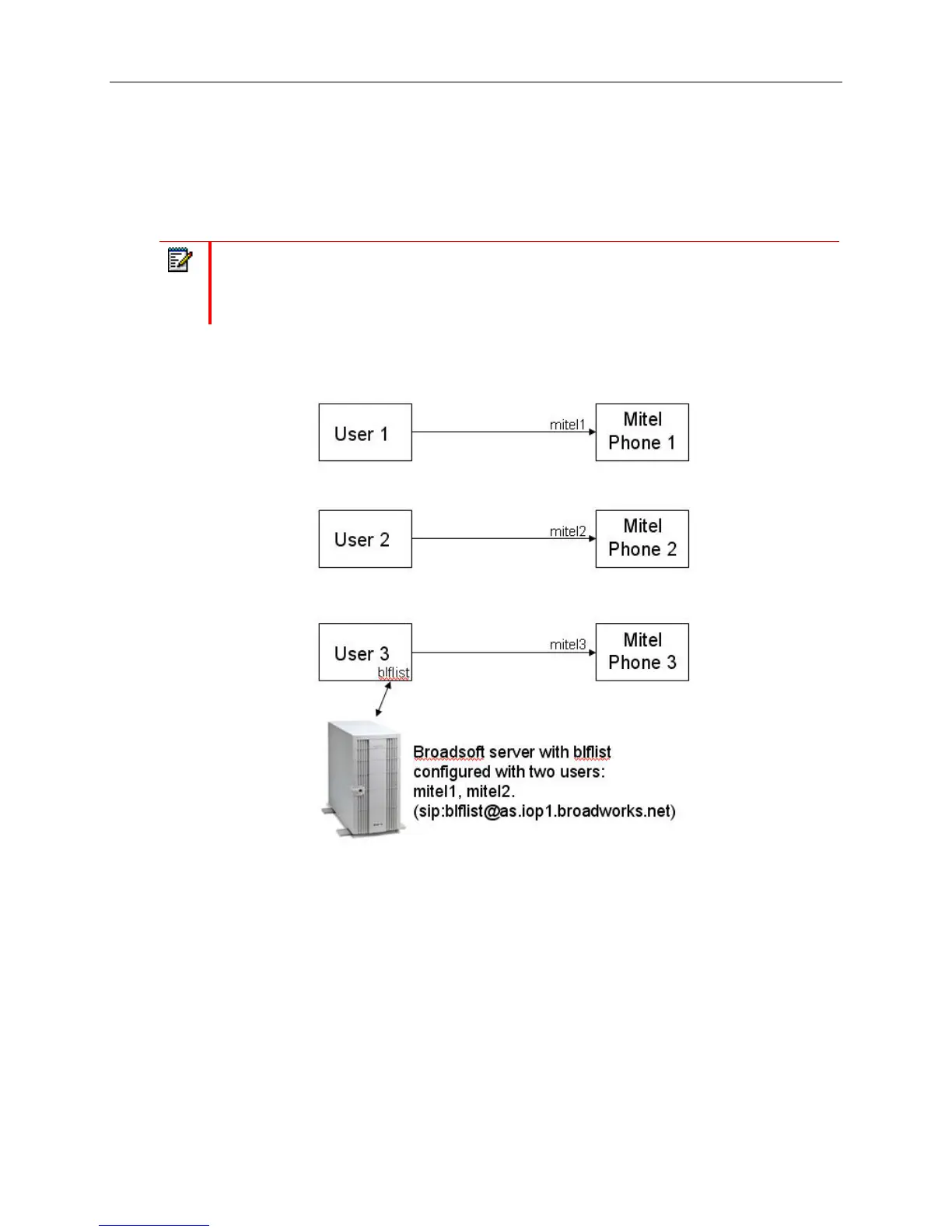
In the example that follows, the “blflist” is configured on the Broadsoft sever as a BLF list URL with
two users, mitel1 and mitel2, as the monitored user IDs.
The diagram below shows an example of how Users 1 – 3 have been configured on the Broadsoft
server, with User3 (on mitel3) configured to monitor User1 and User2 (from the blflist Group).
Figure 7: User Configuration for BLF
- 34 -















 To Next Page