37
153/1531-ANF 901 14 B 2017-03-08
6 APPENDIX B - CABLING CONSIDERATIONS
This Appendix describes the pin-to-pin connections for cables used with the TA7102.
Warning: To reduce the risk of fire, use only No. 26 AWG or larger telecommunication line cord.
6.1 RJ-45 CABLE
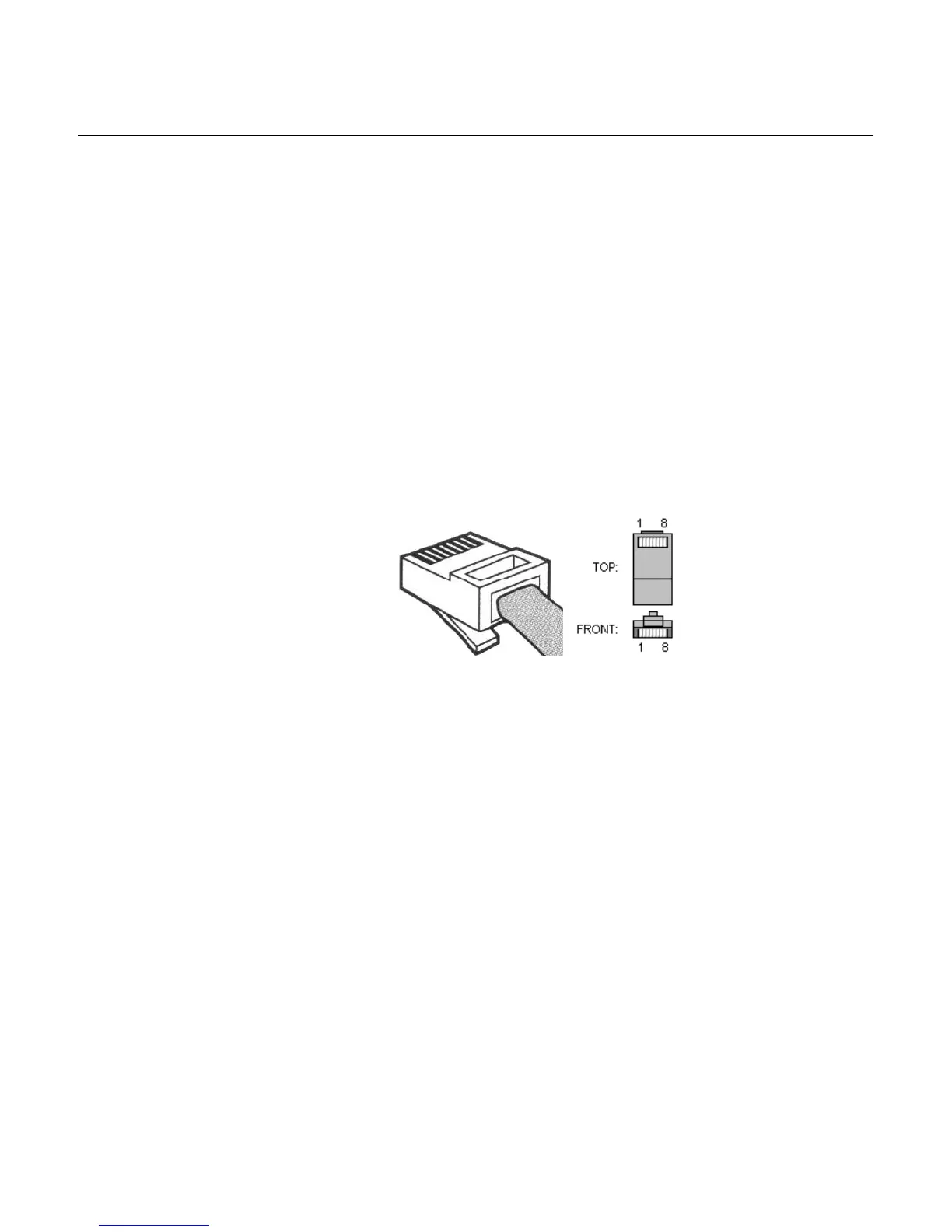
The RJ-45 connector is commonly used for network cabling and for telephony applications. It is used to
wire both ends identically so the signals pass straight through. RJ-45 cabling is also known as Twisted-
pair Ethernet (TPE), Unshielded twisted pair (UTP) and 10/100 Base-T.
Figure 6: RJ-45 Cable
When connecting an Ethernet cable to the TA7102, use a standard telecommunication cord with a
minimum of 26 AWG wire size. It is possible to use either a crossover or straight Ethernet cable to
connect in the Ethernet connectors. These connectors perform automatic MDI / MDIX detection, meaning
that they adapt to the type of cable connected to them.
The auto MDI / MDIX feature works only when the connectors are configured in auto detect mode, which
is the default mode.
Whenever you force the TA7102 to use a specific Ethernet mode (for example 100 Mb Full Duplex), the
type of cable to use depends on the other peer. For example, a straight cable is required to connect the
TA7102 to a hub or a switch, while a crossover cable is required to connect the TA7102 to a PC.
Straight Through Cable
A RJ-45 straight through cable is used to connect a computer to a network device. For instance, you must
use straight through cables to connect a computer to a network hub, switch, and router.


 To Next Page