EN-7
EN
Troubleshooting
Description
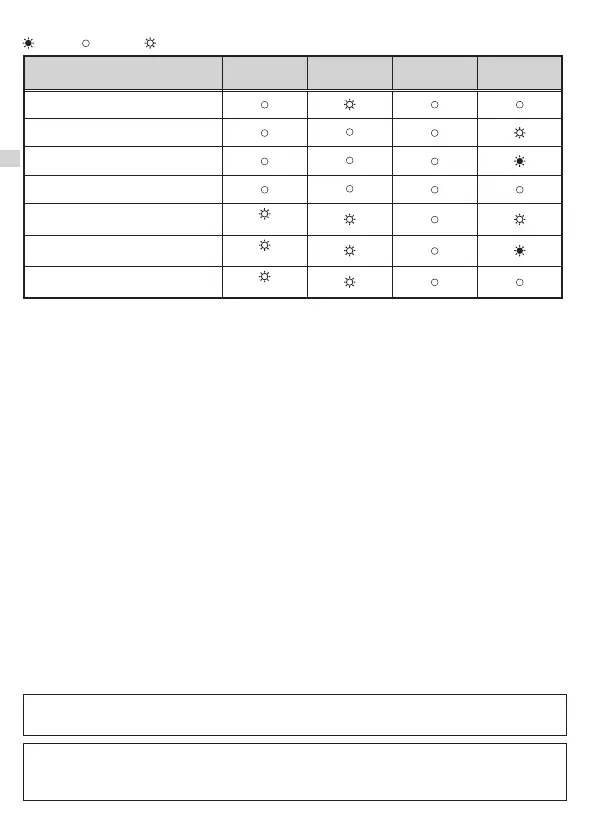
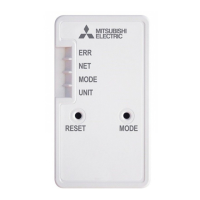
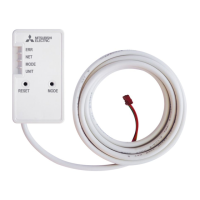
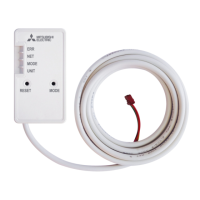
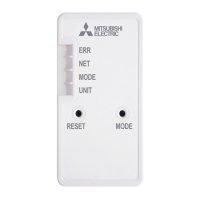
ERR
(Orange)
NET
(Green)
MODE
(Orange)
UNIT
(Green)
Connection to MELCloud established,
and Connection to indoor unit failed
Connection to Router failed, and
connection to indoor unit established
Connection to Router failed, and
starting up indoor unit connection
Connection to Router failed, and
connection to indoor unit failed
Connection to MELCloud failed, and
Connection to indoor unit established
(*2)
Connection to MELCloud failed, and
starting up indoor unit connection
(*2)
Connection to MELCloud failed, and
connection to indoor unit failed
(*2)
: ON : Flashing : OFF
(*2) Details of ash pattern
• Every 0.5 sec: IP address setting is invalid.
Make sure that DHCP is enabled, or check IP address settings of the
Wi-Fi interface.
If both settings are correct but still the problem persists, push RESET
switch for more than 14 seconds to restart the setup from 3-1.
• Every second: DNS setting is invalid.
Check DNS settings of the Router, or check DNS address settings of the
Wi-Fi interface or improve the radio wave environment.
• Once every 5 sec: Not communicating with MELCloud properly.
Push RESET switch for 2 seconds.
• Twice every 5 sec: Not connected to MELCloud.
Check if the Router is connected to the Internet.
• Three times every 5 sec: Not communicating with MELCloud. (Quick communication error)
Push RESET switch for 2 seconds.
Check the following rst in the cases listed in the above table.
Check the following, and pair the Wi-Fi interface and the Router according to 3-2. Selecting a mode.
• Make sure that the communication distance is not too far between the Wi-Fi interface and the Router.
• Make sure that the Router uses WPA2-AES encryption.
• Make sure that the number of connected devices to the Router does not exceed the limit.
For Declaration of Conformity and MELCloud User Manual, please go to the website below.
http://www.melcloud.com/Support
The Wi-Fi Interface (except for MAC-56 series) uses Open Source Software. To view the Open
Source software licence(s), please go to the following website whilst connected to the Wi-Fi
Interface during the Access Point mode. http://192.168.11.1/license
[About trademarks]
• WPS is the connection via Wi-Fi Protected Setup.
•
“Wi-Fi
®
”, “Wi-Fi Protected Setup™”, “WPA2™” are trademarks or registered trademarks of the Wi-Fi Alliance.
JG79Y755H01_EN_SETUP.indd 7 2020/01/23 10:34:00



 To Next Page