EN-3
EN
3. Setting up
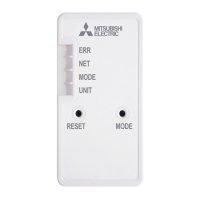
3-1. Initial state
Turn on the breaker of the air conditioner or the ATW unit.
After LED indication enters the initial state shown on right, the Wi-Fi
interface can be paired with the Router.
Refer to 4. LED pattern when LED indication does not enter the initial state.
Note: It may take a few minutes to enter the initial state.
Initial state
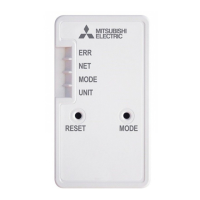
ERR OFF
NET OFF
MODE OFF
UNIT Flashing
3-2. Selecting a mode
The Wi-Fi interface has to be paired with the Router in order for communication between the
indoor unit and MELCloud to begin. There are 3 methods of pairing the Wi-Fi interface with the
Router:
● WPS-PUSH mode
● Access Point mode
● WPS-PIN mode (MAC-56 series only)
The mode to be set depends on whether your Router has the WPS button.
Please use the pairing mode most suitable for your system.
Follow the instructions below to set the pairing mode with the MODE switch.
Set up the Wi-Fi interface and the Router again from 3-2. when the Router has been replaced.
■
WPS-Push mode <For a router with a WPS button>
[To enter the mode
]
Hold down the MODE switch for 2 seconds.
[LED indication]
When WPS-Push is enabled on the Wi-Fi interface, the MODE LED starts ashing orange
(every second).
[To cancel the mode]
Hold down the RESET switch for 2 seconds to return to the initial state described in 3-1.
■
Access Point mode <For a router without a WPS button and to set up with a smart phone
>
[
To enter the mode]
Hold down the MODE switch for 7 seconds.
[LED indication]
When Access Point mode is enabled on the Wi-Fi interface, the MODE LED starts ashing
orange (every 5 seconds).
[
To cancel the mode]
Hold down the MODE switch for 7 seconds again and ensure that the MODE LED is no longer
ashing.
■
WPS-PIN mode <MAC-56 series only>
[
To enter the mode]
Hold down the MODE switch for 14 seconds.
[LED indication]
When WPS-PIN is enabled on the Wi-Fi interface, the MODE LED starts ashing orange
(every 0.5 seconds).
[
To cancel the mode]
Hold down the RESET switch for 2 seconds to return to the initial state described in 3-1.
In any mode, the NET LED will ash when the Wi-Fi interface is connected to the Router.
JG79Y755H01_EN_SETUP.indd 3 2020/01/23 10:33:59



 To Next Page