EasyManua.ls Logo

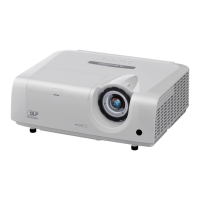
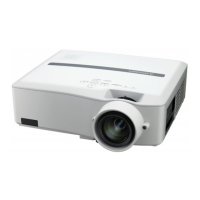
Mitsubishi Electric XD205U - User Manual

Mitsubishi Electric XD205U
30 pages
Print Icon
To Next Page IconTo Next Page
Loading...
DATA PROJECTOR
MODEL
XD205U
SD205U
User Manual
This User Manual is important to you.
Please read it before using your projector.
EN
ENGLISH
XD205
SD205

Questions and Answers

  • V
    Veronica CraigSep 4, 2025
    How to fix wavy and distorted images on Mitsubishi Electric XD205U?
    • A
      Allen HopkinsSep 4, 2025
      If the projected images (and/or audio) from your Mitsubishi Electric Projector appear wavy and distorted, ensure the cable’s plug is firmly connected to the external device’s connector. Keep the projector away from equipment generating interfering radio waves. If it is because of the type of input signal, readjust the keystone so that the amount of keystone correction is as small as possible.
  • B
    Brittany RodriguezSep 18, 2025
    How to fix wavy and distorted projected images on Mitsubishi Electric XD205U Projector?
    • D
      darlene39Sep 18, 2025
      To resolve wavy and distorted images, ensure the cable’s plug is firmly connected to the external device’s connector. Keep the projector away from equipment generating interfering radio waves. If you've adjusted the keystone, readjust it to minimize the amount of correction, as the image may not display correctly with certain input signals.
  • S
    Sylvia SweeneySep 16, 2025
    How to fix blurred images on my Mitsubishi Electric Projector?
    • A
      Aaron BradfordSep 16, 2025
      To correct blurred images on your Mitsubishi Electric Projector, start by adjusting the focus and cleaning the lens. Also, ensure that the lens cap is removed. You can press the W or X button on the remote control to eliminate flicker. Adjust the BRIGHTNESS and CONTRAST in the IMAGE menu. Make sure that the projector and the screen are perpendicular to each other.
  • R
    Richard KlineSep 14, 2025
    How to fix shaking or displaced images on Mitsubishi Electric XD205U?
    • A
      Amy ContrerasSep 14, 2025
      To address shaking or displaced images, check that the cable connected to the external device isn’t intermittent and ensure the cable’s plug is firmly connected to the external device’s connector. You can also try pressing the AUTO POSITION button. If you are using a computer, adjust the SIGNAL menu, as some computers may output out-of-spec signals.
  • E
    Emma WrightSep 12, 2025
    Why do images suddenly disappear on my Mitsubishi Electric XD205U Projector?
    • W
      whortonSep 12, 2025
      Images may disappear suddenly due to a blocked air inlet or outlet grille, or because the STATUS indicator is blinking red. If the grille is blocked: 1. Wait for the fan to stop or the STATUS indicator to go out. 2. Unplug the power cord. 3. Wait 10 minutes. 4. Plug the power cord back in. 5. Press the POWER button. If the STATUS indicator is blinking red, replace the lamp.
  • E
    Elijah LiSep 12, 2025
    What to do if my Mitsubishi Electric XD205U Projector displays "NO SIGNAL"?
    • R
      Rita IngramSep 12, 2025
      If your Mitsubishi Electric Projector displays a "NO SIGNAL" message, try the following: * Ensure the connected device is powered on and functioning correctly. * Verify the external device is outputting signals, especially if it's a notebook computer. * Check that the cable connecting the projector to the external device isn't defective and is connected to the correct terminals. * Confirm that the connected device is correctly selected as the input source. * If using an extension cord, try replacing it with the supplied cable. If this resolves the issue, use an RGB signal amplifier with the extension cord.
  • H
    hooperlisaSep 9, 2025
    Why only motion areas aren't displayed on Mitsubishi Electric XD205U Projector?
    • P
      Paul LandrySep 9, 2025
      The issue of only motion areas being displayed on your Mitsubishi Electric Projector when using a computer may be related to the computer itself. Contact the manufacturer of your computer for assistance.
  • S
    savagejesseSep 7, 2025
    Why are my Mitsubishi Electric XD205U Projector images obscured?
    • M
      Misty AndrewsSep 7, 2025
      To resolve obscured projected images on your Mitsubishi Electric Projector, match the output resolution of your computer with the resolution of the projector. Additionally, try using the projector without applying the keystone adjustment.
  • M
    Melissa GrossSep 5, 2025
    How to correct incorrect tint in Mitsubishi Electric Projector images?
    • D
      donna67Sep 6, 2025
      If the tint in your Mitsubishi Electric Projector images is incorrect, check that COMPUTER INPUT in the SIGNAL menu is correctly set. Also, ensure that the cable connected to the external device isn’t broken.
  • T
    Tina WilliamsonAug 21, 2025
    Why is my Mitsubishi Electric XD205U power not turning on?
    • H
      Hunter MckinneyAug 21, 2025
      There could be several reasons why your Mitsubishi Electric Projector isn't powering on. First, ensure the power cord is securely connected to both the projector and a working wall outlet. Check for any obstructions blocking the air inlet or outlet grille and remove them. If the STATUS indicator is blinking green, wait for it to stop before pressing the POWER button. If the lamp is at the end of its life, consider replacing it. Also, make sure the lamp cover on the bottom is attached. If none of these steps work, unplug the power cord and contact your dealer.

Mitsubishi Electric XD205U Specifications

General IconGeneral
BrandMitsubishi Electric
ModelXD205U
CategoryProjector
LanguageEnglish

Related product manuals