EasyManua.ls Logo

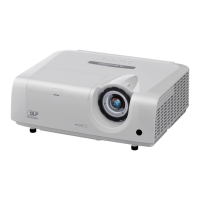
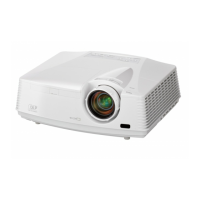
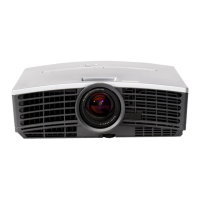
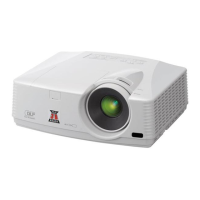
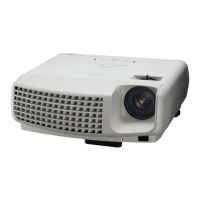
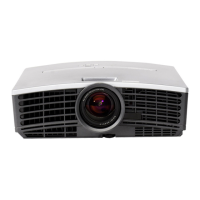
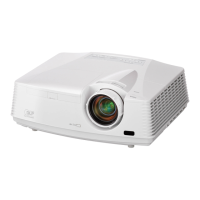
Mitsubishi Electric XD600U - User Manual

Mitsubishi Electric XD600U
44 pages
Print Icon
To Next Page IconTo Next Page
Loading...
9
DLP PROJECTOR
MODEL
XD600U/XD600U-G
WD620U/WD620U-G
User Manual
XD600U
XD600U-G
WD620U
WD620U-G
This User Manual is important to you.
Please read it before using your projector.
EN
ENGLISH
Downloaded From projector-manual.com Mitsubishi Manuals

Other manuals for Mitsubishi Electric XD600U

Questions and Answers

  • D
    david21Aug 20, 2025
    How to fix no image on Mitsubishi Electric Projector?
    • M
      Megan MayAug 20, 2025
      If no image appears on the screen of your Mitsubishi Electric Projector, first, try canceling the AV mute by pressing the AV MUTE button. Also, ensure that the lens cap is removed. Allow about 1 minute for the lamp to light up, and if it doesn't light up immediately, wait a few minutes and try again. If the projector was turned off before the lamp cooled down, wait for the fan to stop rotating, then press the POWER button. Check that the intake vent is clean and the lamp cover is closed. Verify that the cables connected to external devices aren't broken, and if using an extension cable, replace it with the supplied cable or add an RGB signal amplifier.
  • D
    Daniel MurphyAug 25, 2025
    Why does my Mitsubishi Electric Projector power turns off?
    • C
      Crystal StoneAug 25, 2025
      Your Mitsubishi Electric Projector might turn off due to blocked intake or exhaust vents. Remove any obstructions and wait for the fans to stop and the STATUS indicator to go out. Unplug the power cord, wait 10 minutes, then plug it back in and press the POWER button. If the STATUS indicator is steady red, replace the lamp. Ensure AUTO POWER OFF is set to OFF. The lamp may also go out after a while if it has deteriorated.
  • R
    Regina McfarlandAug 26, 2025
    What to do if Mitsubishi Electric Projector images are shaking?
    • G
      ggregoryAug 26, 2025
      If the projected images from your Mitsubishi Electric Projector are shaking or displaced, check that the cable connected to the external device isn’t intermittent and connect the cable’s plug firmly. You can also try pressing the AUTO POSITION button. If you are using computer, adjust the SIGNAL menu, or if the input signal is a WXGA video signal, confirm the setting selected in WXGA in the FEATURE menu. Otherwise, select "OFF" in WXGA in the FEATURE menu.
  • S
    sanderskristinAug 28, 2025
    Why Mitsubishi Electric Projector images become wavy?
    • J
      Joshua NguyenAug 28, 2025
      If images from your Mitsubishi Electric Projector appear wavy, ensure the cable plugs are securely connected to the external devices. Keep the projector away from equipment generating interfering radio waves. If you've adjusted the keystone, readjust it to minimize the amount of correction, as certain input signals may cause incorrect image display.
  • D
    David OlsonAug 29, 2025
    How to brighten Mitsubishi Electric Projector images?
    • N
      Nancy MorganAug 29, 2025
      If the projected images from your Mitsubishi Electric Projector are dark, adjust the BRIGHTNESS and CONTRAST in the QUICK MENU or the IMAGE menu. You might also need to replace the lamp.
  • C
    Cynthia AlvaradoAug 31, 2025
    How to fix blurred images on Mitsubishi Electric Projector?
    • A
      asandersAug 31, 2025
      If your Mitsubishi Electric Projector images are blurred, adjust the focus and clean the lens. Try pressing the W or X button on the remote to eliminate flicker. Adjust TRACKING and FINE SYNC in the SIGNAL menu, and also adjust BRIGHTNESS and CONTRAST in the QUICK MENU or the IMAGE menu. Ensure the projector and screen are perpendicular to each other.
  • J
    James StewartSep 2, 2025
    How to correct distorted images on Mitsubishi Electric Projector?
    • J
      Jason CooperSep 2, 2025
      If your Mitsubishi Electric Projector images are distorted, adjust the projector and the screen so that they are perpendicular to each other.
  • A
    Amanda ClarkSep 4, 2025
    How to fix incorrect tint in Mitsubishi Electric Projector images?
    • T
      Tonya RubioSep 4, 2025
      If the tint in projected images of your Mitsubishi Electric Projector is incorrect, check that COMPUTER INPUT in the SIGNAL menu is correctly set. Also, verify that the cable connected to the external device isn’t broken.
  • P
    pgardnerSep 6, 2025
    Why afterimages persist on the screen of Mitsubishi Electric Projector?
    • E
      Eric JenkinsSep 6, 2025
      This phenomenon is improved by keeping projecting an evenly bright image. Such "image burn-in" phenomenon where afterimages persist on the screen may occur if a stationary image is kept displayed on the screen for a long time.
  • K
    Karina PayneSep 8, 2025
    Why are there white dots on Mitsubishi Electric Projector images?
    • S
      samuel80Sep 8, 2025
      If you see white or black dots on the projected images from your Mitsubishi Electric Projector, this is normal for a DLP projector and is not a malfunction. A very small number of pixels may visibly or invisibly be persistent all the time, but they are not a sign of system malfunctions. Over 99.99% of the pixels are effective.

Summary

Important safeguards

Overview

Control panel and terminal board

Describes the projector's control panel buttons and input/output connectors.

Remote control functions

Details the functions and buttons of the remote control.

Installation

Projector layout and mounting guidelines

Provides dimensional layouts and guidelines for front, ceiling, and rear projection.

Basic connections

Connecting AV, DVD, HDTV, and computer devices

How to connect various video sources like AV, DVD, HDTV, and computers.

HDMI connection and computer interface

Instructions for connecting via HDMI and computer interfaces.

Preparation

Initial setup and projection angle adjustment

Steps for initial setup, connecting power, and adjusting the projection angle.

Basic operation

Powering on;off and instant shutdown

Step-by-step guide for turning the projector on/off and instant shutdown.

Adjusting image settings and features

How to adjust volume, aspect ratio, AV mute, and other basic image parameters.

Menu operation

QUICK MENU and DETAIL MENU navigation

Explains the projector's menu structure and navigation.

Common menu settings (IMAGE, INSTALLATION, FEATURE)

Details on adjusting image properties, installation, and general features.

Advanced menu settings (SIGNAL, NETWORK, INFORMATION)

Configuration options for input signals, network, and system information.

Image adjustment

Brightness, contrast, color, and tint adjustments

How to fine-tune image brightness, contrast, color, and tint.

Color temperature, enhancer, and gamma settings

Customizing white balance, enhancing color reproduction, and adjusting gamma.

Computer image adjustments and filters

Troubleshooting and adjusting computer images, position, sync, and using LPF.

Network settings

Setting projector name, password, and IP configuration

How to set network name, password, and IP configuration including DHCP.

Advanced features

Startup screen, freeze, magnify, and password function

Customizing startup images, pausing, magnifying, and managing password security.

Computer supervision and PJLink control

Using a computer for projector control, supervision, and PJLink integration.

Lamp replacement

Lamp replacement procedure and safety precautions

Step-by-step guide for safely replacing the projector lamp.

Lamp interval, replacement message, and time reset

Information on lamp life, replacement messages, and resetting operation time.

Troubleshooting

Power, no-image, and signal issues

Solutions for problems like projector not turning on, no image, or "NO SIGNAL" display.

Image quality and display problems

Troubleshooting for issues like shaking, blurring, distortion, or color tint.

Other issues, maintenance, and indicator meanings

Solutions for miscellaneous problems, maintenance tips, and indicator status.

Indicators

Power and Status indicator guide

Explains the normal and abnormal conditions indicated by the projector's LEDs.

Specifications

Technical specifications, dimensions, and connectors

Detailed technical data, dimensions, connector pinouts, and included items.

Computer mode RGB signal compatibility

Lists supported RGB resolutions and frequencies for computer modes.

Warranty, Support, and Service Information

Mitsubishi Electric XD600U Specifications

General IconGeneral
Brightness6000 lumens
Contrast Ratio2000:1
Display Technology3LCD
Projection Size40 - 300 inches
Lamp Life5000 hours (ECO mode)
ConnectivityS-Video, Composite
Power Consumption270W

Related product manuals