EasyManua.ls Logo

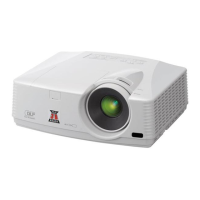
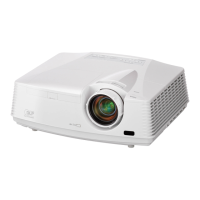
Mitsubishi Electric XD490U - User Manual

Mitsubishi Electric XD490U
40 pages
Print Icon
To Next Page IconTo Next Page
Loading...
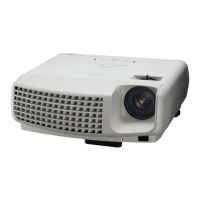
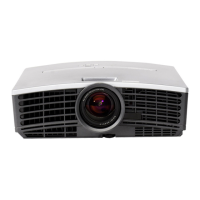
XD490
XD460
DLP™ PROJECTOR
MODEL
XD490U
XD460U
User Manual
This User Manual is important to you.
Please read it before using your projector.
ENGLISH

Questions and Answers

  • H
    howardjaimeJul 29, 2025
    Why no image appears on Mitsubishi Electric XD490U Projector?
    • P
      Peter PattersonJul 29, 2025
      If no image appears on the screen, here are a few things to check: * Ensure that AV mute is off by pressing the MUTE button. * Verify the lens cap is removed. * Allow up to 1 minute for the lamp to light up. * If the lamp doesn't light, wait a few minutes and try again. * If the projector was turned off before cooling, wait for the fan to stop, then press the POWER button. * Make sure SCART INPUT in the FEATURE menu is set to OFF. * Check that the intake vent is clean and the lamp cover is closed. * Confirm that the cables connected to external devices are not broken. * If using an extension cable, try the supplied cable. If images display correctly with it, add an RGB signal amplifier to the extension cable.
  • J
    Joshua SampsonAug 3, 2025
    What to do if projected images are dark on Mitsubishi Electric XD490U Projector?
    • K
      Kathryn FrancisAug 3, 2025
      If projected images appear dark, you can try the following: * Adjust the BRIGHTNESS and CONTRAST settings in the IMAGE menu. * Consider replacing the lamp.
  • L
    Lonnie OrtizAug 7, 2025
    What to do if projected images are blurred on Mitsubishi Electric Projector?
    • R
      rbrownAug 7, 2025
      If the projected images are blurred, try these steps: * Adjust the focus. * Clean the lens. * Press the ? or button on the remote control to eliminate flicker. * Adjust TRACKING and FINE SYNC in the SIGNAL menu. * Adjust BRIGHTNESS and CONTRAST in the IMAGE menu. * Ensure the projector and screen are perpendicular to each other.
  • D
    Deborah GibsonAug 11, 2025
    What to do if projected images are shaking on Mitsubishi Electric Projector?
    • J
      Jeremy ReedAug 11, 2025
      If the projected images are shaking or displaced, consider the following: * Check the cable connected to the external device to ensure it isn't intermittent. * Firmly connect the cable's plug to the external device's connector. * Press the AUTO POSITION button. * If the computer outputs out-of-spec signals, adjust the SIGNAL menu.
  • W
    warrenerikAug 15, 2025
    How to fix distorted projected images on Mitsubishi Electric XD490U?
    • B
      Bruce MillerAug 15, 2025
      To correct distorted projected images, adjust the projector and the screen so that they are perpendicular to each other.
  • S
    Stephanie SmallAug 20, 2025
    Why external device not projecting on Mitsubishi Electric XD490U?
    • J
      Jeremy McgeeAug 20, 2025
      To solve the problem, check the following: * Ensure the connected device is powered on and functioning correctly. * Verify that the external device is outputting signals, especially if it's a notebook computer. * Confirm that the cable connecting the projector to the external device is not defective. * Ensure the projector is connected to the external device using the correct terminals. * Check that the connected device is correctly selected as the input source. * If using an extension cord, replace it with the supplied cable to see if images project correctly. If they do, use an RGB signal amplifier with the extension cord.
  • M
    Mary JonesAug 25, 2025
    What to do if projected images are obscured on Mitsubishi Electric XD490U?
    • T
      Tyler ReevesAug 25, 2025
      If projected images are obscured: * Match the output resolution of your computer with the resolution of the projector. * If images and texts appear obscured during keystone adjustment, use the projector without applying keystone adjustment.

Summary

Important Safeguards and Precautions

Servicing and Replacement Safety

Procedures for servicing, handling damage, replacement parts, and final safety checks.

Critical Safety Warnings

Operational Safety Precautions

Warnings about unplugging if faulty, modification, damaged units, incorrect voltage, uneven surfaces, and lens obstruction.

Physical Safety Precautions

Warnings regarding cabinet removal, lens viewing, hot surfaces, blocked vents, and installation environment.

Preparing Your Projector

Remote Control Operation

Setting Up Your Projector

Projection Angle and Keystone Adjustment

Instructions on adjusting projection angle and correcting keystone distortion.

Installation and Environment

Viewing Computer Images

Computer Connection Methods

Steps for connecting computers via analog (RGB) or digital (DVI) interfaces.

Computer Image Connectivity Details

Projecting Images

Projection Preparation and Source Selection

Steps before projecting, including preparation and selecting the input signal source.

Computer Image Projection Management

Auto Position Adjustment

How to automatically adjust image position and troubleshoot displacement issues.

Viewing Video Images

Video Equipment Connection

Steps for connecting various video sources like VCRs or DVD players.

Video Image Connectivity Details

Projecting Images from Video Sources

Video Projection Preparation and Source Selection

Steps before projecting video, including preparation and selecting the input signal.

Video Image Projection Management

Menu Operation Guide

Detailed Menu Settings

Advanced Menu Settings

Adjusting Projected Images

Brightness and Contrast Adjustment

How to adjust image brightness and contrast using the menu settings.

Color and Tint Adjustment

How to adjust image color thickness and tint using the menu settings.

Advanced Image Adjustments

Color Tone Adjustments

How to adjust color temperature and customize color temperature settings.

Computer Image Adjustment via Menu

Lamp Replacement and Warnings

Lamp Replacement Safety Warnings

Critical safety warnings to follow before and during lamp replacement.

Lamp Life and Replacement Indicators

Information on recommended lamp replacement intervals and warning indicators.

Lamp Replacement Cautions

Important cautions regarding lamp handling, potential hazards, and explosion risks.

Lamp Replacement and Maintenance Procedures

Lamp Replacement Steps

Step-by-step instructions for physically removing and installing the projector lamp.

Lamp Time Reset and Maintenance

How to reset the lamp operation time and perform general cleaning.

Troubleshooting Guide

Power and No Image Issues

Troubleshooting steps for power-on failures and 'no image' conditions.

Image Display Problems

Solutions for sudden image disappearance and unexpected password screen display.

Troubleshooting Image Quality

Signal and Display Errors

Solutions for 'NO SIGNAL' messages and general incorrect image display.

Image Quality Issues

Troubleshooting for shaking, displacement, distortion, darkness, blur, and color issues.

Indicator Lights Status

Normal Condition Indicators

Explanation of POWER and STATUS indicator lights during normal projector operation.

Abnormal Condition Indicators and Solutions

Interpreting abnormal indicator lights and their corresponding troubleshooting solutions.

Projector Specifications

Computer Signal Compatibility

Mitsubishi Electric XD490U Specifications

General IconGeneral
Contrast Ratio2000:1
Zoom1.2x
Display TypeDLP
Lamp TypeUHP
Projection Size40 - 300 inches
InputsHDMI, VGA, S-Video
Resolution1024 x 768 (XGA)
Aspect Ratio4:3

Related product manuals