• Overview of the Front Panel
,_ MITSUBISHI
/VVRESET INPUT • CH
)
• VOL POWER
_.......------
.)
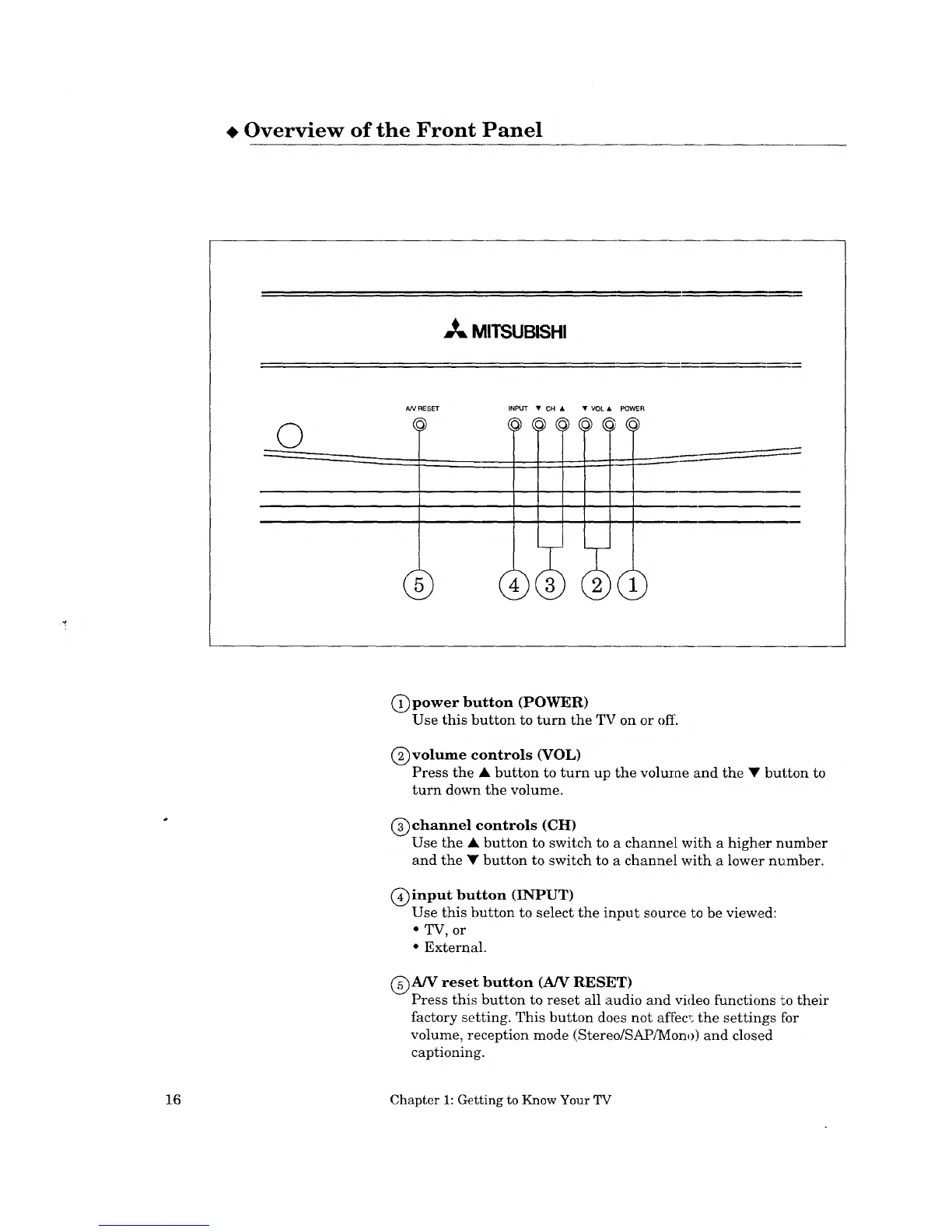
(j) power button (POWER)
Use this button to turn the TV on or off.
(_)volume controls (VOL)
Press the • button to turn up the volume and the • button to
turn down the volume.
(_)channel controls (CH)
Use the • button to switch to a channel with a higher number
and the • button to switch to a channel with a lower number.
C)input button (INPUT)
Use this button to select the input source to be viewed:
• TV, or
• External.
@A/V reset button (A/V RESET)
Press this button to reset all audio and video functions "Lotheir
factory setting. This button does not affec,; the settings for
volume, reception mode (Stereo/SAPJ]YIono) and closed
captioning.
16 Chapter 1: Getting to Know Your TV



 To Next Page
 Loading...