Using video mute
When you use the video mute function, your TV will: display a blue
screen whenever it is receiving a vei:y weak TV signal or a weak
signal from a VCR. If there is a time when you mig:ht wish to try
viewing a weak signal, you can turn the video mute off.
Customize Viewing
Rename the inputs
Select Language
• Use Video mute
Use Power restore
Use Advanced PIP
Use ADJUST to select.
Then press ENTER.
Press MENU to return to
TV Main Menu.
Use Video mute
• Automatic
Off
Use ADJUST to select.
Then press ENTER.
Press MENU to return to
Customize Viewing Menu.
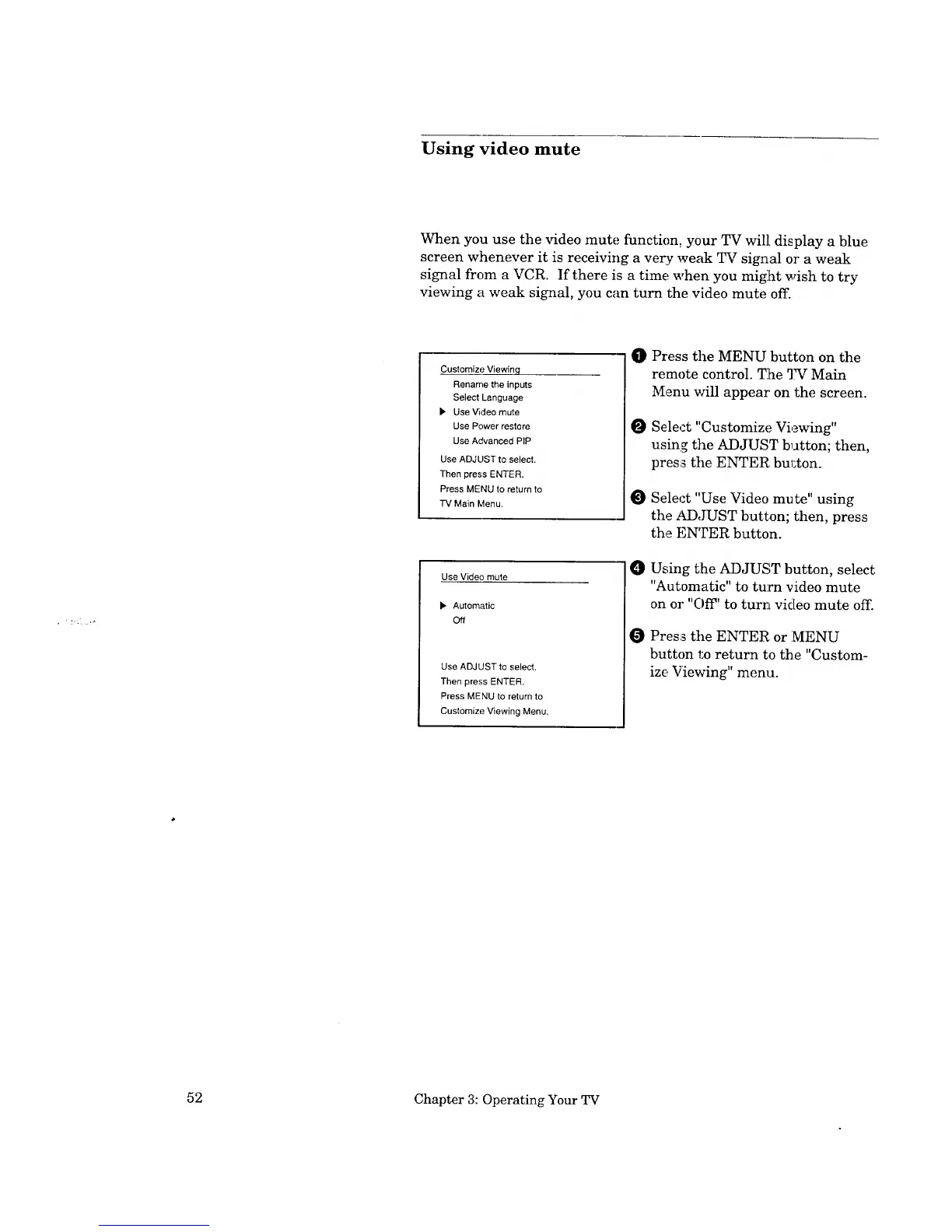
O Press the MENU button on the
remote control. T:he TV Main
Menu will appear' on the screen.
O Select "Customize Viewing"
using the ADJUST button; then,
press tile ENTER. bul;ton.
Select "Use Video mute" using
the tLDJUST button; then, press
the ENTER button.
O Using the ADJUST button, select
"Automatic" to turn video mute
on or "OiT' to turn video mute off.
Press the ENTER, or MENU
button to return to the "Custom-
ize Viewing" menu.
52 Chapter 3: Operating Your TV


 To Next Page
 Loading...