43
9-2. Setting the Main remote controller
Afterthepowerhasbeenconnectedtotheoutdoorandcylinderunits(See"7.FIELDWIRING")theinitialsystemsettingscanbeenteredviathemainremotecon-
troller.
1.Checkallbreakersandothersafetydevicesarecorrectlyinstalledandturnonpowertothesystem.
2.Whenthemainremotecontrollerisswitchedonforthersttime,thescreenautomaticallygoestoInitialsettingsmenu,LanguagesettingscreenandDate/Time
settingscreeninorder.
3.Mainremotecontrollerwillautomaticallystartup.Waitapproximately6minuteswhilstthecontrolmenusload.
4.Whenthecontrollerisreadyablankscreenwithalinerunningacrossthetopwillbedisplayed.
5.PressbuttonE(Power)(refertopage42)toturnonthesystem.Beforeturningonthesystem,performinitialsettingsasinstructedbelow.
General Operation
●Tondtheiconthatyouwishtoset,usetheF2andF3buttonstomovebetweentheicons.
●Thehighlightediconwillappearasalargerversionofthecenterofthescreen.
●PressCONFIRMtoselectandeditthehighlightedmode.
●
Followthe<MainremotecontrollerMenuTree>forfurthersetting,using◄►buttonsforscrollingorF1toF4for
selecting.
9-3. Main Settings Menu
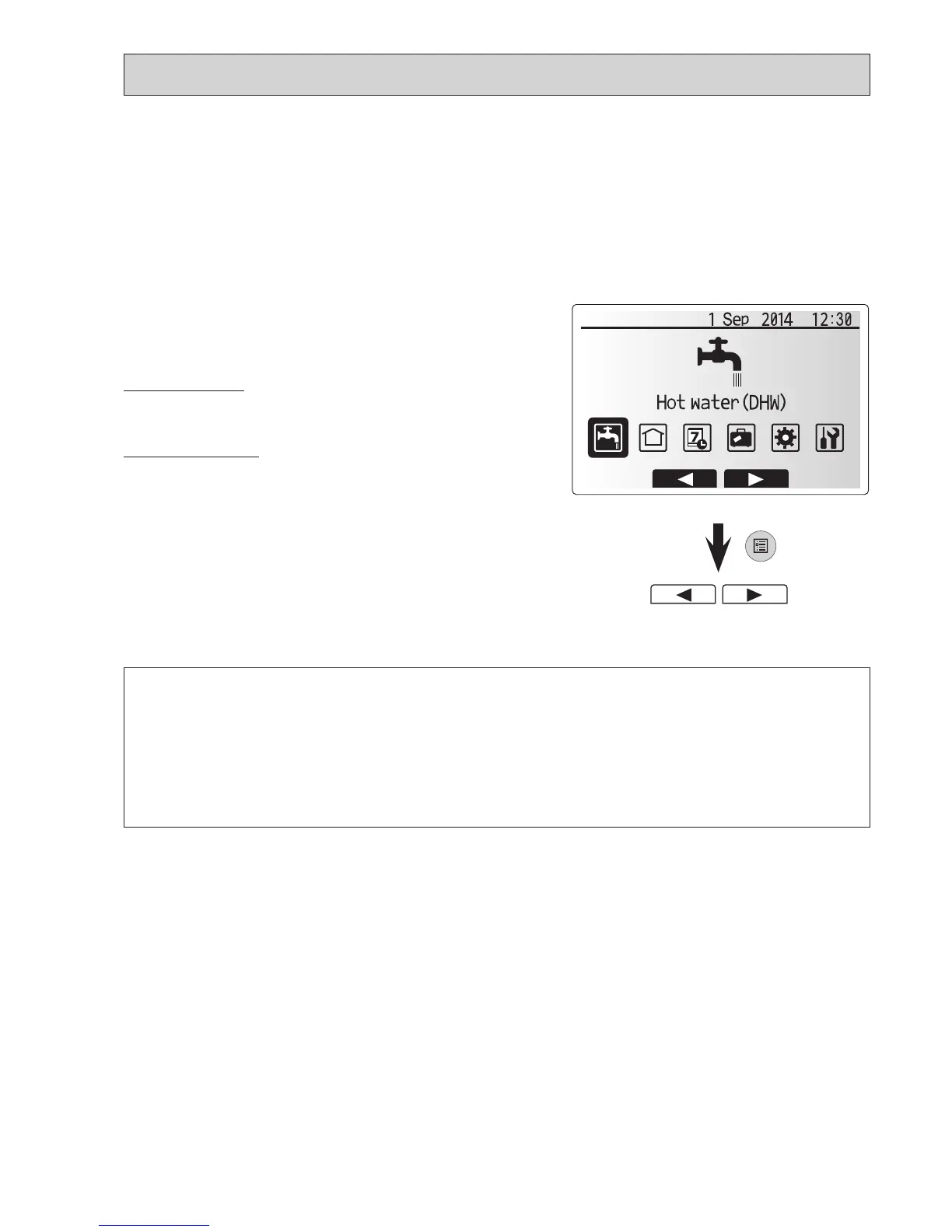
ThemainsettingsmenucanbeaccessedbypressingtheMENUbutton.To
reducetheriskofuntrainedendusersalteringthesettingsaccidentallythereare
2accesslevelstothemainsettings;andtheservicesectionmenuispassword
protected.
User Level – Short press
IftheMENUbuttonispressedonceforashorttimethemainsettingswillbe
displayedbutwithouttheeditfunction.Thiswillenabletheusertoviewcurrent
settingsbutNOTchangetheparameters.
Installer Level – Long press
IftheMENUbuttonispresseddownfor3secondsthemainsettingswillbedis-
playedwithallfunctionalityavailable.
The color of
▼
▼
buttonsisinvertedasperrightgure.
Thefollowingitemscanbeviewedand/oredited(dependentonaccesslevel).
• DomesticHotwater(DHW)
• Heating/Cooling
• Scheduletimer
• Holidaymode
• Initialsettings
• Service(Passwordprotected)
Main menu
LongPress



 To Next Page
 Loading...