69
10-5. Troubleshooting by inferior phenomena
No. Fault symptom Possible cause Explanation - Solution
1 Main remote controller
display is blank.
1. Thereisnopowersupplytomainremote
controller.
1. CheckLED2onFTC.(See"6.WIRINGDIAGRAM".)
(i) When LED2 is lit.
Checkfordamageorcontactfailureofthemainremotecontrollerwiring.
(ii)WhenLED2isblinking.
RefertoNo.5below.
(iii) When LED2 is not lit.
RefertoNo.4below.
2. Powerissuppliedtomainremote
controller,however,thedisplayonthe
main remote controller does not appear.
2. Checkthefollowing:
•DisconnectionbetweenthemainremotecontrollercableandtheFTCcontrol
board
•Failureofthemainremotecontrollerif“PleaseWait”isnotdisplayed.
•RefertoNo.2belowif“PleaseWait”isdisplayed.
2 “Please Wait” remains
displayed on the main
remote controller.
1. "PleaseWait"isdisplayedforupto6
minutes.
1. Normal operation
2. Communicationfailurebetweenthemain
remote controller and FTC.
2, 3.
Main remote controller start up checks/procedure.
(i)If“0%”or“50–99%”isdisplayedbelow"PleaseWait"thereisa
communicationerrorbetweenthemainremotecontrollerandtheFTCcontrol
board.
•Checkwiringconnectionsonthemainremotecontroller.
•ReplacethemainremotecontrollerortheFTCcontrolboard.
(ii)If“1–49%”isdisplayedthereisacommunicationerrorbetweentheoutdoor
unit's and FTC's control boards.
•CheckthewiringconnectionsontheoutdoorunitcontrolboardandtheFTC
control board.
(EnsureS1 and S2arenotcross-wiredandS3 is securelywiredwithno
damage.(See"7.FIELDWIRING".)
•Replacetheoutdoorunit'sand/ortheFTC'scontrolboards.
3. CommunicationfailurebetweenFTCand
outdoor unit.
3 The main screen
appearswithapress
of the “ON” button, but
disappears in a second.
The main remote controller operations do
notworkforawhileafterthesettingsare
changedintheservicemenu.Thisisbecause
thesystemtakestimetoapplythechanges.
Normal operation
Theindoorunitisapplyingupdatedsettingsmadeintheservicemenu.Normal
operationwillstartshortly.
4 LED2 on FTC is off.
(See"6.WIRING
DIAGRAM".)
WhenLED1onFTCisalsooff.(See"6.
WIRINGDIAGRAM".)
<FTCpoweredviaoutdoorunit.>
1. The outdoor unit is not supplied at the
ratedvoltage.
1. CheckthevoltageacrosstheterminalsLandNorL3andNontheoutdoor
powerboard.(See"7.FIELDWIRING".)
•Whenthevoltageisnot220to240VAC,checkwiringoftheoutdoorunitand
of the breaker.
•Whenthevoltageisat220to240VAC,goto“2.”below.
2. Defective outdoor controller circuit board 2. CheckthevoltageacrosstheoutdoorunitterminalsS1andS2.(See"7.FIELD
WIRING".)
•Whenthevoltageisnot220to240VAC,checkthefuseontheoutdoor
controlboardandcheckforfaultywiring.
•Whenthevoltageis220to240VAC,goto“3.”below.
3. FTCisnotsuppliedwith220to240V
AC.
3. CheckthevoltageacrosstheindoorunitterminalsS1andS2.(See"7.FIELD
WIRING".)
•Whenthevoltageisnot220to240VAC,checkFTC-outdoorunitwiringfor
faults.
•Whenthevoltageis220to240VAC,goto“4.”below.
4. FTC failure 4. Check the FTC control board.
•CheckthefuseonFTCcontrolboard.
•Checkforfaultywiring.
•Ifnoproblemfoundwiththewiring,theFTCcontrolboardisfaulty.
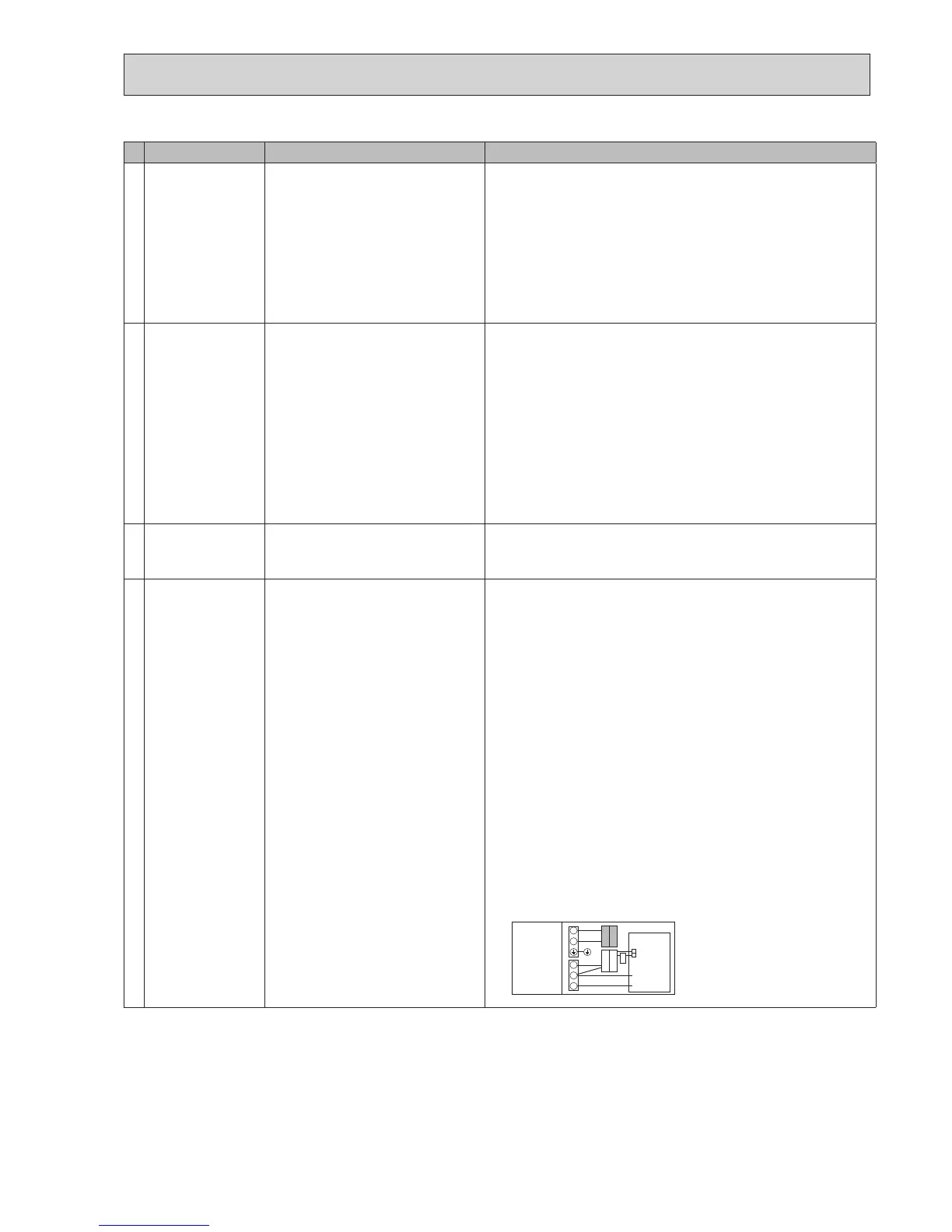
5. Faultyconnectorwiring 5. Checktheconnectorwiring.
•Whentheconnectorsarewiredincorrectly,re-wiretheconnectorsreferringto
below.(See"7.FIELDWIRING".)
S1
S2
S3
L
N
CN01
CN01
BLACK
YELLOW
YELLOW
BLACK
Initialsettings
(Power
supplied by
outdoor unit)
Cylinder unit
control board
White



 To Next Page
 Loading...