53
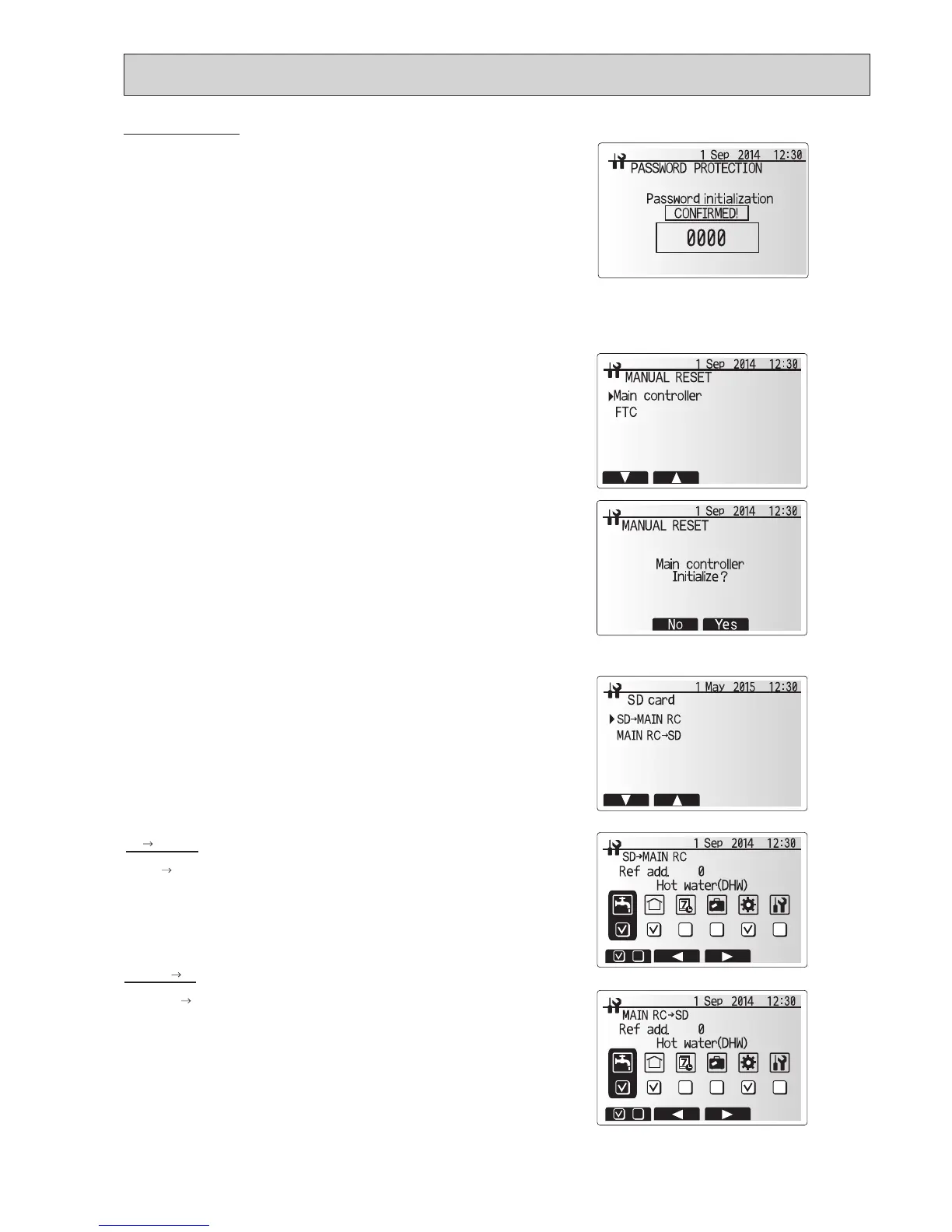
<SD card>
TheuseofanSDmemorycardsimpliesthemainremotecontrollersettingsinthe
eld.
*Ecodanservicetool(forusewithPCtool)isnecessaryforthesetting.
SD
Main RC
1.FromtheSDcardsettinguseF1andF2buttonstoscrollthroughlistuntil
“SD
MainRC”ishighlighted.
2. Press CONFIRM.
3. Press F3 and F4 buttons to set the Ref. address. *1
4.
UseF1,F2andF3buttonstoselectamenutowritetothemainremotecontroller.
5.PressCONFIRMtostartdownloading.
6.Waitforafewminutesuntil“Complete!”appears.
*1 For multiple outdoor units control system only.
1.FromtheSDcardsettinguseF1andF2buttonstoscrollthroughlistuntil
Main RC
SDishighlighted.
2. Press CONFIRM.
3. Press F3 and F4 buttons to set the Ref. address. *1
4.UseF1,F2andF3buttonstoselectamenutowritetotheSDmemorycard.
5.PressCONFIRMtostartuploading.
6.Waitforafewminutesuntil“Complete!”appears.
*1 For multiple outdoor units control system only.
Completion screen
Resetting the password
Ifyouforgetthepasswordyouentered,orhavetoserviceaunitsomebodyelse
installed,youcanresetthepasswordtothefactorydefaultof0000.
1.FromthemainsettingsmenuscrolldownthefunctionsuntilServiceMenuis
highlighted.
2. Press CONFIRM.
3.Youwillbepromptedtoenterapassword.
4.HolddownbuttonsF3andF4togetherfor3seconds.
5.Youwillbeaskedifyouwishtocontinueandresetthepasswordtodefaultset-
ting.
6. To reset press button F3.
7.Thepasswordisnowresetto0000.
<Manual reset>
Shouldyouwishtorestoretheinitialsettingsatanytimeyoushouldusetheman-
ualresetfunction.PleasenotethiswillresetALLfunctionstothefactorydefault
settings.
1.FromtheservicemenuuseF1andF2buttonstoscrollthroughlistuntilManual
Resetishighlighted.
2. Press CONFIRM.
3. The Manual reset screen is displayed.
4. Choose either Manual Reset for FTC or Main remote controller.
5.PressF3buttontoconrmmanualresetofchosendevice.
Main RC SD



 To Next Page
 Loading...