Page 11
MODELS: WS-55517 / WS-65517 / WS-73517
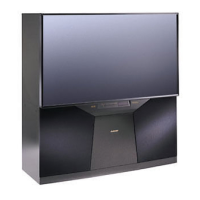
SERVICING THE DIAMONDSHIELD™
1. DiamondShield™ Removal Procedure
The appropriate disassembly procedure given below.
Note: Wear gloves when handling the DiamondShield™ to prevent finger prints.
2. DiamondShield™ Installation Procedure
To install the DiamondShieldTM, reverse the above Removal Procedure.
*(See the Parts List for DiamondShield™ part numbers)
1. Gently insert a small plastic card (such as a credit card or a
plastic putty knife) between the Diamond Shield
TM
and one end of
the clip to pry the clip loose.
2. From the edge of the trim, pull the brackets outward to open like
a hinge.
3. Carefully insert the small plastic card (or plastic putty knife) into
the gap at the side/center point of the Shield and pull the Shield
slightly away from the unit. Place your hands at the points
shown and gently bow the Shield toward you and remove from the
unit.
4. Close the two trim brackets at the sides.


 To Next Page
 Loading...