ENGLISH
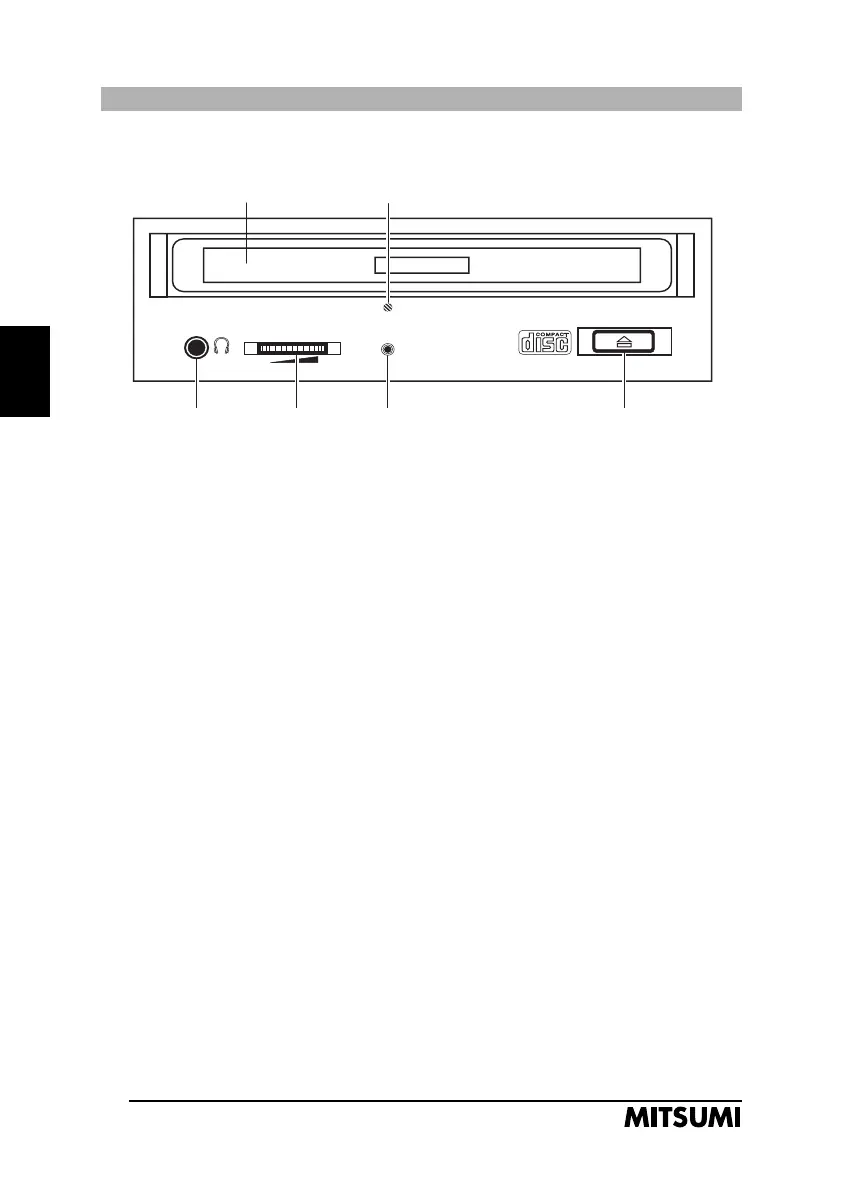
CD-ROM Drive Parts and Functions
ATAPI CD-ROM
Fig. 1 Schematic front view (depends on model)
1. Disk Tray
Opens or closes for disk loading/removal. Press lightly on the front panel
to close.
2. „Busy“ Lamp
On during data access or audio playback.
3. Headphone Jack
Please note that not all models are equipped with a headphone jack. It is
recommended to use low impedance headphones or external loudspeakers
with built-in amplifiers.
4. Volume Control
To control the volume output for connected headphones.
5. Eject Button
Press lightly to open/close the disk tray.
6. Emergency Eject
Use only to open the disk tray when the power is switched off.
24
1. Disk Tray 6. Emergency Eject
3. Headphone 4. Volume Control 2. „Busy“ Lamp 5. Eject Button
Jack for Headphones
FX2400.2 20.10.2000 10:05 Uhr Seite 24



 To Next Page