5G WiFi Channel Selection Guide
The product uses 5G WiFi and works at channels of 36 and 149.
Factory default is set at the 36 channel.
Corresponding country/area available channel lists are as follows:
Channel
Frequency
(MHZ )
USA
Europ
Japan
Singapor
China
Taiwan
South
Korea
36
5180
Available Available
Available
Available
Available
Available
Available
149
5745
Available
Disable Disable
Available
Available
Available
Available
How to select channel
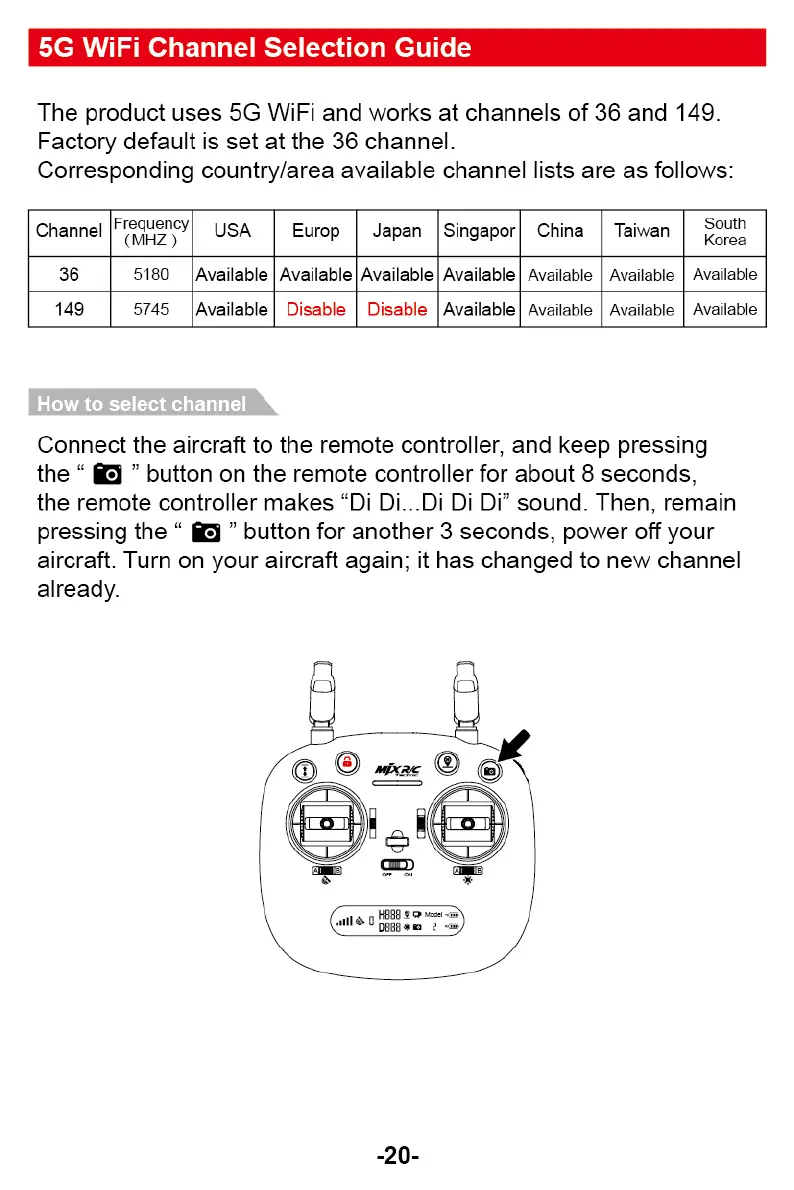
Connect the aircraft to the remote controller, and keep pressing
the "
"
button on the remote controller for about 8 seconds,
the remote controller makes "Di Di...Di Di Di" sound. Then, remain
pressing the "
" button for another 3 seconds, power off your
aircraft. Turn on your aircraft again; it has changed to new channel
already.
-20-



 To Next Page