Aircraft calibration
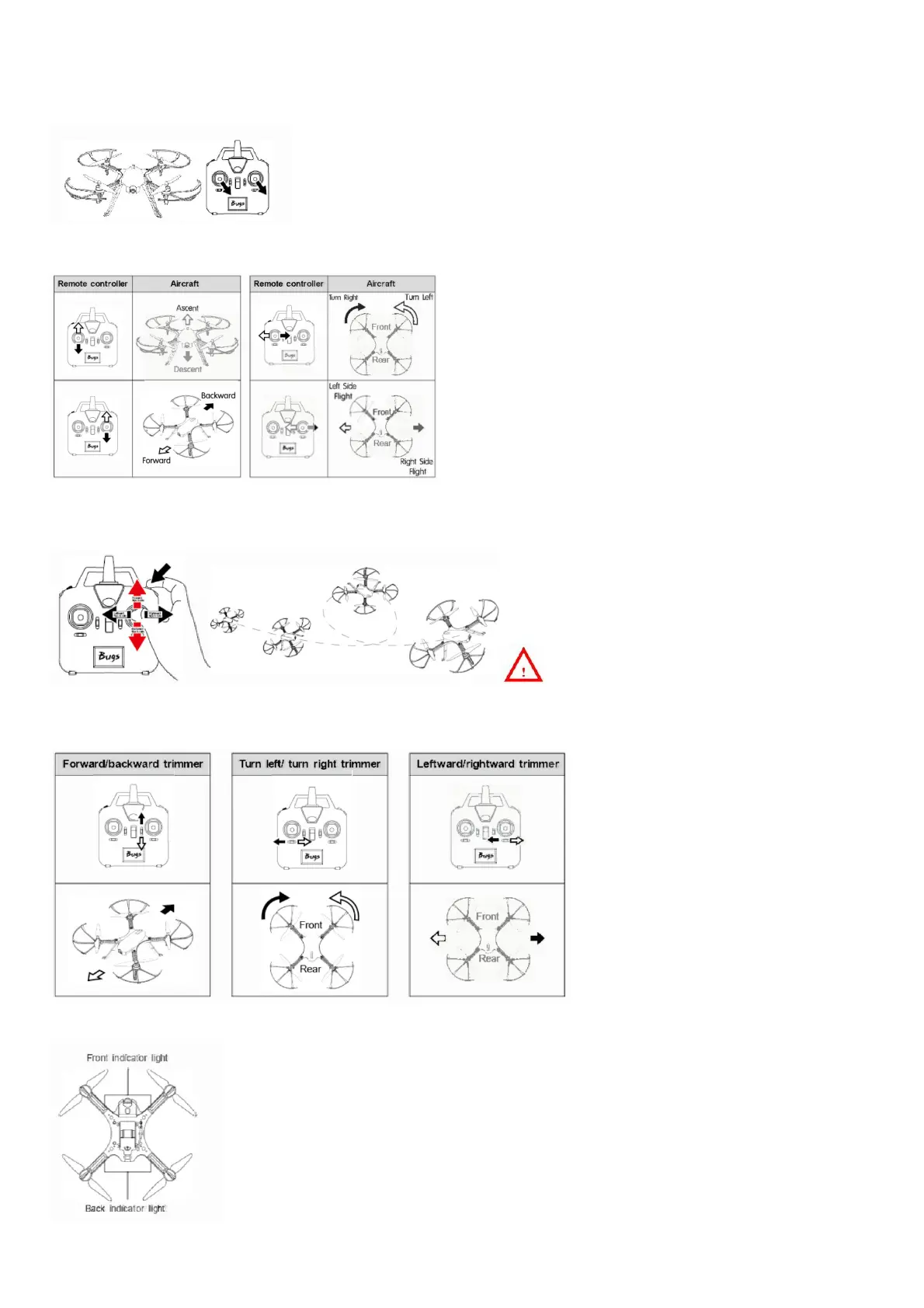
Once the gyro detection of the aircraft is finished, push down both of the control sticks to the lower night corner (indicated as below photo). The aircraft front lights turn from solid to
flashing. It means that aircraft
calibration is succeeded.
Operate the aircraft
Flips & rolls
Flips & rolls operation
warm tips:
To flip and roll, please press down the 3D rolling button and push the direction control stick at the same time.If not, the aircraft could not perform flips & rolls action normally.
How to fine-tune the aircraft
If the model keeps moving in any direction even this is no control signal given after flying, users may adjust the remote controller’s trimmer button to keep the model balance.
Aircraft indicator light description



 To Next Page