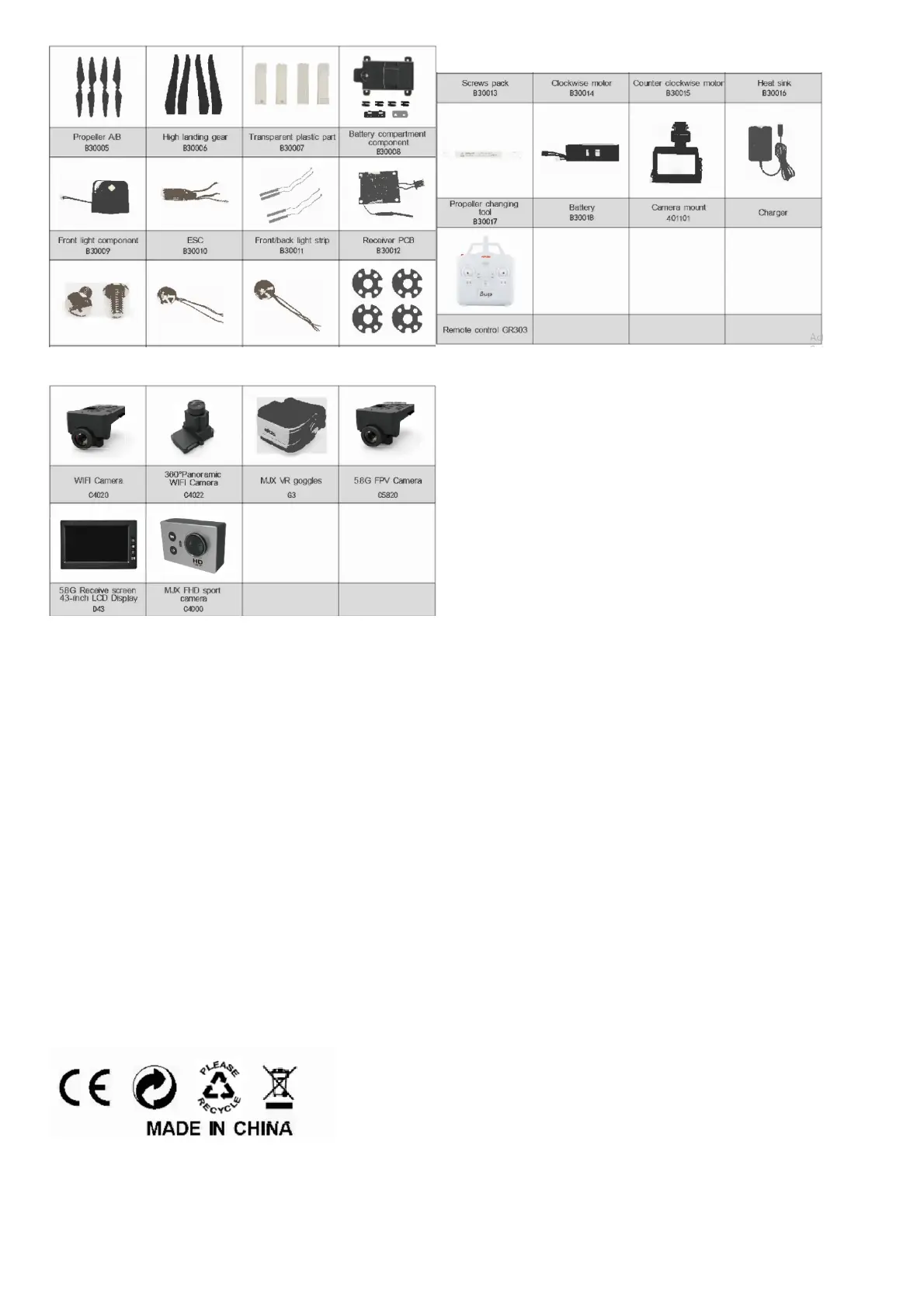
Spare parts available to upgrade B3
Troubleshooting
No. Phenomenon Solution
1. The lights are flashing quickly The Gyro of the model is under signal detecting condition, set the model to any flat surface
2.
The model can’t be kept balance after
taking 0land lean one side
1.Adjust all trimmer buttons to the middle value
2)Lay the mode in the fiat surface or flat ground and proofread the gyro of the model again
3. The model is shaking fiercely The rotor blade is out of shape, change the propellers
4.
The model can’t be unlocked, the front
indicator light flashes slowly
The battery is under low
power situation, please charge the battery full
5. The model can’t be locked
1)Push the throttle stick to the bottom first, then press the lock button for a long time
2)Proofread the stick of the remote control then push the throttle stick to the bottom, later press the lock
button for long time
Note: a) Changes or modifications not expressly approved by the party responsible for compliance could void the user’s authority to operate the equipment
b) This equipment has been tested and found to comply with the limits for a Class B digital device, pursuant to part 15 of the FCC Rules. These limits are designed to provide
reasonable protection against harmful interference in a residential installation_ This equipment generates, uses and can radiate radio frequency energy and,if not installed and used in
accordance with the instructions, may cause harmful interference to radio communications. However, there is no guarantee that interference will not occur in a particular installation_
If this equipment does cause harmful interference to radio or television reception, which can be determined by turning the equipment off and on, the user is encouraged to try to
correct the interference by one or more of the following measures
-Reorient or relocate the receiving antenna
-Increase the separation between the equipment and receiver
-Connect the equipment into an outlet on a circuit different from that to which the receiver Is connected
-Consult the dealer or an experienced radio/TV technician for help
File Downloads



 To Next Page