Status Description
Front rot’s flashing quickly. Gyro d the aircraft is in signal detecting condition.
Front light’s flashing on twice and flashing cff two seconds. The aircraft hasn’t received a signal from the remote controller
Front lights flash on once and flashing off for two seconds. The signal d remote controller is lost after the aircraft received tie signal from tie remote controller
The front light is flashing slowly or hart/ backlight ae flashing a the same time.
The aircraft is underpowered and tie remote controller send cut tie sound” beep„ beep,, beep,,,
11
_
Front light is al al the lime, bait light is off_ THe aircraft is under lock status:
Front aid rear light ale both solid on The aircraft is under unlocking or flying status
Remote controller power indicator light description
Remote controller sound
Send rut continuous beep sound
quickly
Power indicator
Cn
Description
1. The aircraft h too tar away torn tre remote controller that resulted in weak receiving signal.
2.the aircraft is powered off after a successful signal connection.
Send out continuous beep scald
slowly
oft The aircraft is in low voltage status
Send an Icing beep sound only al The remote controller has connected vith the al craft successfully
Send a “been beer sound
continuously
Flashing slowly The remote controller s under power
Send ail °beep
°
occasionally
Cu
The aircraft receives the very weak signal from the remote
controller.
Flight
Before you take off, check and make sure that:
1. The aircraft and the remote controller are full charged
2. The propellers are installed correctly
3. The motors work normally after unlocking.
Basic flight operations
Basic flight operations step
1. Connect the remote controller with the aircraft
2. Unlock the aircraft after the detection of gyro of the aircraft is completed
3. Pull up the throttle stick then the aircraft takes off, remote control the flight aircraft by left/right stick
4. Push the throttle stick to the bottom, lock the aircraft by press the lock button for a long time
5. Take out the battery from the aircraft
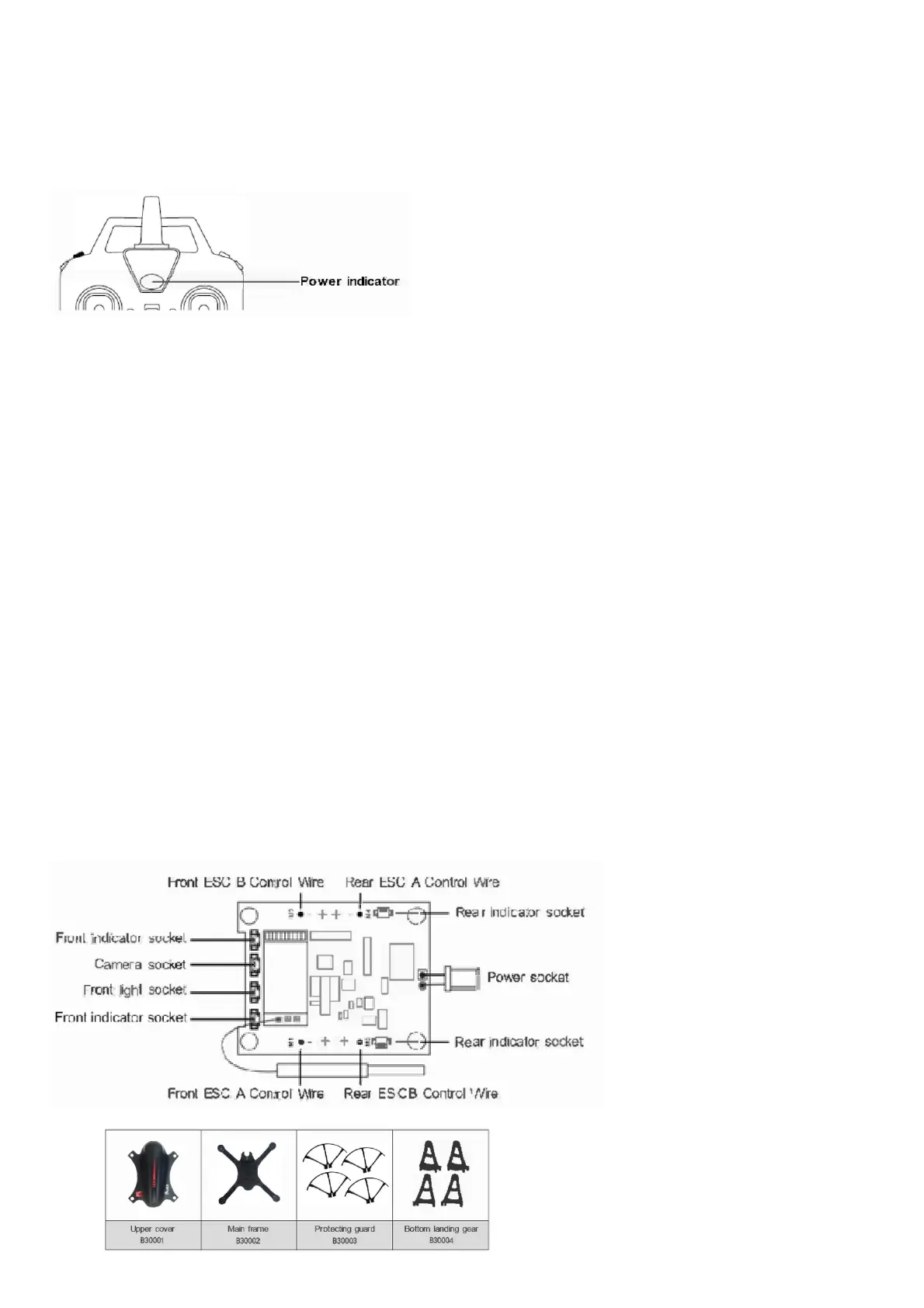
Receiver PCB connecting diagram
To make the model operate normally, the receiver PC’s installation direction and the insertion line’s connecting position must be the same as the below photo showed.
Product components
Basic parts



 To Next Page