USER MANUAL | T10 & NC8/NS8
To charge the beepers, lift the rubber on the side and connect the micro USB.
Pager should say "Charging..."
Pager Settings
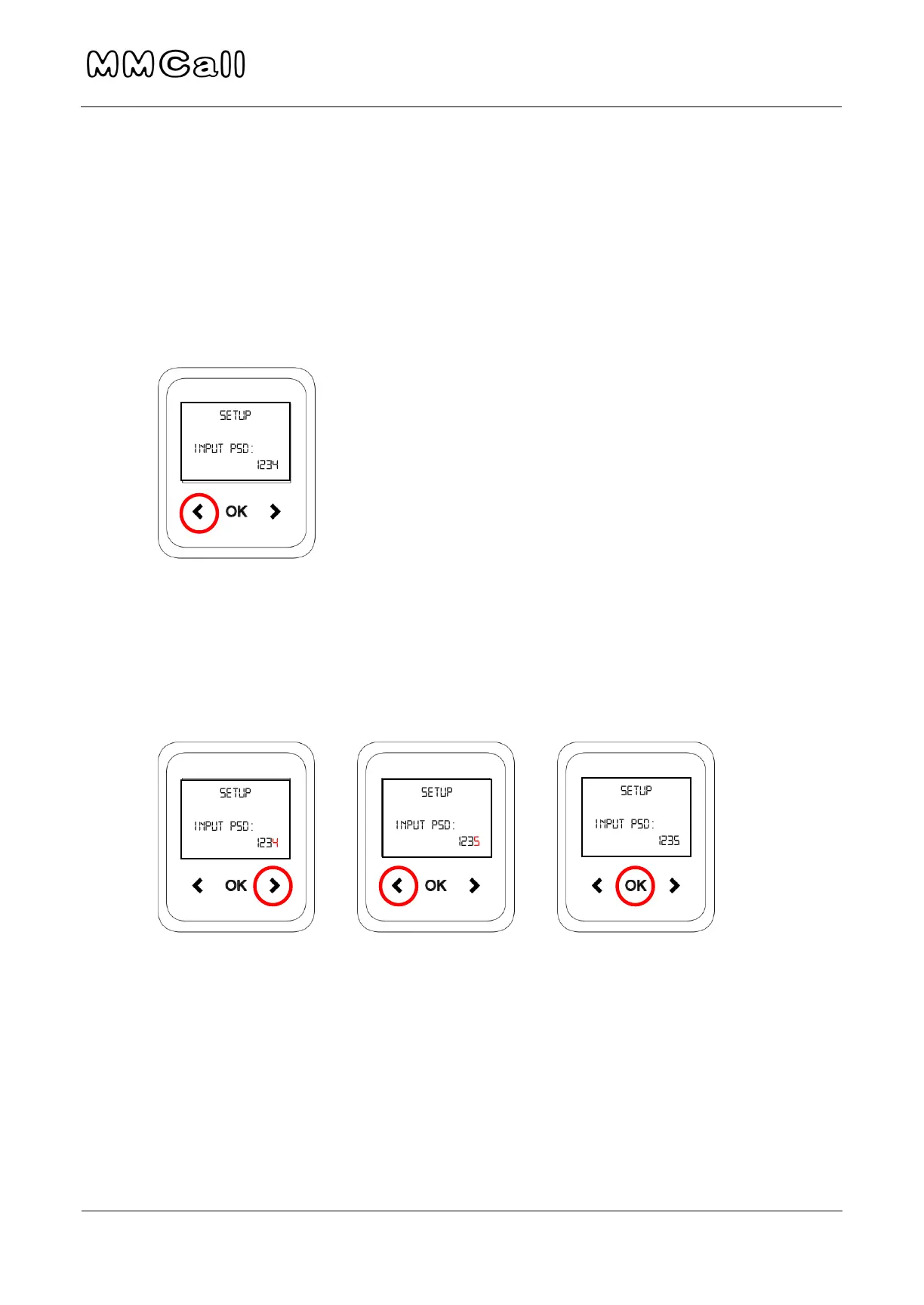
To access settings, hold LEFT arrow until password appears.
(Next step must be done quickly) To enter the password, use RIGHT arrow to
move cursor to last number (4) and use LEFT arrow to change to 5. Password
should read 1235. Press OK.
Change Pager Time
1. See “1-Clock Setup” as the first menu item. Press OK when option is
highlighted.


 To Next Page