USER MANUAL | T10 & NC8/NS8
How to use the Beepers/Watches?
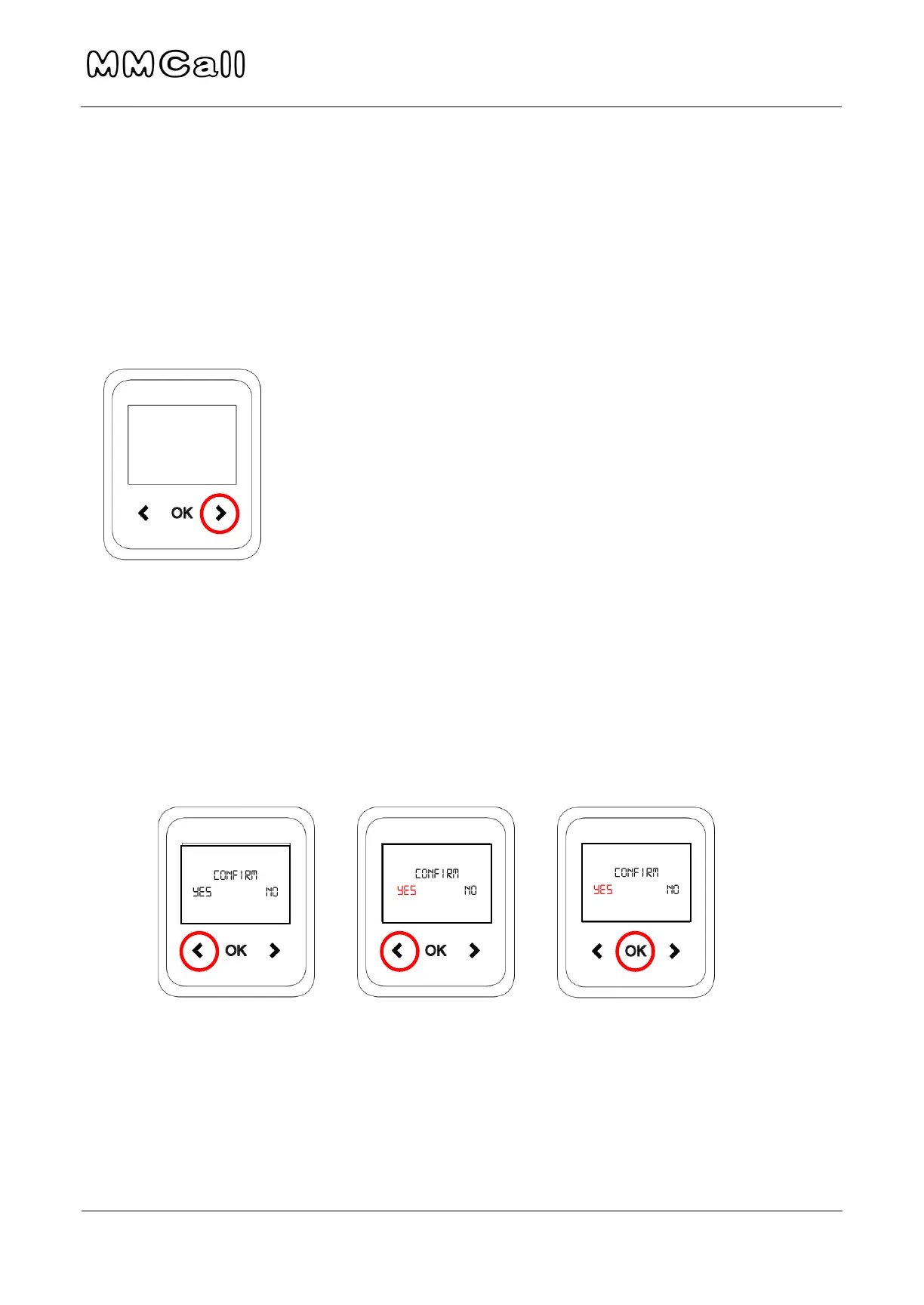
Turn ON/OFF the Beepers/Watches
To turn ON/OFF beepers/watches, hold the RIGHT arrow for 5-10 seconds. If
by any chance the pager does not turn on, plug it in to the charger.
To wake the pager up from display sleep, hold the RIGHT arrow for 1 second.
Delete Messages
To delete messages from the pager, press the LEFT arrow. Press OK to see a
full list of all pending messages.
Charge Pagers
To charge the watch, place on the charging square with the pins going into
the connectors on the bottom of the watch. Pager should say "Charging..."


 To Next Page