USER MANUAL | T10 & NC8/NS8
Call a Pager
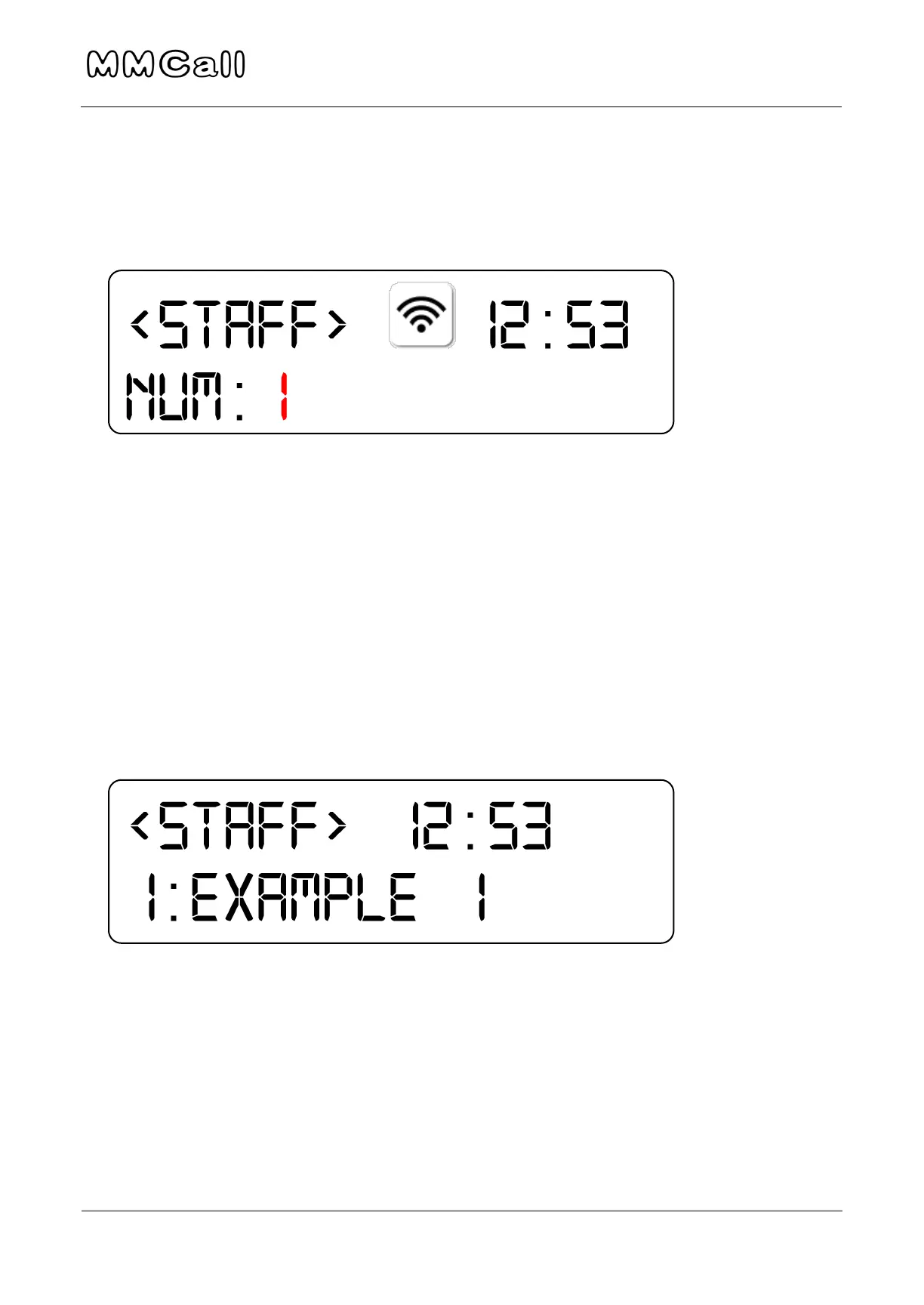
When calling a staff member, enter the pager number. To send the
Default message (see settings page 7) simply press SEND:
You will know the signal was sent when the image next to the time
appears, and the number is highlighted by the cursor.
Calling the Pager with Preset Messages
When sending customized preset messages (see settings
page 7), press ENT after inputting the pager number, but
before pressing SEND. Scroll up or down with arrows to view these
messages. Press SEND to send just this message.
Adding Custom Messages
When sending custom messages, or adding to the preset messages,
press ENT after inputting the pager number. To add to the preset
message (i.e. Instead of "Example 1" to read "Example 1 ASAP") have
Example 1 chosen, then press ENT again instead of SEND. Use the #


 To Next Page