USER MANUAL | T10 & NC8/NS8
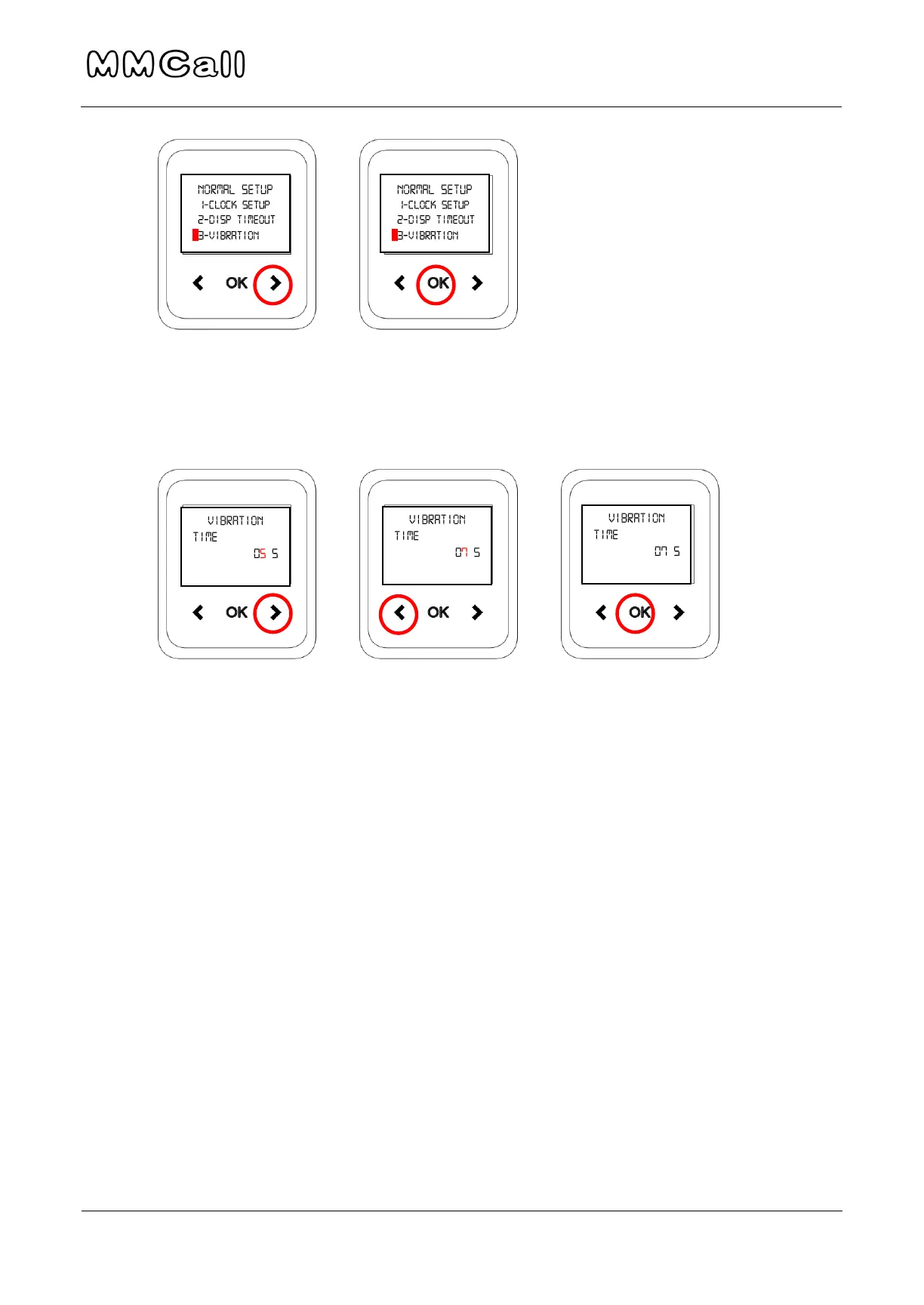
3. Use RIGHT arrow to move cursor through number, and LEFT arrow to
change vibration length. Press OK when done to return to main menu.
4. To leave the menu, hold the LEFT arrow until you return to the main
screen.
Troubleshooting
If Pager does not Receive Pages
1. Be sure that the pagers are charged and turned on.
2. Be sure transmitter power is plugged in and display is lit.
If display is blank, check power supply as described below.
If display is lit, check transmitter functions described below.


 To Next Page