USER MANUAL | T10 & NC8/NS8
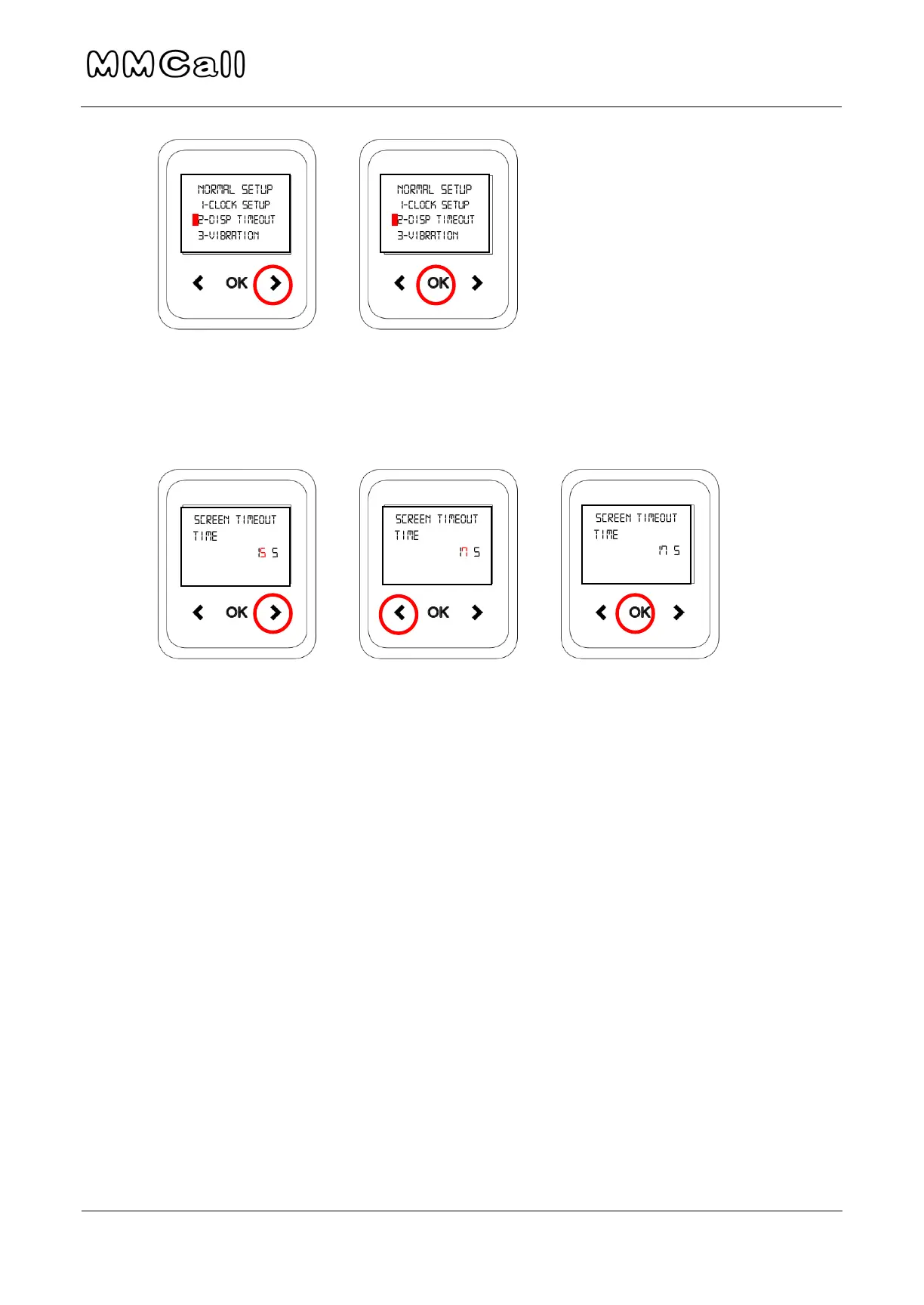
3. Use RIGHT arrow to move cursor through number, and LEFT arrow to
change display timeout. Press OK when done to return to main menu.
4. To leave the menu at any time, hold the LEFT arrow until you return to
the main screen.
Change Vibration Length
1. This will change how long the pager will vibrate for after receiving the
message.
2. Use the RIGHT arrow to scroll through menu to “3-Vibration”. Press OK
when option is highlighted.


 To Next Page