
 Need help?
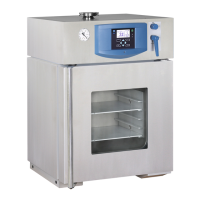
Do you have a question about the MMM Group VACUCELL 55 and is the answer not in the manual?
Provides guidance on safely receiving, moving, and handling the unit.
Outlines essential steps and checks before the first use of the device.
Explains the functions and indicators of the main control panel located on the door.
Describes the secondary control panel and switches located in the upper part of the unit.
Details how to set key operational parameters like temperature, timing, and cycle counts.
Provides a list of error codes, their meanings, and troubleshooting steps.
Describes the safety system's role in monitoring and protecting against over-temperature conditions.
 General
| Brand | MMM Group |
|---|---|
| Model | VACUCELL 55 |
| Category | Laboratory Equipment |
| Language | English |


 To Next Page