www.getmobi.com
(877)-662-4462 .
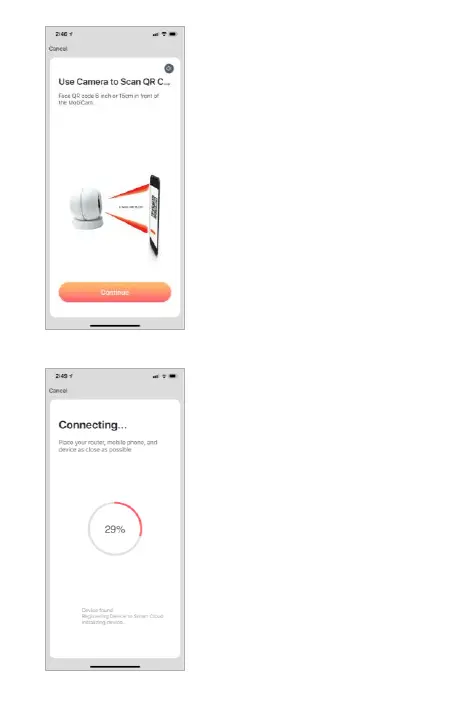
The app will show a brief
“how to Scan QR Code”
tutorial. Click “Continue” to
access the QR code to scan.
SCAN QR CODE
CONNECTING
You will be taken to a
progress display screen. On-
Screen will show the
remaining percentage before
the camera connects. The
camera itself will provide a
voice prompt:
“Connecting to WiFi” and
On-Screen will then display
100% and redirect to the next
screen.


 To Next Page