www.getmobi.com
(877)-662-4462 .
FAMILY
MANAGEMENT
You will be taken to a
progress display screen. On-
Screen will show the
remaining percentage before
the camera connects. The
camera itself will provide two
voice prompts:
“Connecting to WiFi”
&
“Set up Complete”
On-Screen should then
display 100% and redirect to
the next screen.
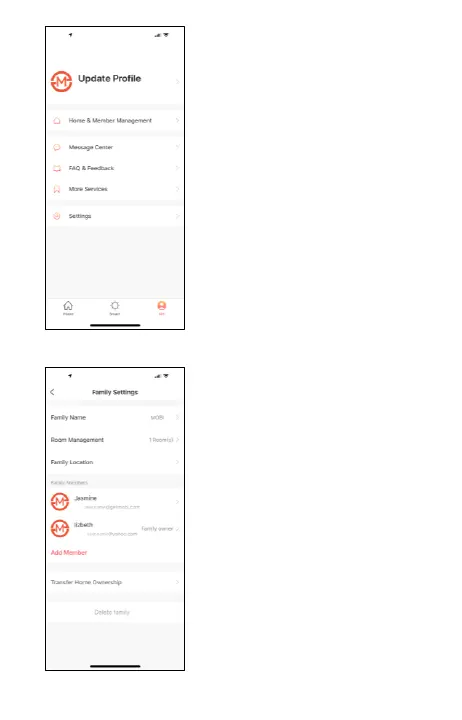
Tap the “Me” icon at the
bottom of the screen and
then tap “Home & Member
Management”
Enter a Family Name & set
the location. Choose or create
rooms that have device. Tap
done.
Home Management allows
you to manage devices
HOME
MANAGEMENT


 To Next Page