Hardware and Software
Front View Buttons
There are 25 keys located in the keypad on the right side of the front panel, their functions are as
follows:
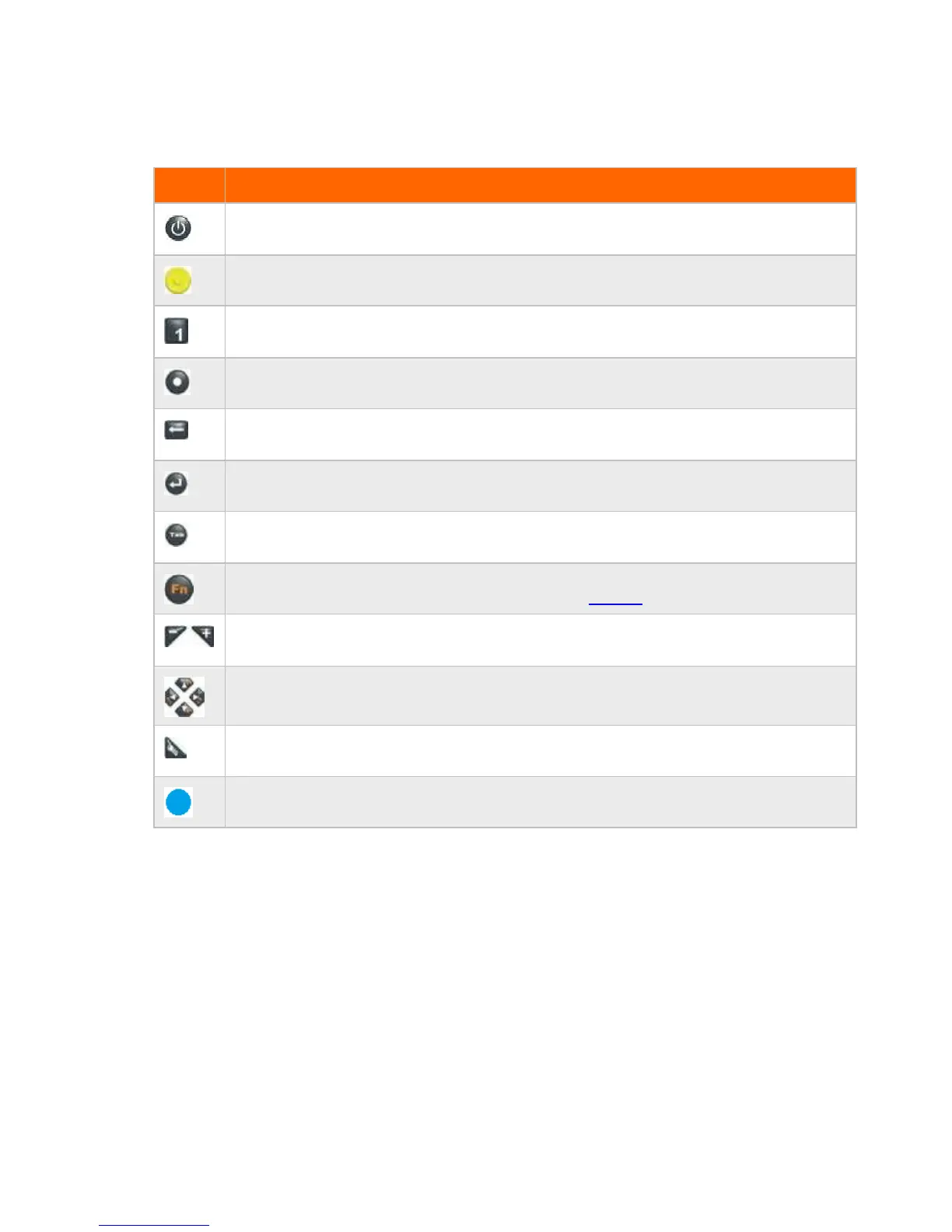
Power Button
Press it to turn on/off the system
Yellow Button
To trigger Barcode scan f unction
Numeric Key
Same f unction as on a standard keyboard
Decimal-point Key
Same f unction as on a standard keyboard
Back s pace Button
Same f unction as on a standard keyboard
Enter Button
Same f unction as on a standard keyboard
Tab Button
Same f unction as on a standard keyboard
Function Button
Access to secondary operation of some buttons (shown in the front view )
Plus /Minus Button
Same f unction as on a standard keyboard
Up/Dow n/Left/Right Buttons
Same f unction as on a standard keyboard
Security Button
Similar f unction as pressing [Ctrl] + [Alt] + [Delete ] on a standard keyboard
Blue Button
To trigger Camera shutter in xCam software, also use to enter boot order menu from splash screen (BBS)
13



 To Next Page