Quick Menu Utility
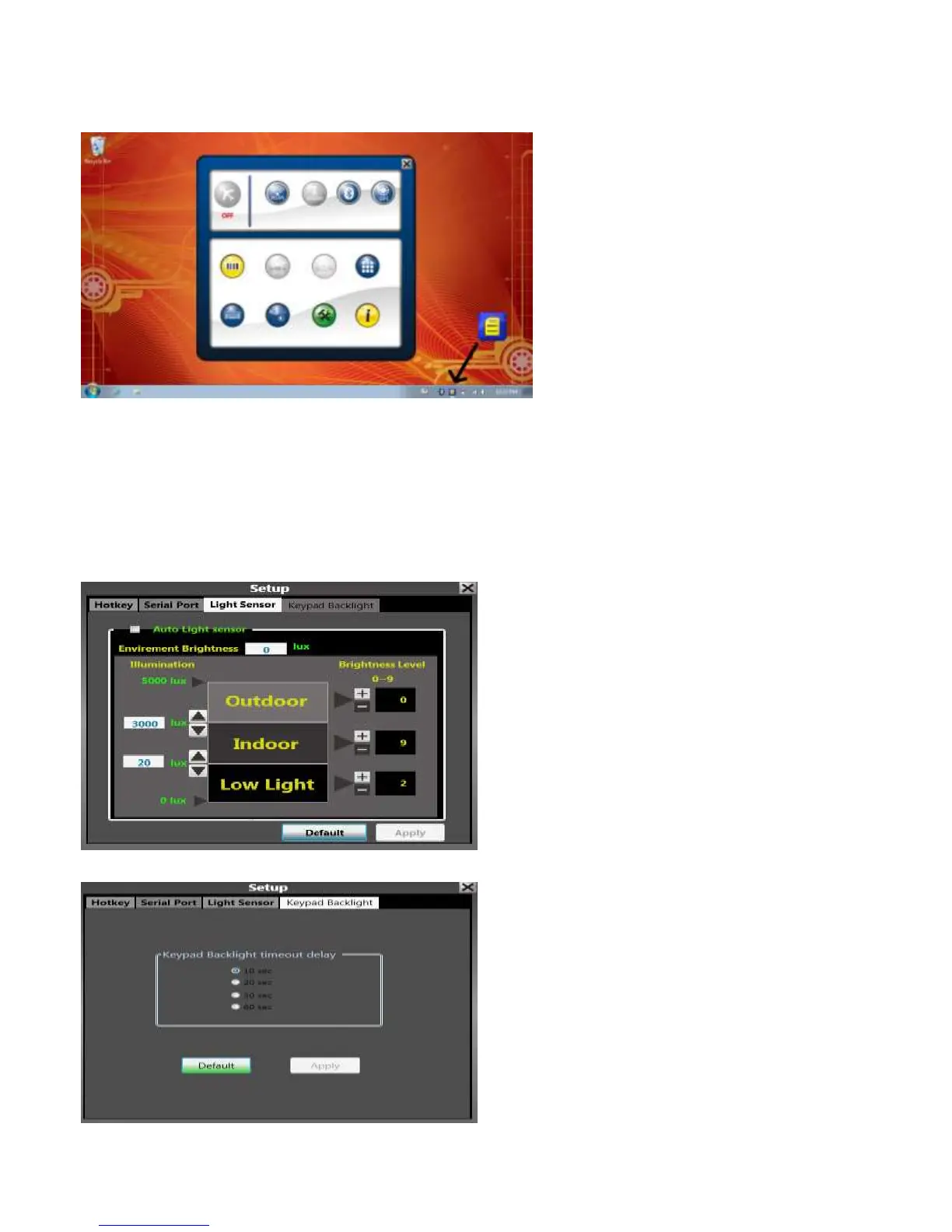
The Quick Menu Utility is a system control utility that boots with Windows, and sits in the system tray, as seen below.
To access the Quick Menu Utility, double click the blue and yellow icon in the system tray.
The Quick Menu Utility controls a number of system functions, such as power to the WLAN, Bluetooth, WWAN, GPS,
Barcode Scanner, and Keypad Backlight. The devices that are powered on are highlighted in blue (or yellow for the barcode
scanner). If the devices are not powered on or not detected, the icon will be greyed out.
You can access other functions such as automatic backlight control, and keypad backlight timeout settings by clicking on the
green wrench/hammer icon.
Here you can see the automatic backlight control
Here you can see the Keypad Backlight Control
15



 To Next Page