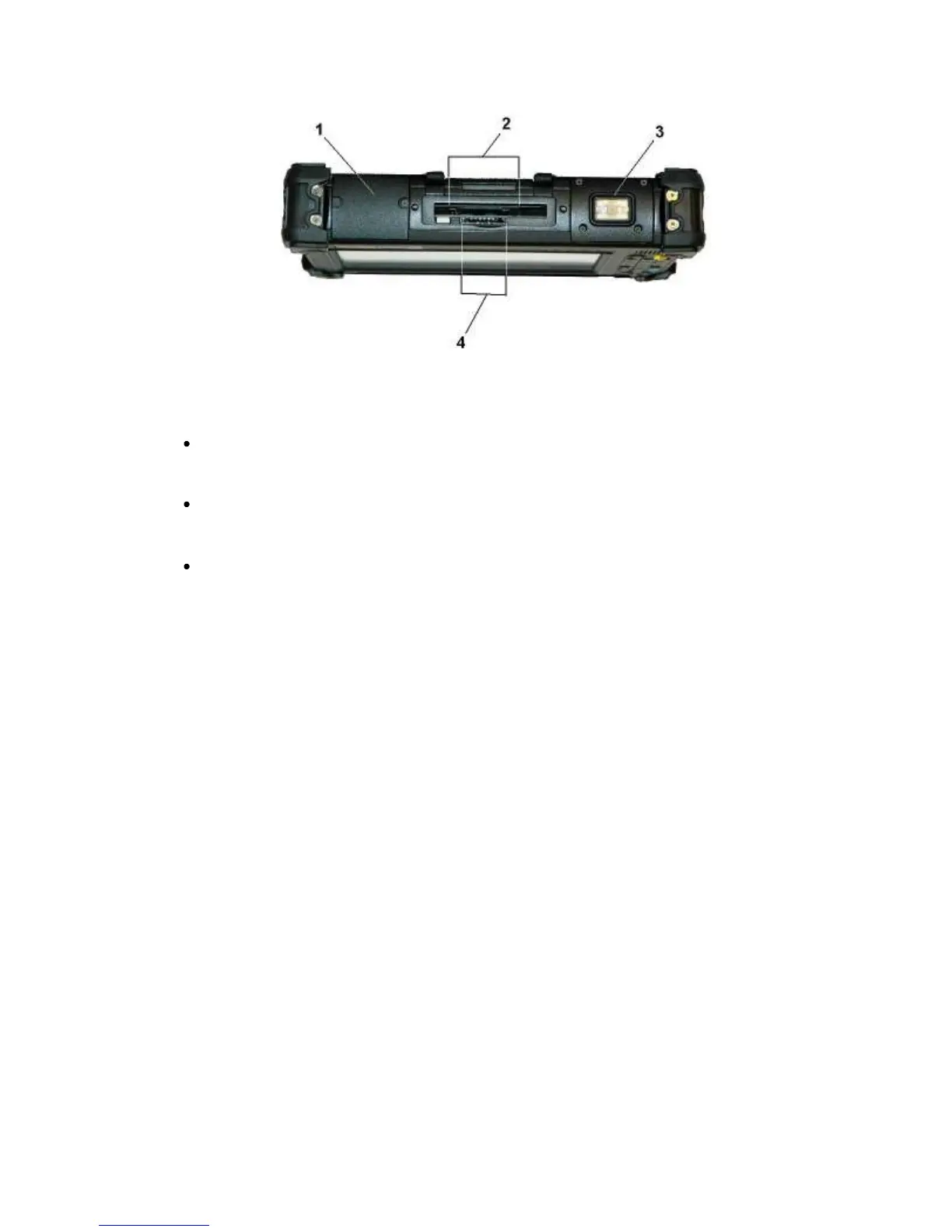
Top View
1.
GPS Antenna Cover
2.
mini-PCIe WWAN, PC card slot (PCMCIA), or Smart Card Slot
The upper slot can hold any of the following cards:
mini-PCIe card for embedded WWAN
Built in at the factory - contact a MobileDemand support representative for information.
Example: GOBI 3000 Module for Wireless WAN connectivity
PC card (PCMCIA)
Insert the card into the card slot until it latches and a button pushes up - depress this button to
release the PC card.
Smart Card Reader
Insert the card into the card slot until it latches - press the card again to release.
3.
Barcode Scanner Cover
4.
SD card slot
The SD card slot can be used as an interface between your xTablet T7200 and a variety of devices.
Press an SD card into the SD card slot until it latches into place.
18



 To Next Page