7
Non-MobileVision Factory Pre Wired Installation (continued)
System Operation:
• Power up vehicle.
• Turn on monitor.
• Check for camera operation.
- Camera and monitor are paired.
- If camera is not paired, proceed to section
on camera pairing in this manual.
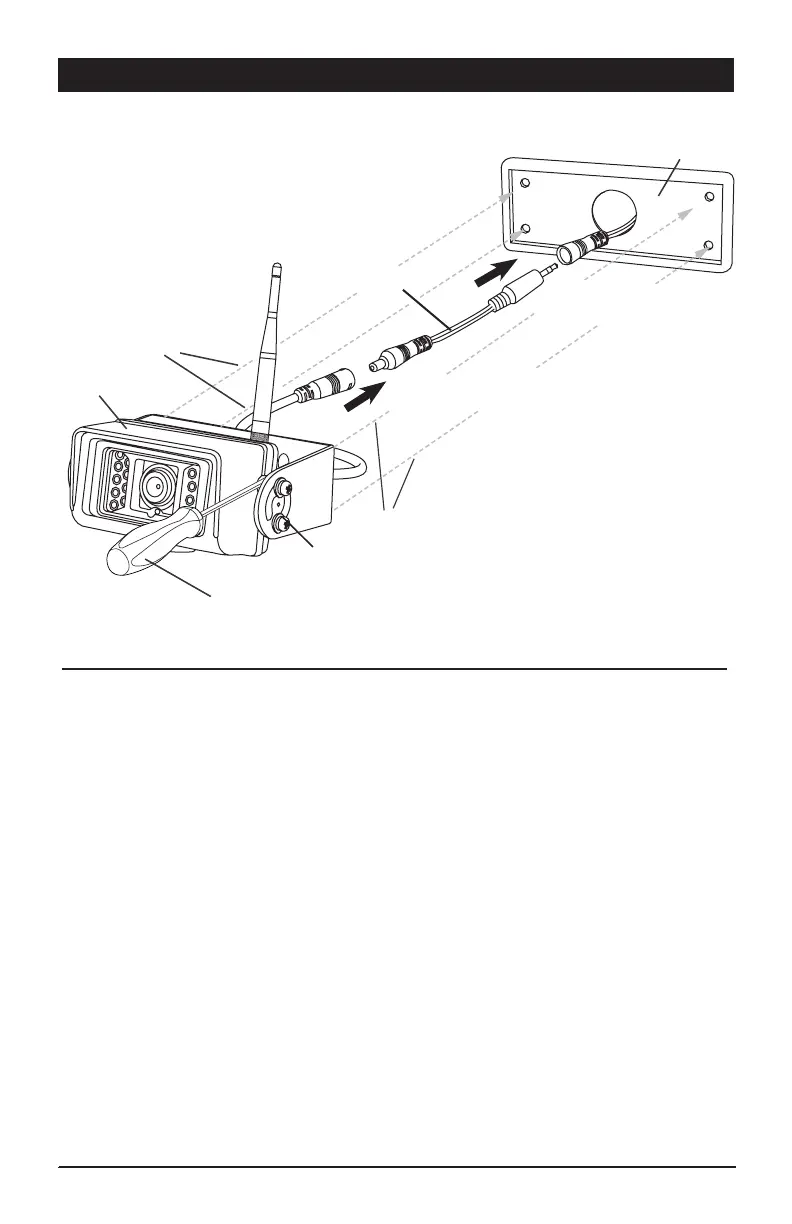
Connect the camera power lead
to the power adapter harness
Power adapter harness
Figure A
Screw Driver
Connect the power adapter harness lead to
the vehicles pre wired power lead
Gasket
Camera &
Bracket Assembly
Screws from Bracket
Screws from Bracket
Camera Adjustment Screws
(loosen only, do not remove)


 To Next Page