106/132
D14D Camera Manual: Operating The Camera
© MOBOTIX AG • Security-Vision-Systems • Made in Germany
www.mobotix.com • sales@mobotix.com
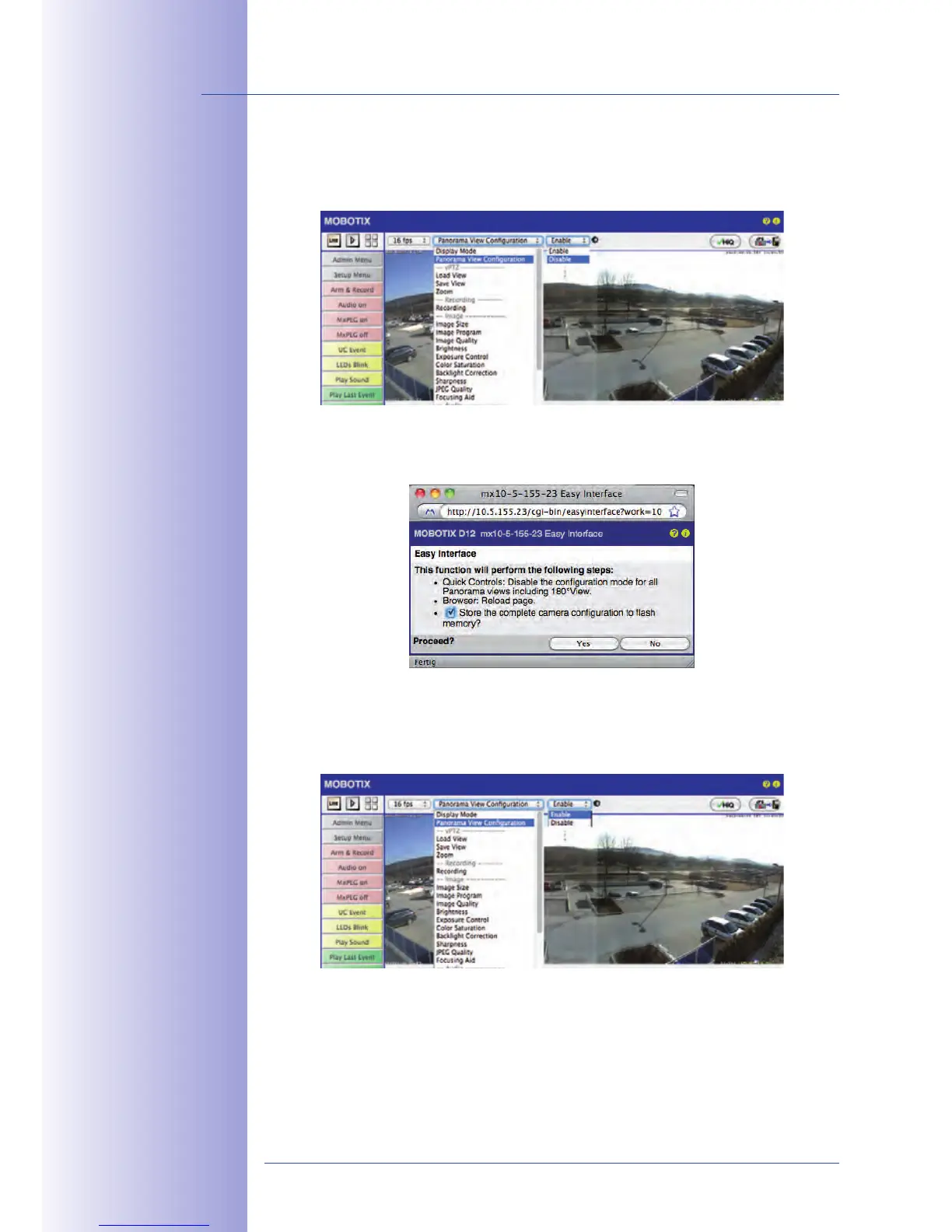
Step 3: Save the settings and exit the function
When you are finished adjusting the image, set the value field to the right of the Quick
Control to deactivated.
This opens a dialog box. Confirm by clicking on Yes to save the current settings and then
switch back to the live image of the camera.
To adjust the images again in the future, you must switch back to Configuration of Panorama
View in the Quick Control and set the value field to the right to activated. The OnScreen
Control opens and you can proceed as described starting with Step 2.



 To Next Page