74/132
D14D Camera Manual: Mounting
© MOBOTIX AG • Security-Vision-Systems • Made in Germany
www.mobotix.com • sales@mobotix.com
2.6 Adjusting The Lens
Make sure that you see the live image of the camera on the monitor of your computer or
laptop. Now adjust the lenses one by one until you see the desired image area on your
monitor:
• Remove the camera dome using a lint-free cotton cloth.
• Release the lock ring of the lens, adjust the image sharpness and
tighten the lock ring again. To avoid damaging the lens mount,
never turn the lens too far or with force.
• Mount the dome again using a soft cotton cloth.
Notes
The focusing aid provides a visual aid when setting the image sharpness of
a MOBOTIX camera lens (see Section 4.3.3
Image and Audio Settings, Quick
Controls
in the
Software Manual
).
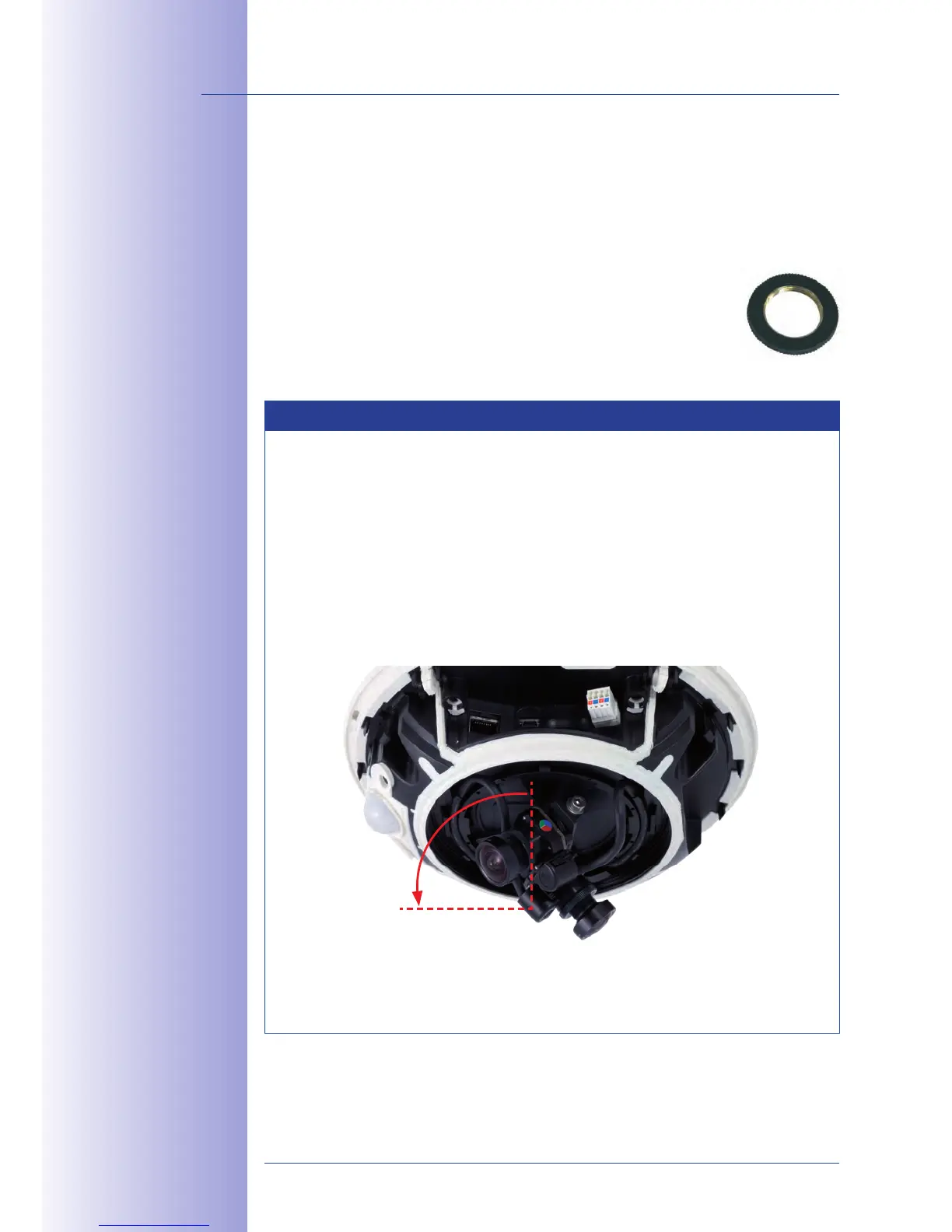
Image focus: Due to the lens eect of the dome, the focus of the 135mm
telephoto lens shifts slightly once the dome has been mounted. Before
mounting the dome, the telephoto lens should be rotated by about 90° in a
counterclockwise direction (against the direction in which the lens is screwed).
Make sure that you check the focus of the live image with the dome installed
and readjust the lens, if required.
We do not recommend (even) aligning the telephoto lens horizontally due
to the image distortions that occur in the top part of the dome for technical
reasons.
L
o
c
k
r
i
n
g
Lock ring secures lenses
against vibrations
90°



 To Next Page