65/132
Mounting The Camera With Outdoor Wall Mount
© MOBOTIX AG • Security-Vision-Systems • Made in Germany
www.mobotix.com • sales@mobotix.com
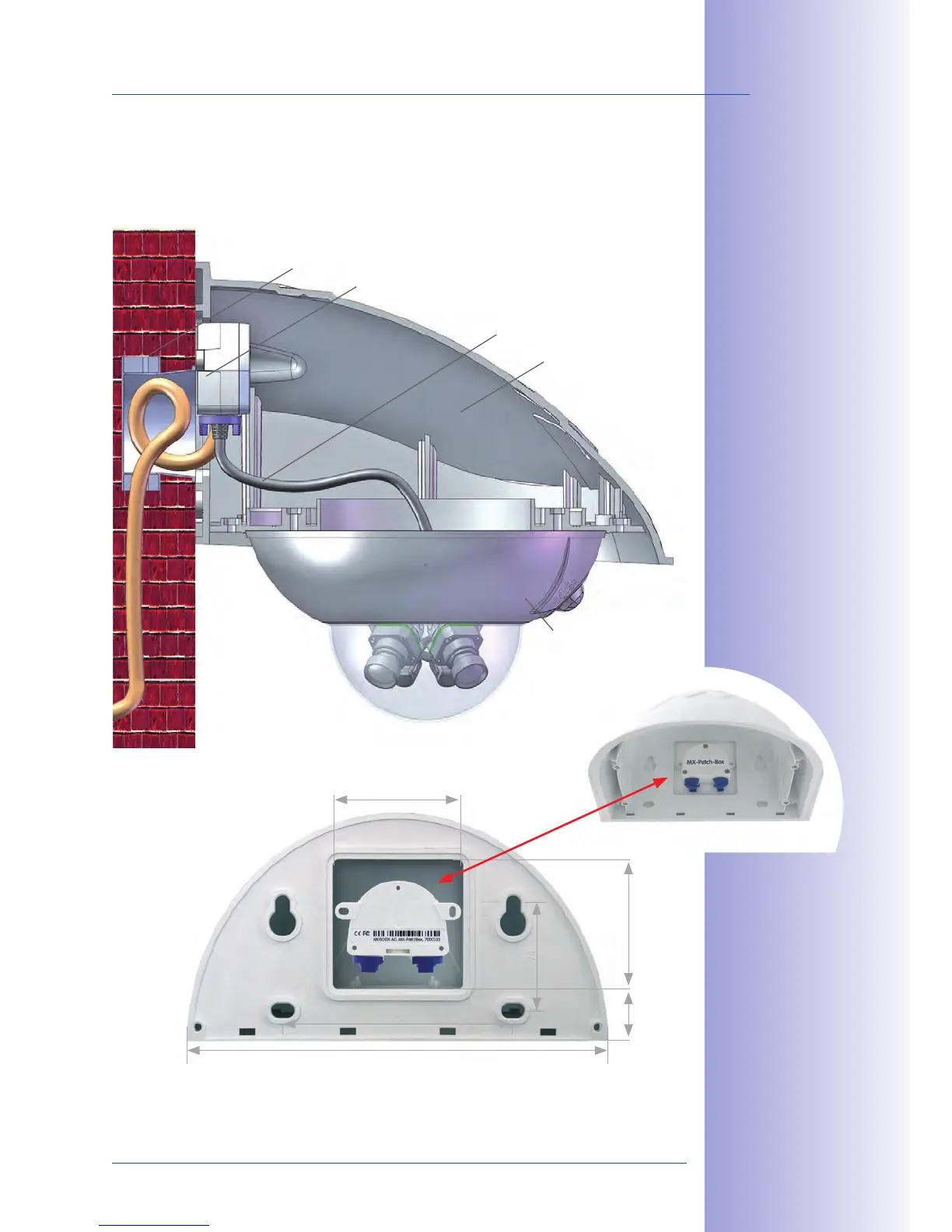
2.4.2 Mounting The Outdoor Wall Mount
Ideally, the Outdoor Wall Mount is mounted over the tested wall outlet that provides the
connections (network, Power over Ethernet) to the camera.
MX-Patch-Box or wall outlet
D14D Outdoor Wall Mount
MOBOTIX Ethernet patch cable (1 m)
D14D
In-wall socket
293
90
9037
75
160
The 90 x 90 mm
space also ts the
MX-Patch-Box
(MX-OPT-Patch1-EXT)
Mounting the Outdoor
Wall Mount over the
MX-Patch-Box
or a socket



 To Next Page