Home
Mobotix
Security Camera
D14D
Page 132
Mobotix D14D - Page 132
134 pages
Manual
Save Page as PDF
To Next Page
To Next Page
To Previous Page
To Previous Page
Loading...
132
/132
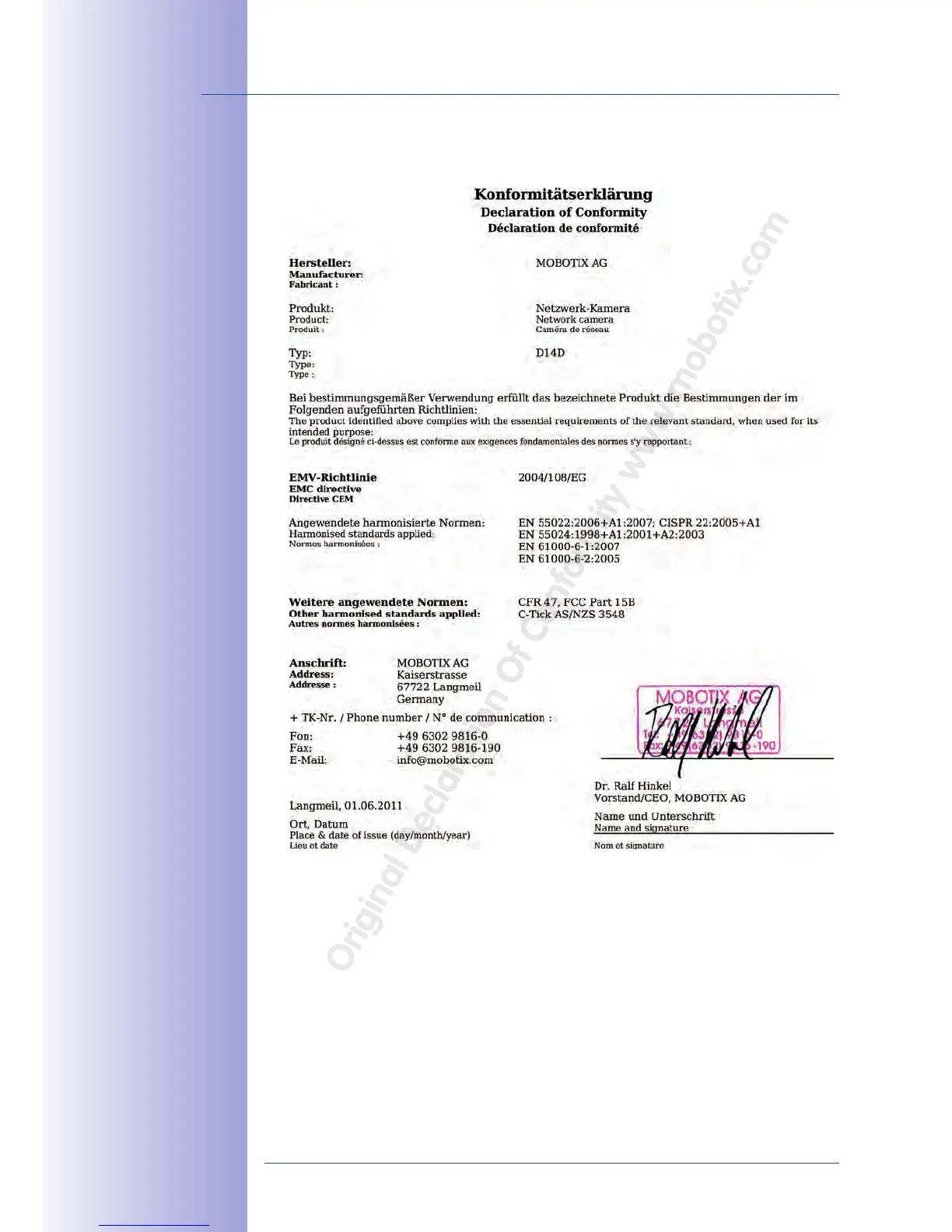
D14D Camera Manual: Declaration Of Conformity
© MOBOTIX AG • Security-Vision-Systems • Made in Germany
www
.mobotix.com • sales@mobotix.com
D14D DualDome Camera
Declaration Of Conformity
www.mobotix.com > Support >
Media Library > Certicates
Original
Declaration
Of
Confor
mity
www
.mobotix.com
131
133
Table of Contents
Main Page
Default Chapter
3
Default Chapter
3
Table of Contents
3
Foreword
6
The MOBOTIX Concept
8
Superior Storage Solution
10
Added Security Value
12
Cost Benefits and Technical Advantages
14
1 Product Overview
16
An Overview of the D14D Dualdome
16
The most Important Benefits
22
New Features Compared to the D12D
23
General Camera Functions
24
Lenses, Equipment and Technical Data
30
Technical Specifications
34
Standard Delivery
36
Standard Delivery - D14D
36
Delivered with the D14D-Sec-Dnight-Fix
40
Delivered Parts of the Outdoor Wall Mount (Accessories)
42
Delivered Parts of the Corner and Pole Mount (Accessories)
43
Available Accessories
44
NPA-Poe Set
44
Replacement Dome
44
Vandalism Set
44
Ethernet Patch Cable with Bayonet Catch
45
Outdoor Wall Mount
45
Corner and Pole Mount
45
Extio Function Expansion
45
Mx2Wire+ Media Converter
46
MX-Patch-Box
46
MX-NPA-Box
47
2 Mounting
48
Overview of Mounting Options
48
Mounting Indoor Cameras to a Ceiling or Wall (Without Accessories)
48
Outdoor Installation on a Wall, Pole or Corner (with Accessories)
49
Overview of Network Connection
50
Power over Ethernet (Poe Conforming to IEEE 802.3Af)
50
Uninterruptible Power Supplies (UPS)
51
Providing the Camera Connections, Wall Outlets
51
Wiring, Fire Prevention, Lightning and Surge Protection
52
First Installation Steps
54
Mounting Lens Units
54
Overview of Cable Connections
58
Connecting Ethernet Cable with the MX-Patch-Box
59
Connecting the Mini USB Cable
59
Connecting Mxbus Modules
61
Replacing the Microsd Card
62
Mounting the Camera with Outdoor Wall Mount
64
Aiming the Passive Infrared Sensor (PIR)
64
Mounting the Outdoor Wall Mount
65
Aiming the Camera
67
Connecting the Camera with Bottom Plate
68
Connecting and Securing the Camera
69
Mounting the Corner and Pole Mount
70
Overview
70
Mounting to the Corner of a Building
71
Mounting to a Pole
72
Mounting the Outdoor Wall Mount
73
Adjusting the Lens
74
Network and Power Connection
76
Notes on Cable Lengths and Power Supply
76
Poe Variables
76
Power Supply Using a Switch
77
Power Supply When Connected Directly to a Computer
78
Power Supply with Power-Over-Ethernet Products
78
Camera Startup Sequence
79
3 Operating the Camera
80
Manual and Automatic Operation - Overview
80
Manually Using a Computer in the 10.X.X.X IP Address Range
81
Automatically Using Mxcontrolcenter or Mxeasy
82
Automatically Using DHCP
83
First Images and the most Important Settings
84
Manually Setting up the Network Parameters in a Browser
84
First Images and the most Important Settings in the Browser
86
First Images and Network Parameter Configuration in Mxcontrolcenter
88
MOBOTIX AG • Security-Vision-Systems • Made in Germany
88
First Images and Network Parameter Configuration in Mxeasy
93
Starting the Camera with the Factory IP Address
96
Starting the Camera with an Automatic IP Address (DHCP)
97
Virtual PTZ and Full Image Recording
98
Virtual PTZ
98
Full Image Storage
100
Image Optimization
102
Correction of Lens Distortion (L22 Only)
102
Adjusting the Panorama Image (D14D 180° Only)
104
Dual Image Exposure
109
Microsd Card Recording
110
Introduction
110
Formatting the Card
112
Activate Recording
113
Accessing Camera Data
114
Deactivating the Card Memory
114
Using a Microsd Card in a Different MOBOTIX Camera
115
Limitations on Warranty When Using Flash Storage Media
115
Configuration in the Browser
116
Overview
116
General Browser Settings
116
Additional Configuration Options
119
Additional Notes
120
Password for the Administration Menu
120
Permanently Deactivating the Microphone
120
Starting the Camera with the Factory IP Address
120
Reset the Camera to Factory Settings
121
Activate Event Control and Motion Detection
121
Deactivate Text and Logo Options
121
Deactivating the Daily Automatic Camera Reboot
121
Browser
122
Cleaning the Camera and Lens
122
Safety Warnings
122
Online Help in the Browser
123
Rohs Declaration
123
Disposal
123
Other manuals for Mobotix D14D
User Manual
128 pages
Related product manuals
Mobotix D14
2 pages
Mobotix D12
136 pages
Mobotix D15
112 pages
Mobotix D16
2 pages
Mobotix D25
2 pages
Mobotix D24M
148 pages
Mobotix D26 Dome
108 pages
Mobotix S15
160 pages
Mobotix P25
2 pages
Mobotix Q24M
164 pages
Mobotix MOVE SD-330
4 pages
Mobotix M16 AllroundDual
2 pages



 To Next Page