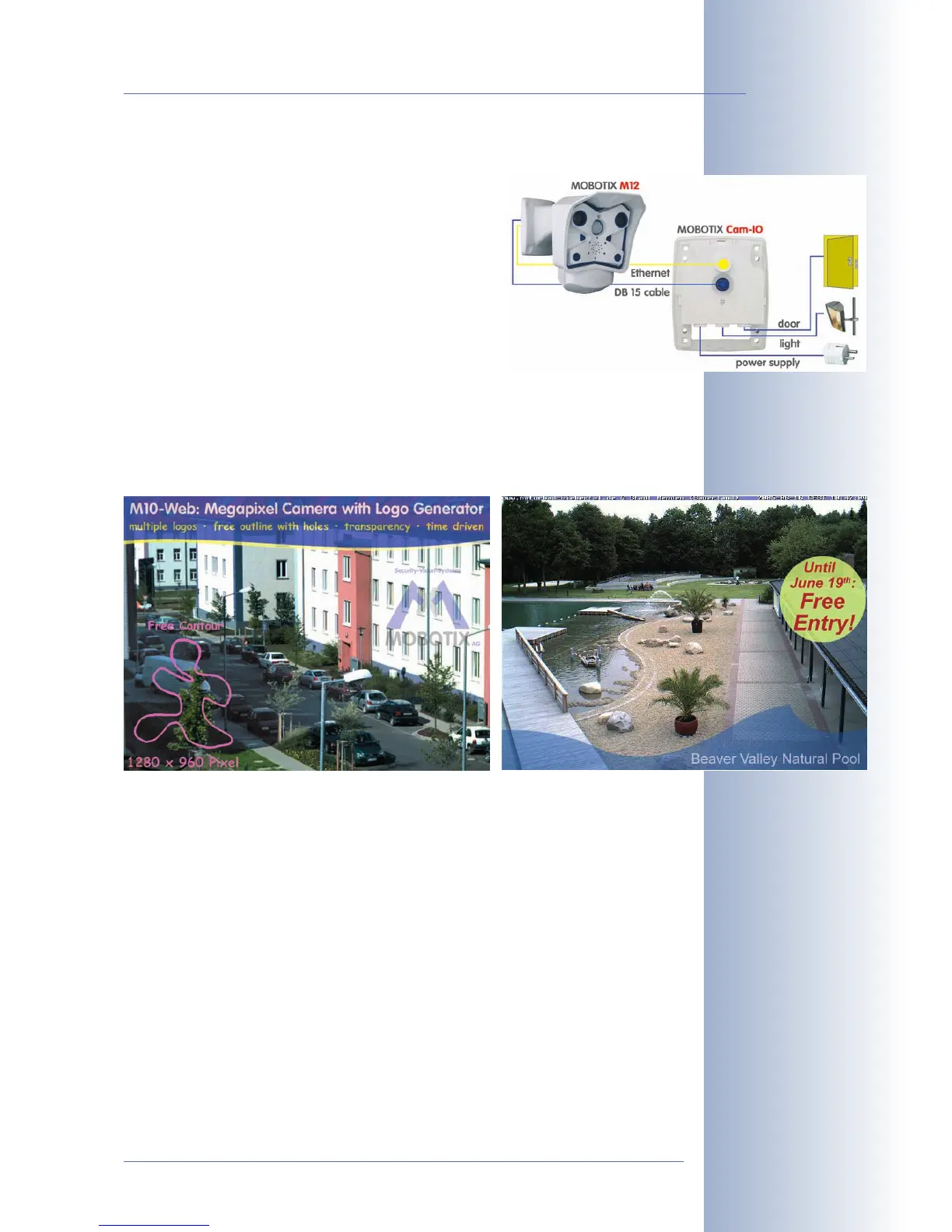
Easy Installation Using the Cam-IO Installation Box
The Cam-IO Installation box greatly facilitates setting
up a security system as this module carries all pins of
the MX Interface Connector and simplifies connec-
ting external devices and sensors. Besides supplying
power to the camera, the installation box can power
lamps with up to 500W/230V (max. 4A) and has
heavy-duty connectors for the remain-ing pins of the
D Sub 15 HD socket (e.g. Line In/Out or signal inputs
of the camera).
Logos, Animated or Freestyle
The Logo generator of MOBOTIX cameras allows integrating different banners and
graphics (including files loaded from any URL) into the current camera
images—with optional scheduler control. MOBOTIX cameras are the only network
IP cameras supporting animated and transparent graphics.
© MOBOTIX AG • Security-Vision-Systems • Made in Germany
www.mobotix.com • sales@mobotix.com
13/92
M12 Camera Manual Part 1
Logo generator integrated



 To Next Page