2 MOUNTING THE CAMERA
2.1 Delivered Parts, Camera Components and Dimensions
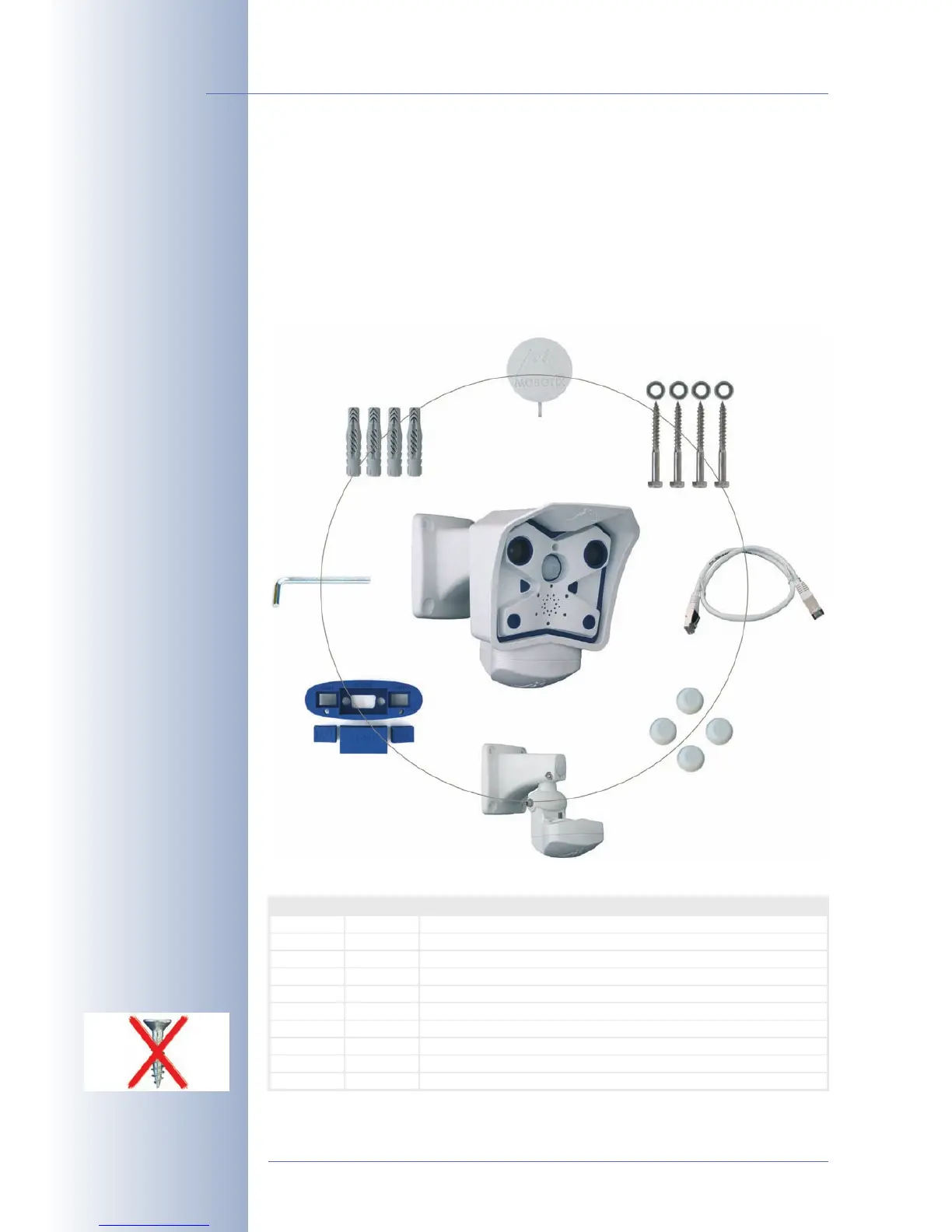
The MOBOTIX M12 is delivered with the SecureFlex wall and ceiling mount and is
ready for use out-of-the-box.
2.1.1 Standard Delivery
© MOBOTIX AG • Security-Vision-Systems • Made in Germany
www.mobotix.com • sales@mobotix.com
24/92
M12 Camera Manual Part 1
Make sure to check the
delivered parts
Caution: Never use
screws with countersunk
heads to fasten the Secu-
reFlex mount, as these
screws will destroy the
mount.
Item Count Part Name
1
2
1
1
SecureFlex mount for ceiling or wall
Ethernet cable CAT5 0.5 m/20", installed
3
4
5
6
1
4
A
5 mm
Dowels 8 mm
4
4
Stainless steel washers Ø 6.4 mm
Stainless steel wood screws with hex head 6x50 mm
7
8
9
10
1
1
Cover Ø 27 mm for mount's foot
Insect protection (insta
)
1
4
Additional NET plug for insect protection (Ethernet)
Caps (white) for covering hex screw heads
Allen wrench 5mm
(item3)
SecureFlex wall mount (item1)
Ethernet cable CAT 5
0.5m (item2)
Insect protection (item8),
Additional NET plug (item 9)
4 Dowels 8 mm (item 4)
4 Washers Ø6.4mm (Pos.5),
Wood screws
6x50mm (item6)
Cover Ø 27 mm for
mount's foot (item 7)
4 caps (white) for covering
hex screw heads (item 10)



 To Next Page