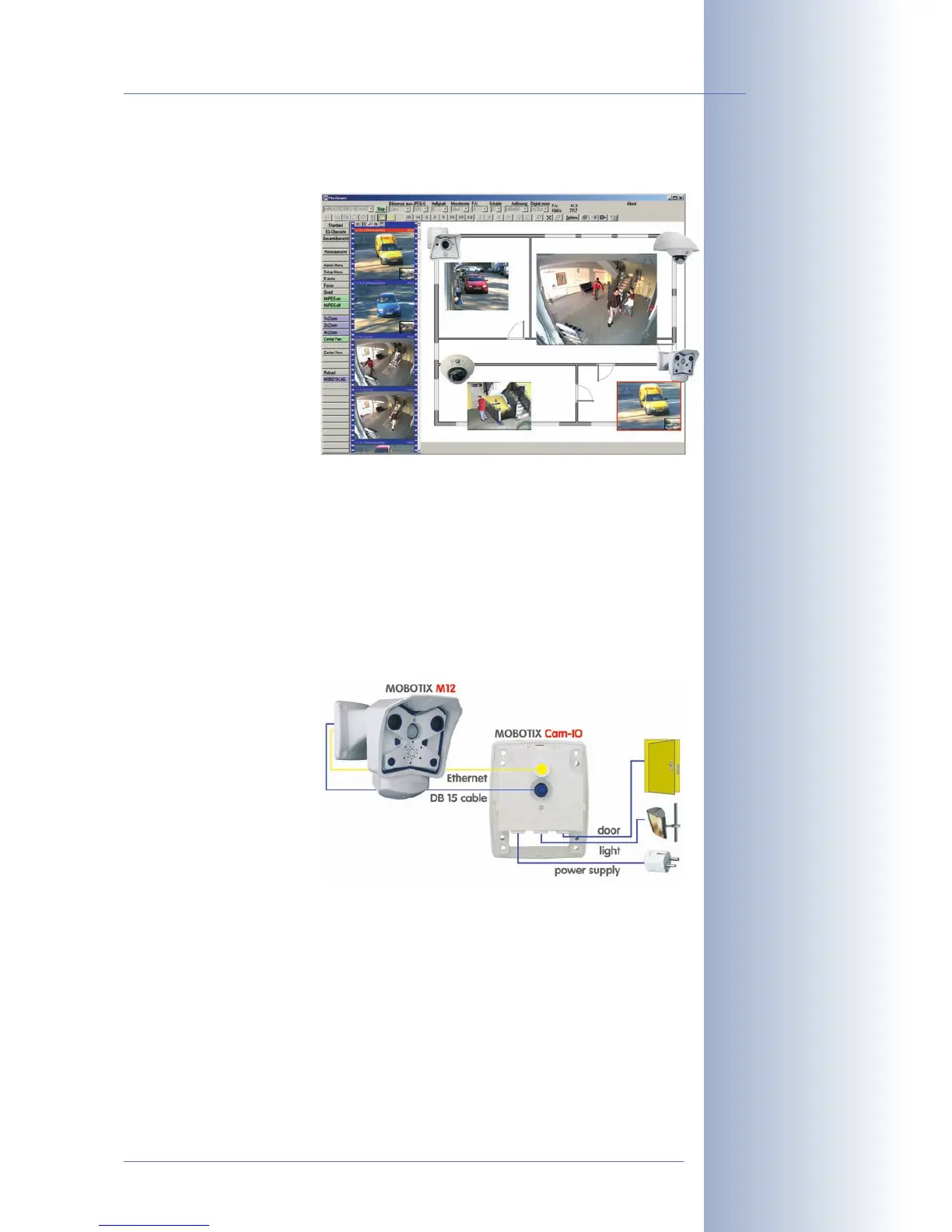
for Windows from www.mobotix.com, which allows displaying multiple cameras
on one monitor. Moreover, MxControlCenter can also process incoming alarms
from the camera and al-
lows for comfortably sear-
ching and evaluating the
alarm video clips (including
audio).
Because of the low power consumption of only 3Watts, the MOBOTIX M12 came-
ras feature the highest operating temperature range in the market from -30 to +
60°C (-20 to 140°F). Since MOBOTIX cameras neither fog up nor require heating,
power can be supplied using standard PoE products. All models come with a wall
mount that covers wall outlets and perfectly conceals the cabling.
Using the new MX Interface Connector with D Sub 15 HD socket, you can directly
connect external lamps, devices, sensors, microphones and audio amplifiers. The
MOBOTIX Cam-IO expansion box simplifies installing the camera and expands on
these possibilities: All ex-
ternal devices, sensors and
the Ethernet cabling are
connected directly to the
installation box. Likewise,
the MOBOTIX Cam-IO in-
stallation box hooks up to
the mains and supplies
power to the camera, wi-
thout requiring any other
type of power supply.
© MOBOTIX AG • Security-Vision-Systems • Made in Germany
www.mobotix.com • sales@mobotix.com
7/92
M12 Camera Manual Part 1
MxControlCenter
MOBOTIX Cam-IO



 To Next Page