101/148
First Images and the Most Important Settings
© MOBOTIX AG • Security-Vision-Systems • Made in Germany
www.mobotix.com • sales@mobotix.com
Camera Views: Live, Player, MultiView
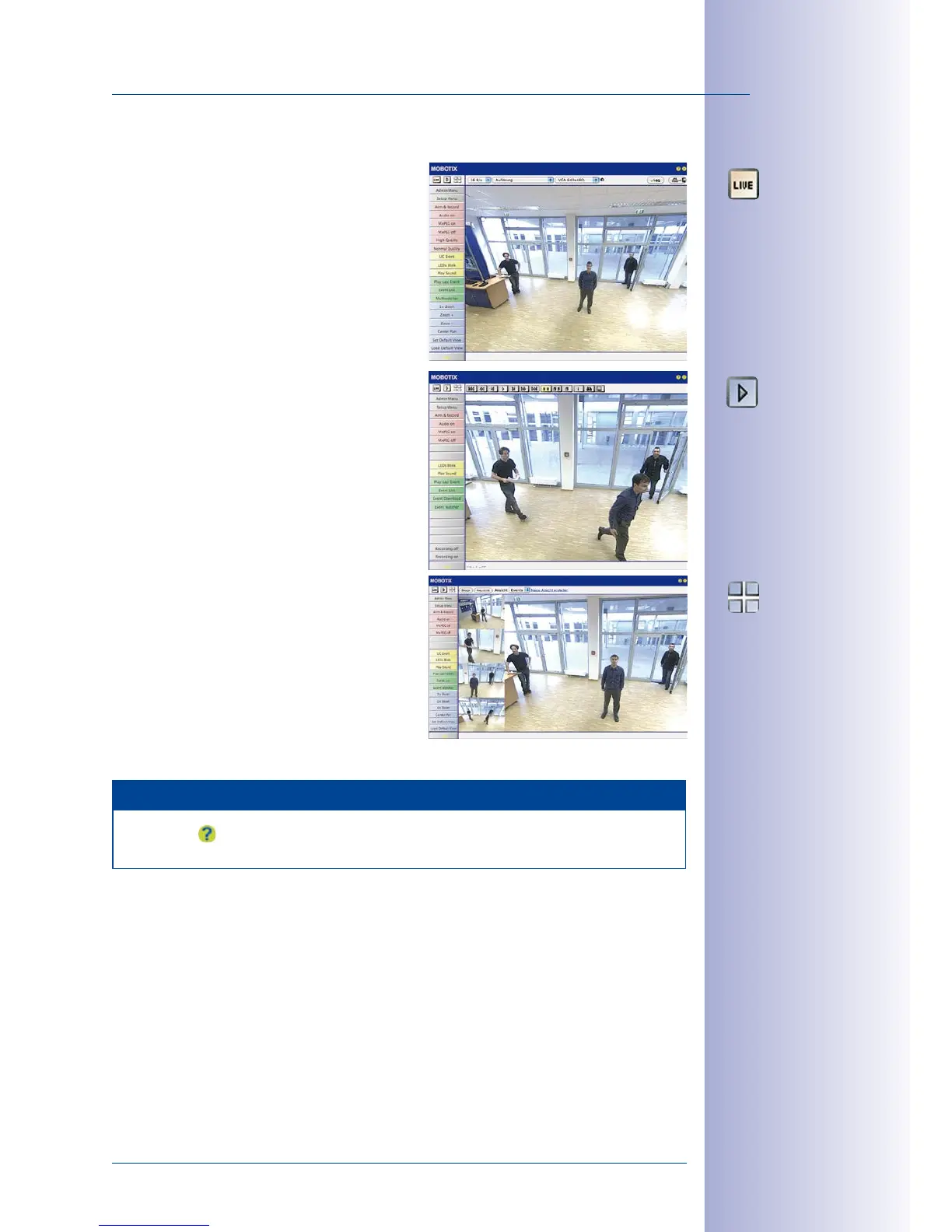
The MOBOTIX camera automatically displays
the live screen when it starts up (factory default
setting). You can set a dierent start page in
Admin Menu> Language and Start Page
(for
example, the Guest screen) to allow a restricted
access to the live image.
The other available standard screens include
Player (playback of recorded images and video
sequences) and the MultiView screen (displays
several cameras with live or recorded images).
MultiView allows you to view several cameras
via a “proxy” camera (especially useful if you
want to access your cameras from outside of
the network with reduced bandwidth) and the
PDA mode provides a special screen for mobile
devices.
Note
Click on the icon in the top right corner of the camera's user interface in the browser
to find further information on the dierent camera screens.
Live view:
http://<camera IP>/
control/userimage.html
Player screen:
http://<camera IP>/
control/player
MultiView screen:
http://<camera IP>/
control/multiview
PDA screen:
http://<camera IP>/pda
PDA event list:
http://<camera
IP>/control/
player?eventlist&pda
Guest screen:
http://<camera IP>/
cgi-bin/guestimage.html



 To Next Page