70/148
M15 Camera Manual: Installation
© MOBOTIX AG • Security-Vision-Systems • Made in Germany
www.mobotix.com • sales@mobotix.com
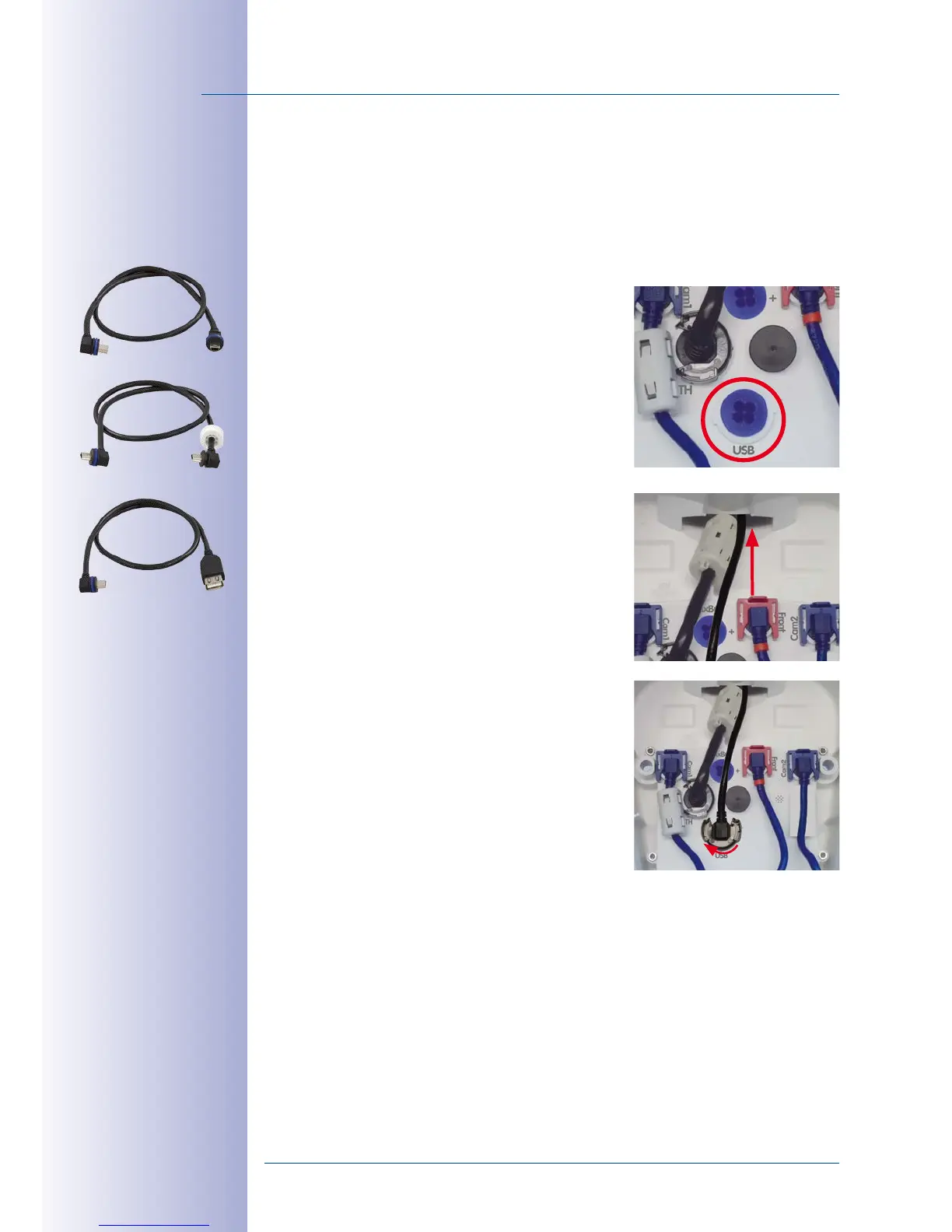
2.2.6 Connecting a USB Cable
Using the USB plug (red circle in figure), you can attach existing expansion modules, such
as the MOBOTIX ExtIO (USB), the MX-232-IO-Box or external USB hard drives to the camera
in a weatherproof and well-protected manner.
Procedure
1.
Open camera housing:
Open the camera housing
as described in
Section 2.2.2
.
2.
Remove the single wire plug
: Remove the blue
single wire plug (red circle in figure).
3.
Guide the USB cable through the housing
: Guide
the cable from the front through the cable guide
in the hinge of the VarioFlex mount (see figure).
4.
Connect the USB cable
: Insert the MiniUSB plug into
the appropriate connector. Apply bayonet catch as
shown and turn it clockwise until it gently snaps shut.
5.
Close camera housing:
Close the camera housing
as described in
Section 2.2.8
.
Only use USB cables
with angled plugs
for connecting USB
cables to the M15!



 To Next Page