17/148
M15 AllroundDual
© MOBOTIX AG • Security-Vision-Systems • Made in Germany
www.mobotix.com • sales@mobotix.com
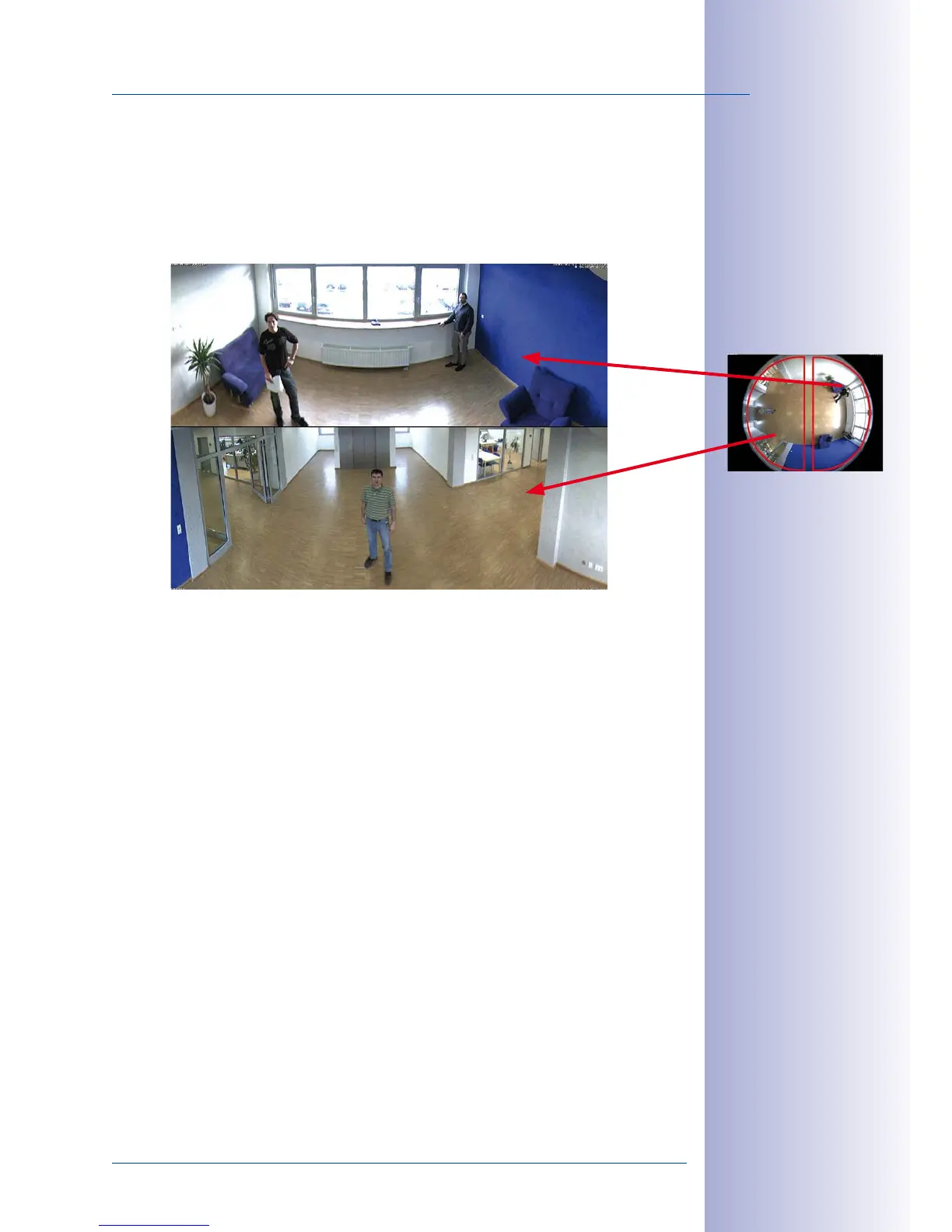
Double Panorama for a Simultaneous View in Two Directions
The “Double Panorama” display mode provides a panorama image of both halves of
the surveillance area. Using the vPTZ functions, the panorama images can be changed
as desired. The example here shows an overview panorama of the entire room, as well
as the entrance, which would have otherwise no longer been visible in the panorama.
Surround View (Quad View)
The M15’s “Surround” display mode delivers four dierent directions “at a glance.” Each of
the four views features a software-controlled pan/tilt/zoom function (virtual PTZ), allowing
it to be customized as necessary. In order to facilitate camera operation, the M15 can
store a total of 256 user-defined camera views, in addition to the preset standard views.
Full Image and Normal View
In addition to the Panorama, Double Panorama, Panorama Focus, and Surround views,
the M15 image may be displayed on a monitor as the original fisheye version (“Full Image”
display mode) or as the camera-corrected image section (“Normal” display mode). Switching
to one of the other display modes described is possible at any time.
Original full image



 To Next Page