86/148
M15 Camera Manual: Installation
© MOBOTIX AG • Security-Vision-Systems • Made in Germany
www.mobotix.com • sales@mobotix.com
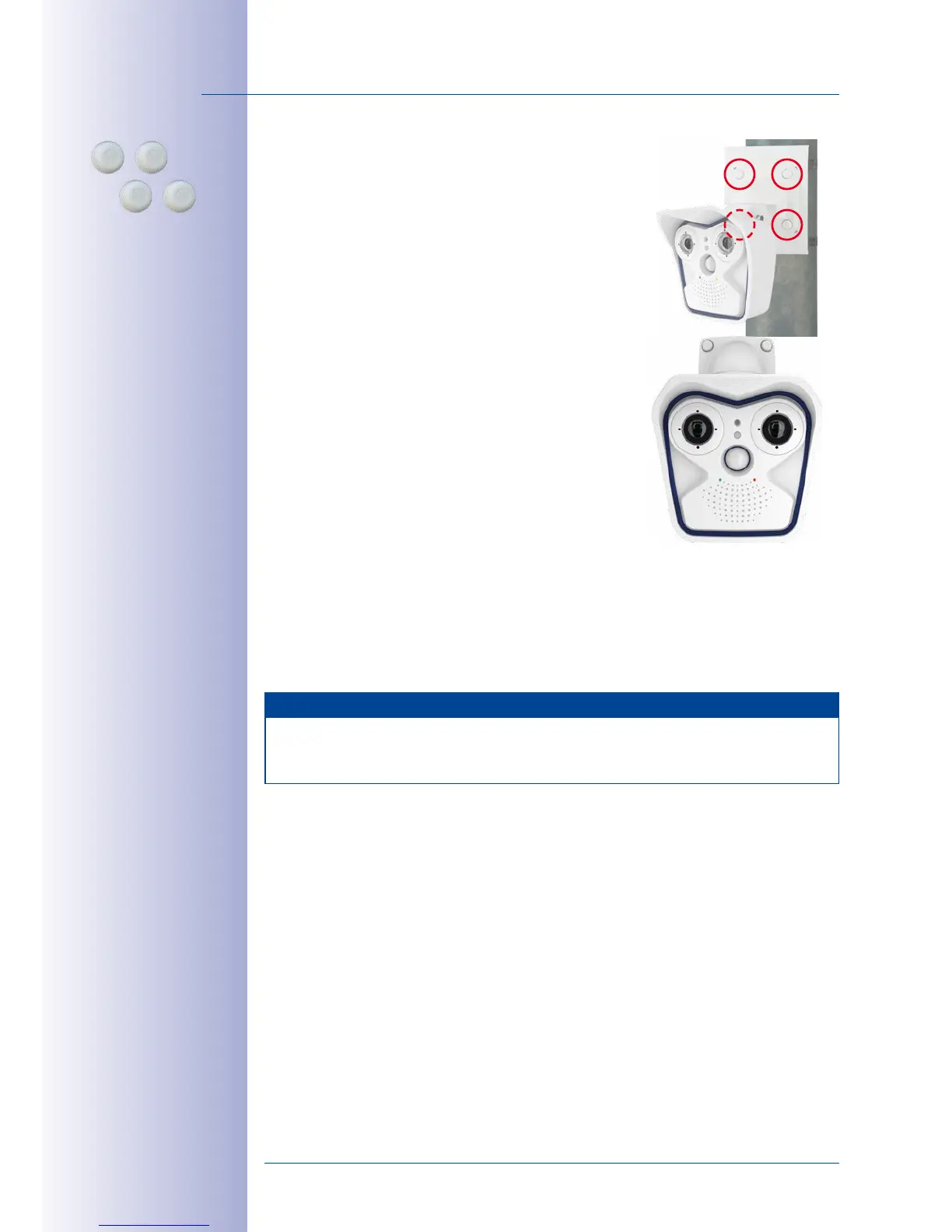
6. Mount the camera: Place the wall mount over the
predrilled positions in the pole mount and tighten
it using the supplied M6x25mm screws (item 1.2),
washers (item 1.4) and M6 hex nuts (item 1.5). Place
the white caps on the screw heads. Then aim the
camera as described in
Section 3.3
.
7. Clean sensor modules: Clean the protective glass
and the dome of the sensor modules with a clean
soft cotton cloth for optimal image results.
8. Establish a connection to the camera, check the
image: Establish a connection to the camera as described in
Section 3.1, «Manual
and Automatic Operation– Overview»
and the following sections. The live image
from the camera should be visible on the computer monitor. Check image sections
on the computer monitor.
Note
The
VarioFlex mount
and
wall mount
must always be used for
pole installation
. The
VarioFlex ceiling mount should not be used.
Screw caps for
lock screws



 To Next Page